 dan
danThe GHL guide · 20 parts Updated October 2026 · about 30 min read
What Is GoHighLevel (GHL)?
A funnel builder's plain-English guide.
What GHL is, what's inside, who it's for, how it compares to WordPress, HubSpot and ClickFunnels, and how I set up funnels, pipelines and follow-up inside it. With live demos.

- 01What is GoHighLevel?
- 02Who it's for
- 03What's inside
- 04Websites & funnels
- 05Landing pages & forms
- 06CRM & pipelines
- 07Calendars & booking
- 08Workflows
- 09Email, SMS & inbox
- 10Speed to lead
- 11Reviews & reputation
- 12Tracking sources
- 13GHL vs website builders
- 14GHL vs other stacks
- 15Pros & cons
- 16Plans & white label
- 17A real setup
- 18Common mistakes
- 19When it's wrong
- 20How I build in GHL
On this page
- 01What is GoHighLevel?
- 02Who it's for
- 03What's inside
- 04Websites & funnels
- 05Landing pages & forms
- 06CRM & pipelines
- 07Calendars & booking
- 08Workflows
- 09Email, SMS & inbox
- 10Speed to lead
- 11Reviews & reputation
- 12Tracking sources
- 13GHL vs website builders
- 14GHL vs other stacks
- 15Pros & cons
- 16Plans & white label
- 17A real setup
- 18Common mistakes
- 19When it's wrong
- 20How I build in GHL
- +Glossary
- +FAQ
What is GoHighLevel? The short answer
Clients ask me about GHL every week. Some have been sold it as a magic box. Others have never heard of it. Here's what it actually is.
GoHighLevel (GHL, or HighLevel) is an all-in-one marketing platform. In one login you get a website and funnel builder, forms, a CRM, calendars, email and text messaging, automations and reporting. Instead of paying for five tools and gluing them together, you run your lead flow in one place.
Think of it like this. A normal small business stack might be a website on WordPress, forms on another tool, a CRM somewhere else, a booking app, an email tool, a texting tool and Zapier holding it all together. GHL puts most of that under one roof, so a lead who fills in a form lands in the CRM, gets a text, books a call and gets reminders without leaving the system.
It started as a tool for marketing agencies, which is why it has features like sub-accounts and white labeling. Today plenty of business owners, coaches and consultants use it directly for their own business.
Who GoHighLevel is built for
GHL fits some businesses beautifully and others badly. The difference is mostly about how leads come in and what happens next.
GHL shines when your business lives on leads: someone asks for a quote, books a call or requests an appointment, and then a human needs to follow up quickly. That's why it's popular with these groups:
- Marketing agencies that manage lead generation for many clients
- Local service businesses: HVAC, plumbing, roofing, cleaning, solar, dental, med spas
- Coaches and consultants who sell through calls and programs
- Course creators and membership businesses
- Real estate teams, lenders and insurance agents with pipelines to manage
It's a weaker fit for businesses whose main job is selling lots of physical products online, or for brands that need a highly custom content website with complex design and editorial workflows.
What's inside: the main tools in one place
The feature list is long. Here are the parts that matter most for websites and funnels, in plain English.
| Tool | What it does | Replaces |
|---|---|---|
| Sites & funnels | Build websites, landing pages and multi-step funnels | Website builder, funnel software |
| Forms & surveys | Capture leads and qualify them with questions | Form tools |
| CRM & pipelines | Store contacts and move deals through stages | Separate CRM |
| Calendars | Let people book appointments online | Booking apps |
| Conversations | Email, SMS and other messages in one inbox | Email and text tools |
| Workflows | Automate replies, reminders and tasks | Zapier-style connectors |
| Reputation | Ask happy customers for reviews | Review request tools |
| Reporting | See leads, sources and appointments | Spreadsheets |
There's more: memberships and courses, invoicing and payments, social planning, and AI helpers. Features change often, so always check what's included in the current plan before you commit.
Websites and funnels in GHL
This is where I spend most of my time inside GHL. The builder is capable, but it doesn't design for you.
GHL has a drag-and-drop builder for pages. You can build a full website with several pages or a funnel: a sequence of pages like opt-in, thank you, booking and confirmation. Each step can track its own visits and conversions.
The builder works with sections, rows, columns and elements. That gives you a lot of freedom, and also a lot of ways to make something that looks like every other template. Most GHL pages I'm asked to fix look generic because the owner started from a stock template and swapped the logo.
What I do differently
- Design the page first around one goal, then build it in GHL
- Write custom copy for the exact traffic source (ad, search, referral)
- Use custom code and CSS where the builder looks stiff
- Check every page on a real phone before launch
- Connect every form to the right pipeline and workflow

A five-step funnel (ad, opt-in, quiz, booking, follow-up) — the same shape I build inside GHL.
Open the live demoLanding pages and forms
A GHL landing page lives or dies by its form. Get the form right and everything downstream gets easier.
GHL forms do two jobs at once: they collect the lead and they feed the CRM. Every field you add becomes data you can use later in automations, like sending a different follow-up to someone who chose "emergency repair" versus "planning a replacement."
- Ask only what you need to call back: name, phone, email, one qualifying question
- Use a multi-step form or survey when you need more detail
- Save hidden fields for traffic source and campaign
- Show a clear thank-you page that says what happens next
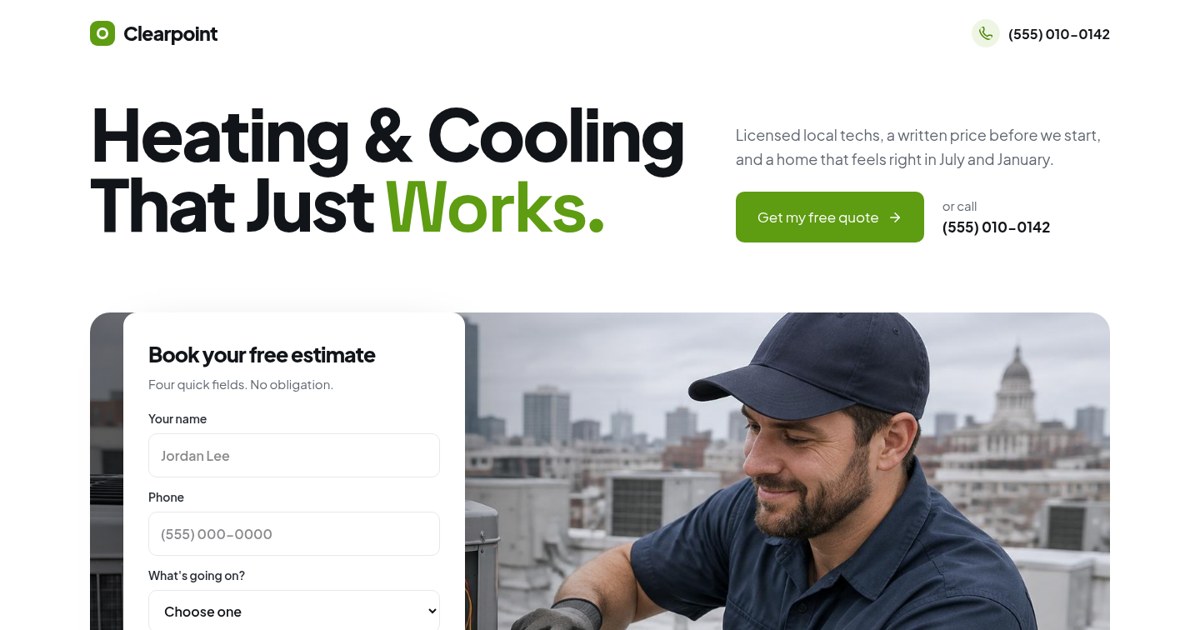
A single-goal estimate page with the form above the fold — easy to rebuild in GHL and connect to a pipeline.
Open the live demoThe CRM: contacts, tags and pipelines
If the pages are the shop window, the CRM is the back office. This is where most GHL accounts get messy.
Every lead becomes a contact. A contact can have tags (labels like "roof repair" or "from Google"), custom fields (like roof age) and opportunities in a pipeline.
A pipeline is a set of stages a deal moves through. For a service business, it might look like this:
- New lead
- Contacted
- Appointment booked
- Quote sent
- Won
- Lost
When stages are clear, automations can move deals for you: a booked call moves the deal to "Appointment booked," a signed quote moves it to "Won." Your team opens one board and sees exactly who needs attention.
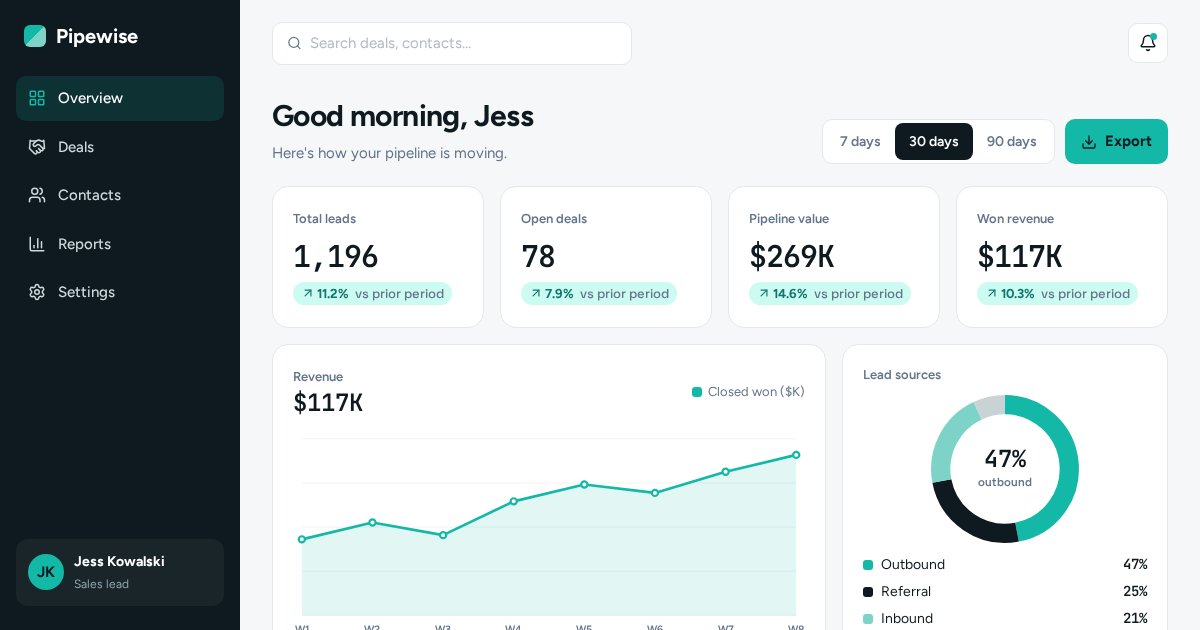
A pipeline view with stages and values — the kind of clarity a well-built GHL pipeline should give you.
Open the live demoCalendars and booking
For most of my clients the real goal of a page isn't a form. It's a booked appointment.
GHL calendars let people pick a time that suits them, based on your team's availability. You can set buffers, limits per day, round-robin between staff and questions to answer before booking.
- Show the calendar right after the form so hot leads book while they're keen
- Send a confirmation instantly and reminders before the appointment
- Include a reschedule link so people move instead of no-showing
- Move the deal in the pipeline automatically on booking
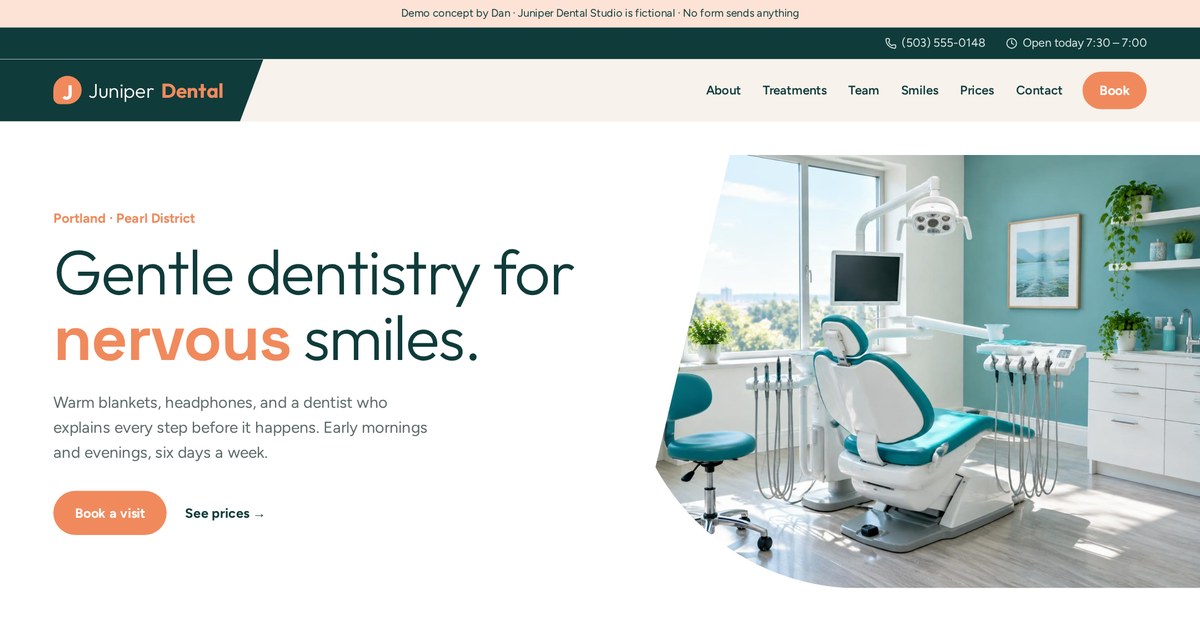
A booking-first website. In GHL, this booking form would feed a calendar with reminders.
Open the live demoWorkflows: triggers, conditions, actions
Workflows are GHL's automation builder. This is where the platform earns its keep.
A GHL workflow starts with a trigger (form submitted, appointment booked, tag added), can check conditions (which service? which city?), and then runs actions (send a text, notify the owner, wait a day, move the deal).
A simple lead workflow I build often:
- Trigger: quote form submitted
- Action: create the deal in "New lead"
- Action: text the lead within a minute with a booking link
- Action: alert the owner by text and email
- Wait: 1 day. If not booked, send a friendly follow-up
- Stop: if the lead replies or books
Email, SMS and the shared inbox
Leads reply on whatever channel is easiest. GHL pulls those replies into one place.
The conversations inbox collects emails, texts and other messages from your connected channels against each contact. Your team can reply from one screen and see the full history.
- Texts need a phone number and, in many countries, registration before sending
- Email needs a properly set-up sending domain to land in inboxes
- Marketing messages generally need consent and an unsubscribe option
Rules vary by country and change over time. This isn't legal advice; check what applies to your business.
Missed-call text back and speed to lead
The fastest reply usually wins the job. GHL makes fast replies the default instead of a hope.
Missed-call text back sends an automatic text when you can't pick up: "Sorry we missed you, how can we help?" For trades and clinics, that one feature can save leads who would otherwise call the next company on Google.
Pair it with an instant form reply and an owner alert, and every lead hears from you within a minute, even on a busy job.
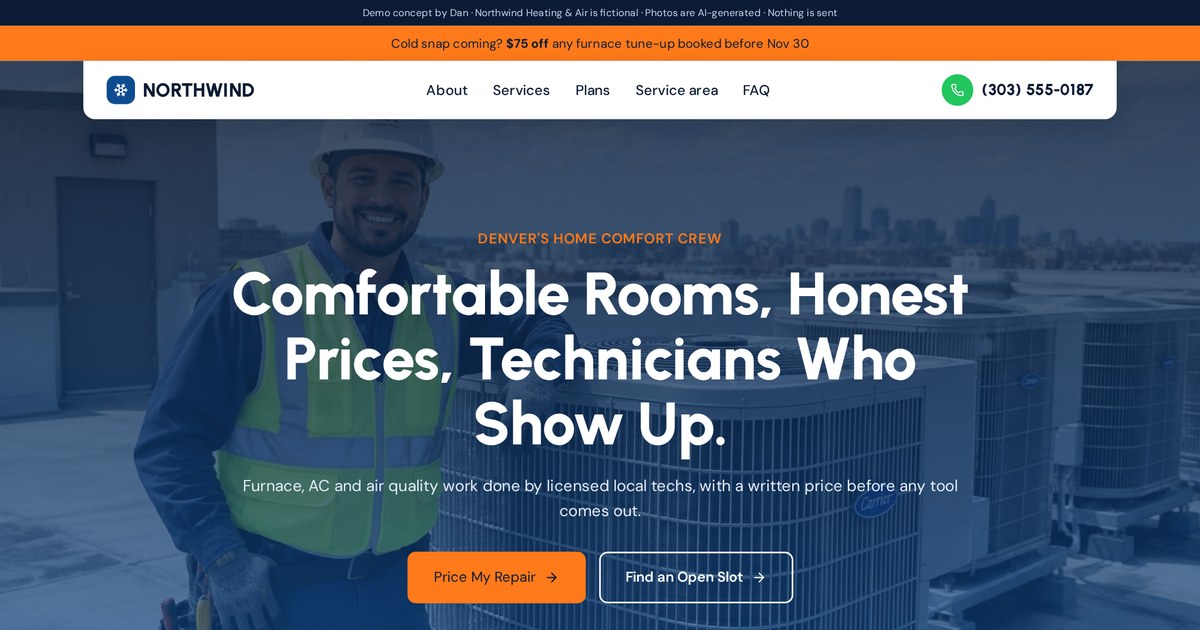
A service site built for calls and quotes — the kind of business where missed-call text back pays off fastest.
Open the live demoReviews and reputation tools
Reviews sell local services. GHL can ask for them at the right moment.
GHL can send a review request after a job is marked complete, with a direct link to your review profile. The timing matters: ask when the customer is happiest, usually right after the work is done.
- Trigger the request when the deal moves to "Won" or "Job complete"
- Keep the message short and personal
- Send one reminder, not five
- Never buy or fake reviews
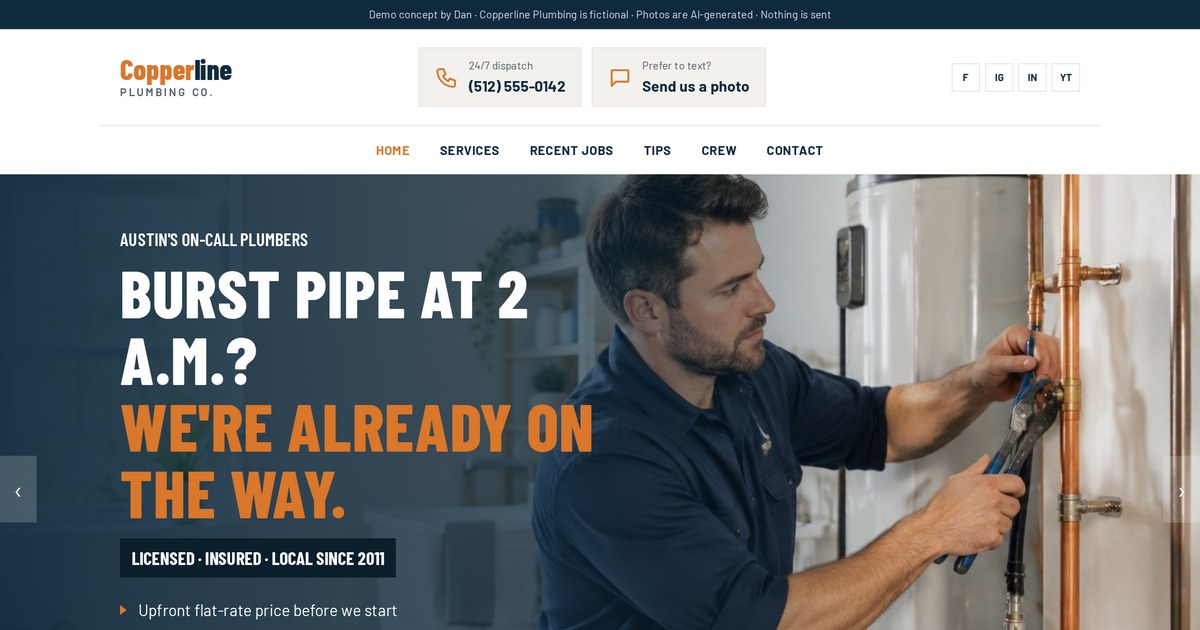
A trades site where real reviews do the heavy lifting once they come in.
Open the live demoTracking leads by source
If you run ads or work on SEO, you need to know which leads came from where. Otherwise you're guessing with your money.
GHL can record the source of each contact: the page, the campaign and UTM tags in the link. When I build a funnel, I make sure every form captures this, so the owner can see leads and bookings by channel.
- Add UTM tags to every ad link
- Save source fields on every form
- Connect ad platform tracking where it makes sense
- Report on booked appointments by source, not just form fills
GHL vs WordPress, Webflow and Squarespace
This is the comparison I get asked about most. The honest answer: they're built for different jobs.
| GoHighLevel | WordPress | Webflow | Squarespace | |
|---|---|---|---|---|
| Best at | Lead capture and follow-up | Content and flexibility | Custom design | Simple, pretty sites |
| CRM & automations built in | Yes | Via plugins | Via integrations | Limited |
| Design freedom | Good, with effort | High | Very high | Medium |
| Blog and content SEO | Basic to good | Excellent | Very good | Good |
| Who maintains it | One login | Updates and plugins | Designer-friendly | Owner-friendly |
A common setup I recommend: the main brand website on WordPress or Webflow for content and SEO, with GHL running the funnels, forms, CRM and follow-up behind it. Other times, especially for local service businesses, everything in GHL is simpler and works great.
GHL vs HubSpot, ClickFunnels and Zapier stacks
If you're comparing marketing platforms, these are the usual alternatives.
| GoHighLevel | HubSpot | ClickFunnels | Separate tools + Zapier | |
|---|---|---|---|---|
| Main strength | All-in-one lead flow | Mature CRM and sales tools | Sales funnels | Pick the best of each |
| Texting built in | Yes | Limited / add-ons | Limited | Separate tool |
| Agency sub-accounts | Yes | Not the focus | Not the focus | No |
| Learning curve | Medium | Medium | Low to medium | Depends on setup |
| Risk | Messy if unplanned | Cost grows with tiers | Less CRM depth | Many breakable connections |
Pricing and features for all of these change often, so compare current plans before deciding.
Pros and cons, honestly
I use GHL a lot. I also tell clients when it isn't the right tool.
Pros
- One login for pages, CRM, booking, messaging and automation
- Fast replies and follow-up without extra tools
- Strong for agencies managing many clients
- Funnels and pipelines are quick to build once you know it
Cons
- Templates look generic unless someone designs properly
- So many features that accounts get cluttered fast
- Content-heavy websites and blogs are easier elsewhere
- Texting and email need setup and compliance work
- Updates are frequent, so things move around
Plans, sub-accounts and white label
GHL's account structure confuses a lot of people at first. Here's the plain version.
GHL has an agency account at the top and sub-accounts underneath. Each sub-account is one business with its own contacts, pages, calendars and workflows. Agencies use this to manage many clients; a single business usually only needs one sub-account.
Higher plans add things like white labeling, where an agency can rebrand the platform under its own name and resell it. That's why you'll sometimes see GHL under a different brand.
GHL has several plan levels, and messaging and some add-ons are billed by usage. Prices change, so check the current pricing on HighLevel's own site before you budget.
A real GHL setup for a service business
Here's how I'd set up a roofing company, step by step. Same shape as my Ridgeline demo funnel.
- Ad or search result sends the homeowner to a roof check landing page
- Short quiz: roof age, problem, home type
- Contact form with source tracking saved
- Calendar step to book an inspection
- Instant text and email confirmation, owner alert
- Pipeline deal created in "Inspection booked"
- Reminders 1 day and 2 hours before, with reschedule link
- No booking? Short follow-up sequence that stops on reply
- After the job: review request
Click through the whole flow, including the tracking and automation panel.
Open the live demo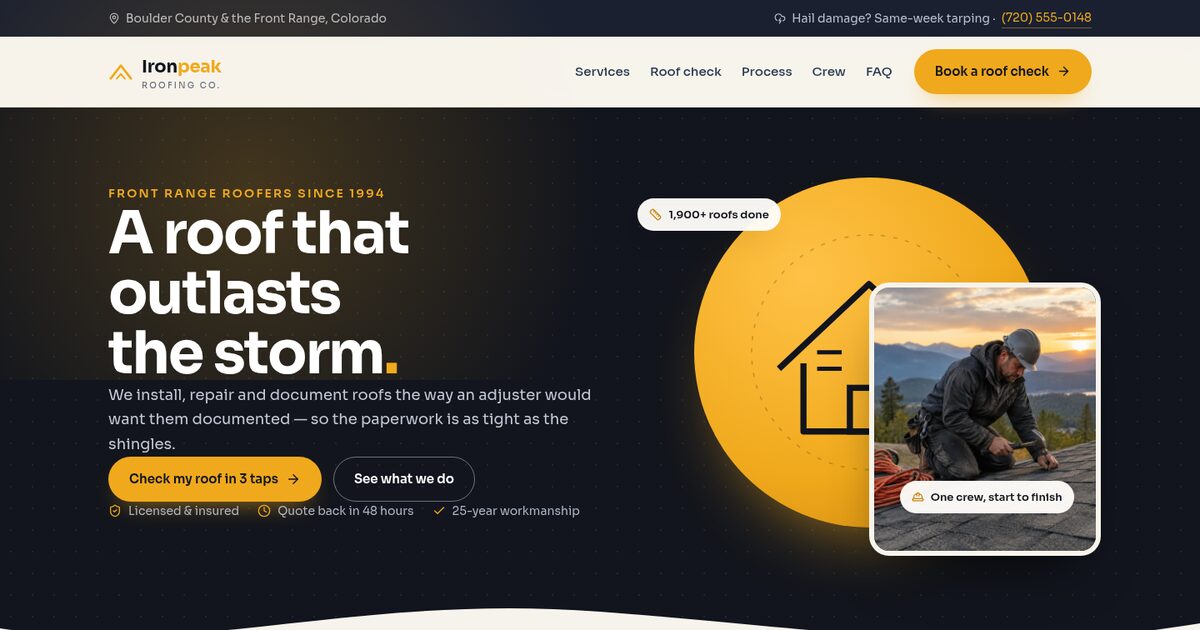
The main website that would sit alongside the funnel, with a roof quiz built in.
Open the live demoCommon GHL mistakes I fix
Most broken GHL accounts break in the same handful of places.
- Stock templates with the logo swapped and nothing else changed
- Forms not connected to any workflow, so leads sit unseen
- Follow-up sequences with no stop condition
- Ten pipelines nobody uses
- No source tracking, so ad spend can't be judged
- Texting or email not set up properly, so messages don't arrive
- Pages that look fine on desktop and break on phones
- Dozens of old workflows still switched on
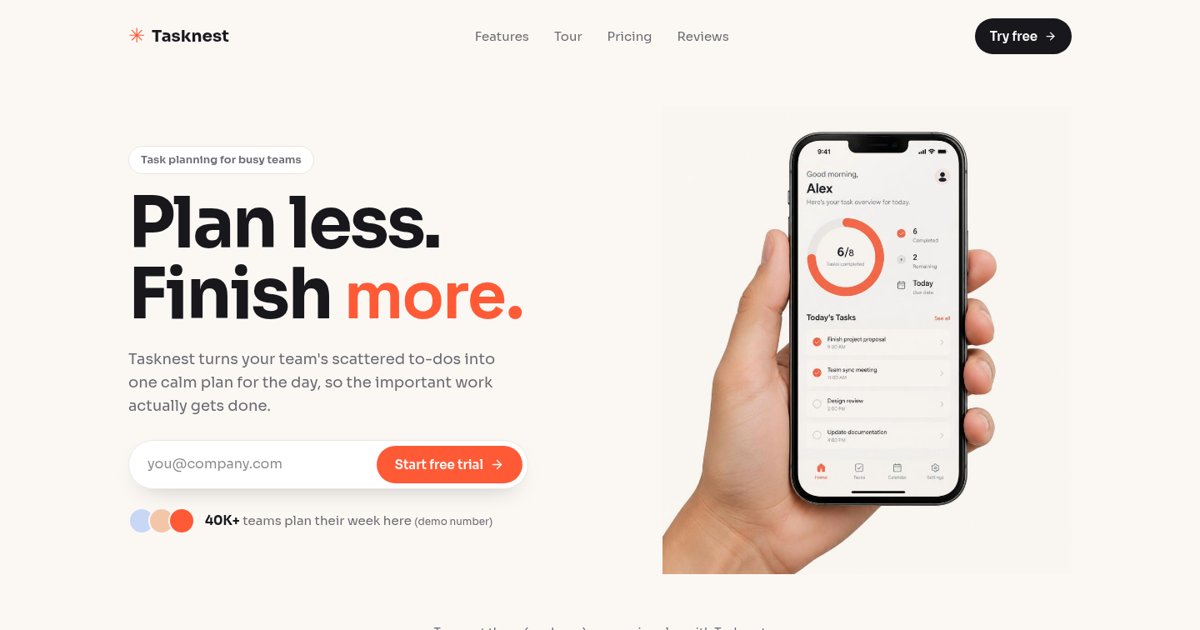
A clean single-goal page — proof that a builder page doesn't have to look like a template.
Open the live demoWhen GHL is the wrong choice
I'd rather lose a GHL build than set a client up with the wrong tool.
- You mainly sell many physical products online — a dedicated store platform fits better
- Your website is a large content or publishing site
- Your team already lives in another CRM that works well
- Nobody will own the account or check the pipeline
- You need very custom web app features
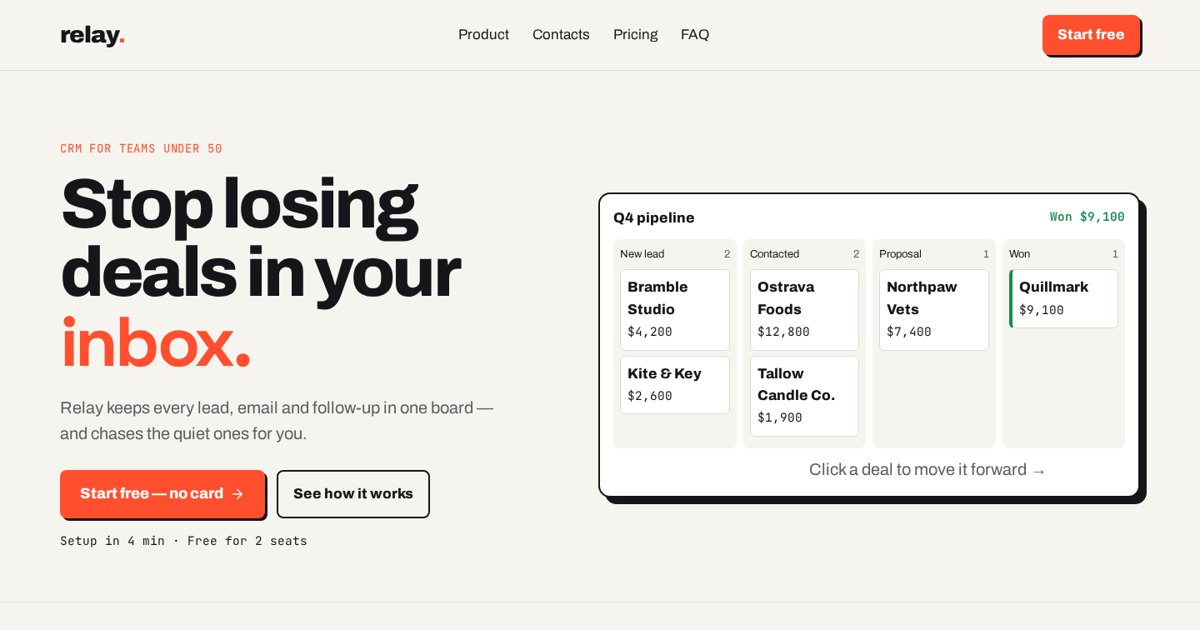
A product site where a dedicated CRM is the product itself — a case where GHL isn't the answer.
Open the live demoHow I build in GHL, and how to start
I've built websites since 2008 across WordPress, HubSpot, Squarespace, Weebly, AI builders and GHL. Here's how a GHL project with me works.
- Short call: how leads reach you today and where they get lost
- Map the journey: page, form, booking, pipeline, follow-up
- Design the pages for your traffic source
- Build in GHL and connect forms, calendars and workflows
- Test every path on a phone, including the "no" paths
- Hand over with a simple map of what runs and when
Already on GHL and it feels messy, or thinking about switching? Tell me what you use today.
Email meMy GHL launch checklist
- Lead journey mapped before building
- Custom-designed pages, not a stock template
- Every form connected to a workflow
- Instant reply and owner alert on every lead
- Source and UTM fields saved
- Pipeline with five to seven clear stages
- Calendar with confirmations, reminders and reschedule link
- Follow-ups stop on reply or booking
- Sending domain and texting set up properly
- Missed-call text back switched on
- Every page tested on a phone
- Old, unused workflows switched off
GHL terms in plain English
- Action
- A step a workflow performs, like sending a text.
- Agency account
- The top-level GHL account that holds sub-accounts.
- Booking widget
- The calendar embed people use to pick a time.
- Calendar
- GHL's tool for online appointment booking.
- Condition
- A check that decides which path a workflow takes.
- Consent
- Permission a person gives to be contacted.
- Contact
- A person stored in the GHL CRM.
- Conversations
- GHL's shared inbox for emails and texts.
- CRM
- Customer relationship management: your list of leads and customers.
- Custom field
- Extra data saved on a contact, like roof age.
- Custom values
- Reusable text like your business name used across messages.
- Domain
- The web address your pages live on.
- Funnel
- A sequence of pages that guides a visitor to one goal.
- GHL
- Short for GoHighLevel, also called HighLevel.
- Lead
- Someone who has shown interest in buying.
- Missed-call text back
- An automatic text sent when a call isn't answered.
- No-show
- A booked appointment the person didn't attend.
- Opportunity
- A deal tracked in a pipeline.
- Owner alert
- A notification telling a team member to act.
- Pipeline
- The stages a deal moves through until won or lost.
- Reminder
- An automatic message before an appointment.
- Reputation management
- Tools to request and monitor reviews.
- Round robin
- Sharing bookings evenly across team members.
- Sending domain
- The domain set up so your emails reach inboxes.
- Snapshot
- A saved copy of a GHL setup that can be loaded into another account.
- Stage
- One step in a pipeline.
- Stop condition
- A rule that ends a follow-up sequence.
- Sub-account
- One business inside a GHL agency account.
- Survey
- A multi-step form that asks qualifying questions.
- Tag
- A label on a contact, like "roof repair."
- Trigger
- The event that starts a workflow.
- UTM tag
- Text added to a link that records which campaign a visit came from.
- Wait step
- A pause in a workflow before the next action.
- White label
- Rebranding the platform under an agency's own name.
- Workflow
- GHL's automation builder.
Frequently asked questions
What is GoHighLevel in simple terms?
An all-in-one marketing platform: website and funnel builder, forms, CRM, calendars, email and text, and automations in one login.
Is GHL a website builder?
It includes one, but it's mainly a lead capture and follow-up platform. The website builder is one part of it.
Is GoHighLevel the same as HighLevel?
Yes. GoHighLevel, HighLevel and GHL are the same platform.
Who should use GoHighLevel?
Agencies and lead-based businesses: local services, clinics, coaches, consultants, real estate and lending.
Is GHL good for SEO?
It can rank, especially for local pages. For large content sites and blogs, WordPress or Webflow are usually easier.
Can GHL replace my CRM?
For many small businesses, yes. Larger sales teams with complex needs may prefer a dedicated CRM.
How much does GoHighLevel cost?
There are several plans plus usage-based messaging costs. Prices change, so check HighLevel's current pricing.
Can I keep my existing website and still use GHL?
Yes. Many businesses keep their main site and use GHL for funnels, forms, booking and follow-up.
Is GoHighLevel hard to learn?
The basics are quick; doing it well takes planning. Most problems come from cluttered setups, not the tool.
Do I need consent to send texts from GHL?
Usually yes for marketing messages, and rules vary by country. This isn't legal advice.
What is a GHL snapshot?
A saved copy of a setup (pages, workflows, pipelines) that can be loaded into another account.
Can you build or fix my GHL setup?
Yes. I design and build GHL websites, funnels, pipelines and automations. Email dan@admusketeers.com or message me on WhatsApp.
Paying for GHL but still losing leads?
Let's set it up right.
I design and build GoHighLevel websites, funnels, pipelines and automations so every lead gets a fast reply and a clear next step. Tell me what you use today.