 dan
danThe website pages guide · 20 parts Updated October 2026 · about 35 min read
What Pages Should Your Website Have?
And why each one matters.
The pages every business website needs, the extras that depend on your industry, and how I plan page structures for clients. With live demo examples.

- 01The 5 core pages
- 02Each page has one job
- 03Homepage
- 04Services pages
- 05About page
- 06Contact page
- 07Pricing page
- 08Portfolio & case studies
- 09Testimonials & reviews
- 10FAQ page
- 11Blog & guides
- 12Location pages
- 13Landing pages
- 14Booking, quote & thank-you
- 15Legal pages
- 16404 & utility pages
- 17Pages by business type
- 18Navigation & sitemap
- 19One-page vs multi-page
- 20Launch checklist & hiring
On this page
- 01The 5 core pages
- 02Each page has one job
- 03Homepage
- 04Services pages
- 05About page
- 06Contact page
- 07Pricing page
- 08Portfolio & case studies
- 09Testimonials & reviews
- 10FAQ page
- 11Blog & guides
- 12Location pages
- 13Landing pages
- 14Booking, quote & thank-you
- 15Legal pages
- 16404 & utility pages
- 17Pages by business type
- 18Navigation & sitemap
- 19One-page vs multi-page
- 20Launch checklist & hiring
- +Glossary
- +FAQ
What pages should a website have? The short answer
Every week someone asks me how many pages their website needs. My honest answer: fewer than you think, but each one has to earn its place.
Most business websites need five core pages: a Homepage, a Services (or Products) page, an About page, a Contact page and the legal pages (privacy policy and terms). After that, add pages only when they answer a real question your buyers ask: pricing, portfolio or case studies, FAQs, location pages, a blog or guides, and landing pages for ads.
When I plan a site for a client, I don't start with a list of pages. I start with the questions a buyer asks before they hand over money. What do you do? Can you do it for someone like me? Are you real and trustworthy? How much is it? What happens next? Each core page exists because it answers one of those questions better than any other page can.
| Page | Question it answers | Must-have? |
|---|---|---|
| Homepage | Am I in the right place, and what do I do next? | Yes |
| Services / Products | Do you offer exactly what I need? | Yes |
| About | Who are you and why should I trust you? | Yes |
| Contact | How do I reach you, and how fast will you reply? | Yes |
| Legal pages | Is my data safe and what are the rules? | Yes |
| Pricing | Can I afford this? | Strongly recommended |
| Portfolio / Case studies | Have you done this before? | Recommended |
| FAQ | What about my specific worry? | Recommended |
| Blog / Guides | Can you teach me something useful? | Optional, great for SEO |
| Landing pages | Is this offer exactly what the ad promised? | Needed if you run ads |
Throughout this guide I'll point to my live demos. They're fictional brands I designed and built, so you can click through real page structures instead of imagining them.
Start with goals: every page needs one job
The fastest way to a messy website is adding pages because "everyone has one." I give each page a single job before I design anything.
Before you add a page, write one sentence: "This page exists so that [type of visitor] can [take this action]." If you can't finish the sentence, you probably don't need the page, or it should be a section on another page.
A page's job is usually one of three things: inform (help someone understand), persuade (help them decide), or convert (help them act). A services page persuades. A contact page converts. A guide informs. When one page tries to do all three equally, it does none of them well.
My page-job worksheet
- Who lands here? (new visitor from Google, returning visitor, someone from an ad)
- What do they already know when they arrive?
- What's the one question they need answered here?
- What's the one action I want next?
- Which page should they go to if they're not ready?
This worksheet is how I decide whether something deserves its own page or just a section. A "Why choose us" page, for example, rarely needs to exist on its own. Those points work harder on the homepage and services pages, where people are already deciding.
What should the homepage of a website have?
Your homepage is a front door and a signpost. It isn't the place to say everything. It's the place to help people find the right next step quickly.
A strong homepage has a clear headline saying what you do and for whom, one primary call to action, a short list of services with links, proof that you're real (photos, credentials, genuine reviews when you have them), a simple explanation of how working with you goes, and contact details in the footer.
Above the fold
- A headline a stranger understands in five seconds
- A sub-headline naming the result and the audience
- One main button ("Get a free quote", "Book a call")
- A visual of the real work, place or product
- A tap-to-call phone number for local businesses
Below the fold
- Services overview linking to each service page
- Trust strip: licenses, years in business, guarantees
- How it works in three or four steps
- Featured work or results (real only)
- FAQ teaser and a final call to action
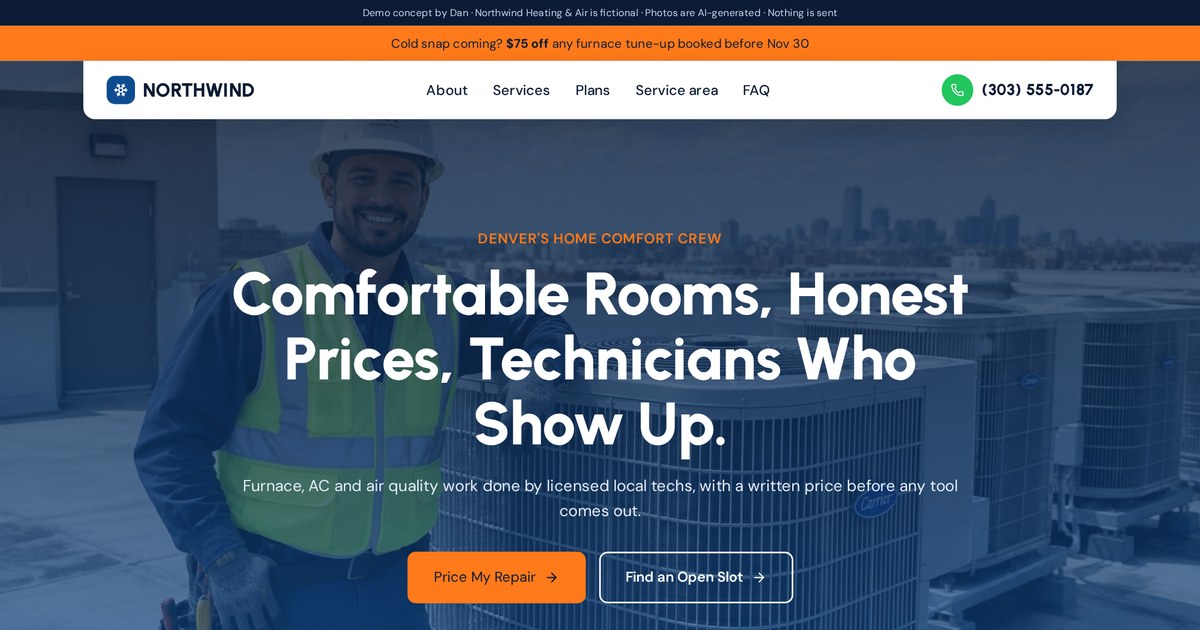
A homepage that leads with the service, one booking button and a trust strip, then routes visitors to repair, install and maintenance.
Open the live demoServices pages: one page per service, and why it matters
This is the page I see underbuilt most often. A single "Services" page with six bullet points leaves money on the table.
If you offer more than one distinct service, give each its own page. Separate service pages let you answer specific questions, show relevant examples, target the exact words people search on Google, and send ad traffic to a page that matches the ad.
Think about how people search. Nobody types "plumbing services." They type "water heater replacement near me" or "emergency drain cleaning." A dedicated page for each of those has a real chance to show up. A bullet point on a general page doesn't.
What every service page needs
- A headline naming the service and the outcome
- Who it's for and the problems it solves
- What's included, step by step
- Price range or starting price if you can share it
- Examples or photos of that specific work
- FAQs for that service
- One clear call to action
Keep a short Services overview page too. It acts as a menu that links to each detailed page, which helps visitors and helps Google understand how your site is organized.
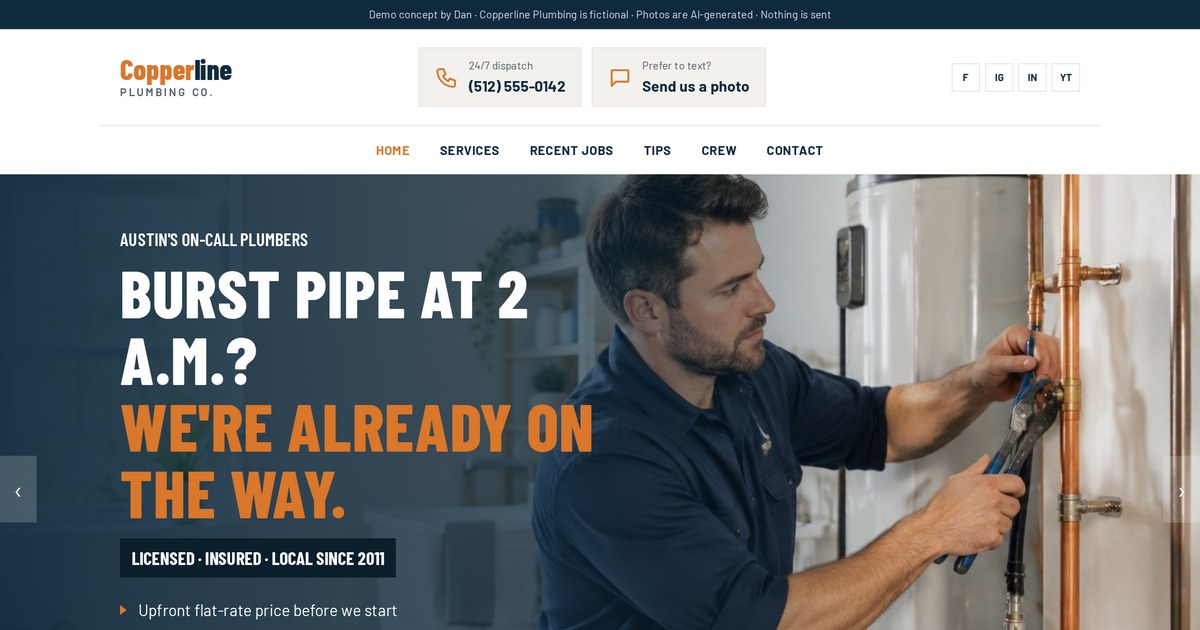
Each service has its own details, so a visitor with a burst pipe doesn't have to read about remodels.
Open the live demoAbout page: make it about the customer
About pages are among the most visited pages on many service sites, and among the most neglected. People check them right before they decide.
A good About page explains who you are, why you do the work, who you help and how you work, with real photos of real people. It should still be about the customer: it answers "Why should I trust you with my problem?", not just "Here's our history."
What I put on an About page
- A real photo of you or your team (not stock)
- A short story: why you started and what you care about
- Who you help best and who you're not a fit for
- How you work: your process and principles
- Credentials, licenses, tools or memberships
- A call to action, because About visitors are close to deciding
I built my own About page to show what I do, not just describe it. It has interactive build categories, code previews and my working principles, because a website builder's About page should prove the skill. Your version might be a photo of your crew on site, a short video, or a timeline of your shop.
Want an About page that actually helps people choose you? Tell me about your business.
Email meContact page: make reaching you effortless
A contact page is where interest turns into a lead. Small frictions here cost real enquiries.
Your contact page should offer the ways your customers actually prefer to reach you (a short form, email, phone and, for local businesses, an address with a map), say when you're available, and explain what happens after they get in touch and how quickly you'll reply.
- A short form: name, contact, and one question about their need
- Email and tap-to-call phone number
- Business hours and time zone
- Address and map if customers visit you
- Expected reply time ("I reply within one business day")
- What happens next, in two or three steps
Also put contact options in the header and footer of every page. The contact page is for people who went looking; everyone else should be able to act from wherever they are.
Pricing page: show it, range it, or explain it
Most owners fear a pricing page will scare people away. In my experience, hiding price scares away more good leads than it saves.
If your prices are fixed, publish them. If they vary, show ranges or "starting from" prices and explain what changes the price. If you truly can't share numbers, explain how you price and what a typical project involves. Any of these beats silence.
| Approach | Best for | Example |
|---|---|---|
| Fixed prices | Products, packages, memberships | Monthly plans, set menus |
| Starting from | Services with a common base | "Drain cleaning from $X" |
| Ranges | Custom projects with typical sizes | "Most kitchens: $X to $Y" |
| Calculator | Price depends on a few inputs | Size, rooms, frequency |
| Pricing explained | Highly custom work | Factors + process + consult |
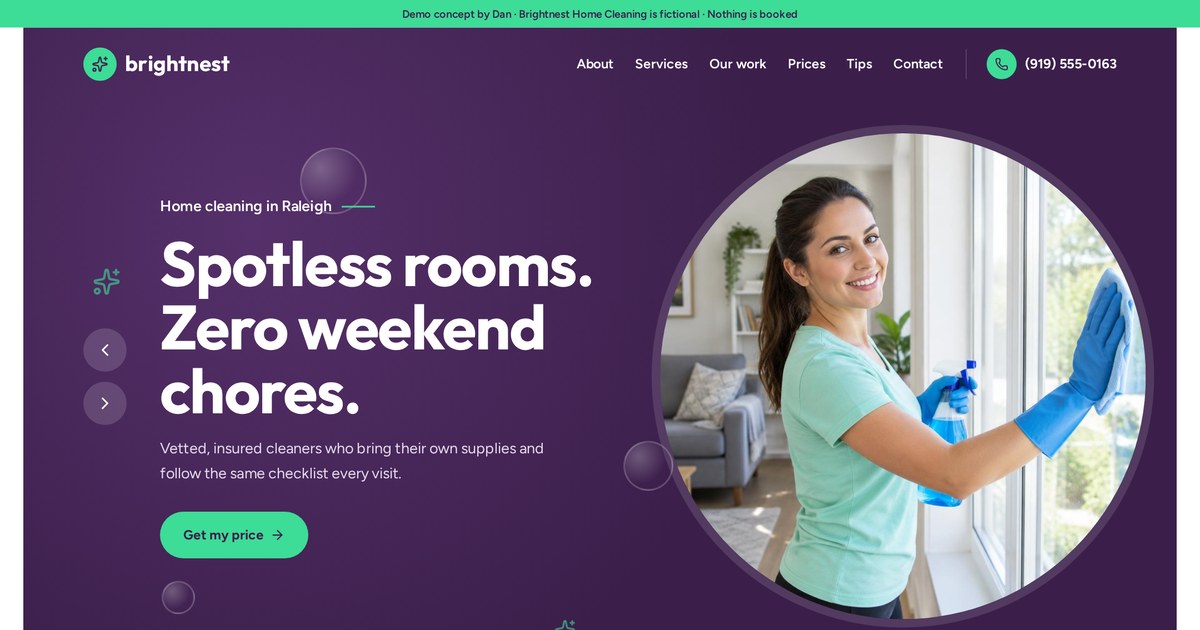
An interactive price estimate lets visitors see a ballpark before they ever fill in a form.
Open the live demoExample placeholders like $X are used here on purpose. Your real numbers depend on your market.
Portfolio, case studies and work pages
People believe what they can see. A work page turns "we're good" into evidence.
A portfolio or case studies page shows real examples of your work. A case study goes further: the client's problem, what you did and the result. Use only real projects and real outcomes. If you're new, show sample or practice work and label it clearly.
A simple case study structure
- The client and their situation
- The problem they had
- What you did and why
- The result, in honest terms
- Photos, screenshots or before/after
I'm open about this on my own site: my demos are fictional brands, and they're labeled that way. That still proves the design and build skill without pretending to be client results. Honesty on a work page builds more trust than an inflated claim that a buyer can't verify.
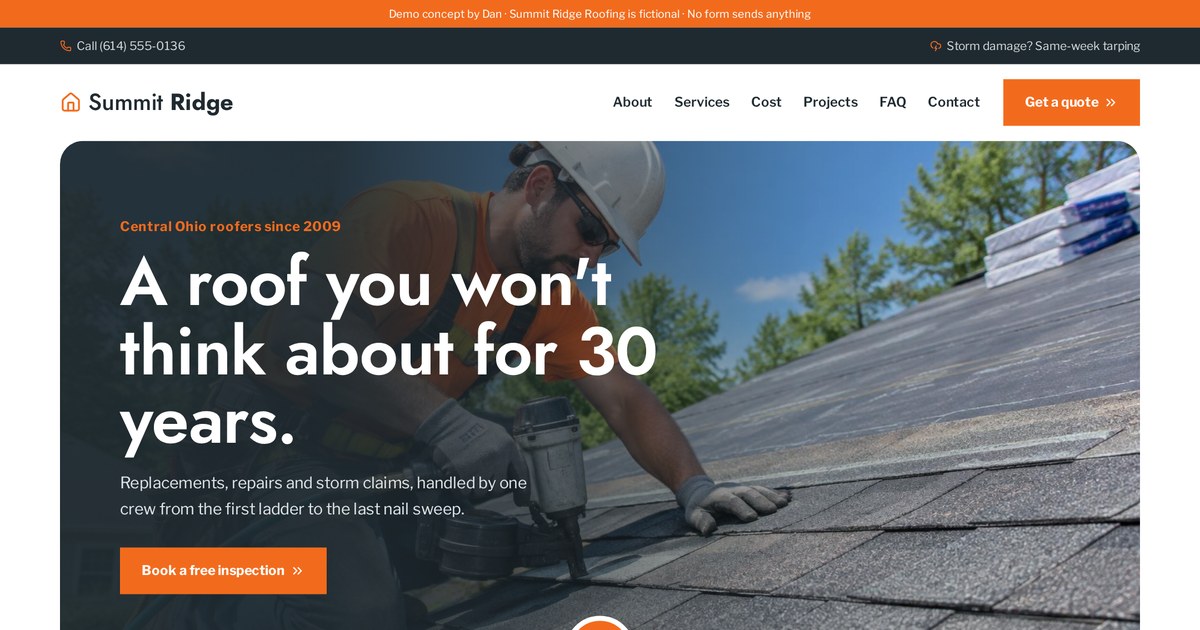
Project filters let visitors find work similar to their own roof, which is what a portfolio is really for.
Open the live demoTestimonials and reviews: when you have them, and when you don't
Reviews are powerful. Fake reviews are dangerous. There's a sensible middle path when you're starting out.
If you have genuine reviews, place them near decisions (on the homepage, service pages and near forms) rather than only on a separate page. If you don't have reviews yet, never invent them. Use guarantees, credentials, clear process and real photos instead, and start asking every happy customer for a review.
- Ask right after a job goes well, with a direct link
- Use real names and details only with permission
- Embed or link to your Google reviews
- Pair a short quote with the matching service
A separate testimonials page is fine once you have plenty of reviews, but few people visit it on purpose. Reviews do most of their work when they appear right beside the button.
FAQ page vs FAQs on every page
FAQs reduce hesitation and repeat questions. Where you put them changes how much they help.
Put the most relevant FAQs on each service or landing page, right before the final call to action. Add a full FAQ page if you get many general questions about booking, payment, policies or areas you serve. Write real questions in your customers' words.
The best FAQ sources are your inbox and your phone calls. Every question you've answered three times belongs on the site. Good FAQs also help on Google, because people search in question form.
- How much does it cost?
- How long does it take?
- Do you serve my area?
- What do I need to prepare?
- What if something goes wrong?
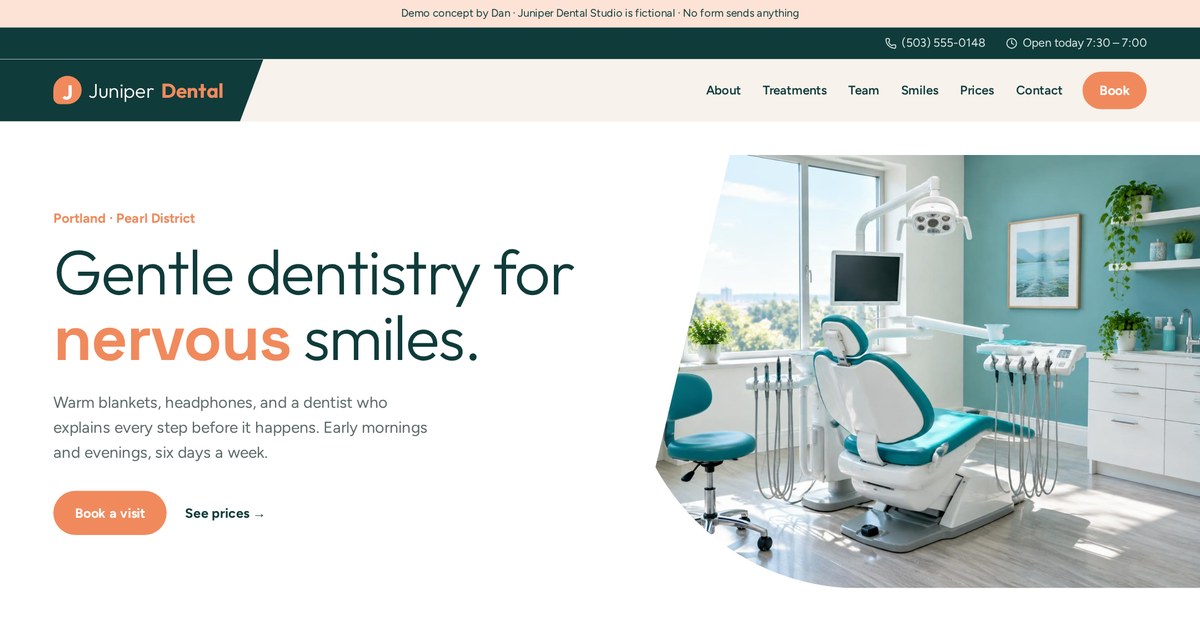
FAQs about insurance, first visits and nervous patients sit near booking, where the hesitation actually happens.
Open the live demoBlog and guides: the pages that get found on Google
Your core pages convert people who already know you. Helpful content is how strangers find you in the first place.
A blog or guides section answers the questions your buyers search before they're ready to hire. Each article should target one clear topic, be genuinely useful, show your experience and link to the relevant service page. A few excellent guides beat dozens of thin posts.
This guide is an example of that approach. It answers a real question business owners search, it's written from my own experience, and it links to my demos and contact page. It's part of a small library on websites, funnels and landing pages rather than a stream of short posts.
- Answer the question in the first paragraph
- Use your own examples and opinions
- Link to the service page that solves the problem
- Update it when things change
- Keep it easy to scan with headings and lists
Location and service-area pages for local businesses
If you serve several towns or neighborhoods, location pages can help you appear in local searches, but only if they're real.
Create a location page for each area you genuinely serve and can say something specific about: local jobs, travel times, neighborhoods, local regulations or a branch address. Avoid copy-pasted pages that only swap the city name; they help neither visitors nor rankings.
- Specific jobs or projects in that area
- Areas and neighborhoods covered
- Local contact number or address if you have one
- Area-specific FAQs (permits, parking, response times)
- A map of your service area
Pair location pages with a complete Google Business Profile. For many local trades, that profile drives more calls than the website itself, and the website's job is to back it up.
Landing pages for ads and campaigns
Landing pages are the pages you build for a specific offer or traffic source. They usually stay out of the main navigation.
If you run ads, email campaigns or promotions, give each one a dedicated landing page that repeats the promise of the ad and asks for one action. Keep them out of the main menu, remove distracting links, and track each page separately.
Sending ad traffic to your homepage is like inviting someone to a specific event and then making them search the whole building for it. A landing page meets them at the door with exactly what they came for.
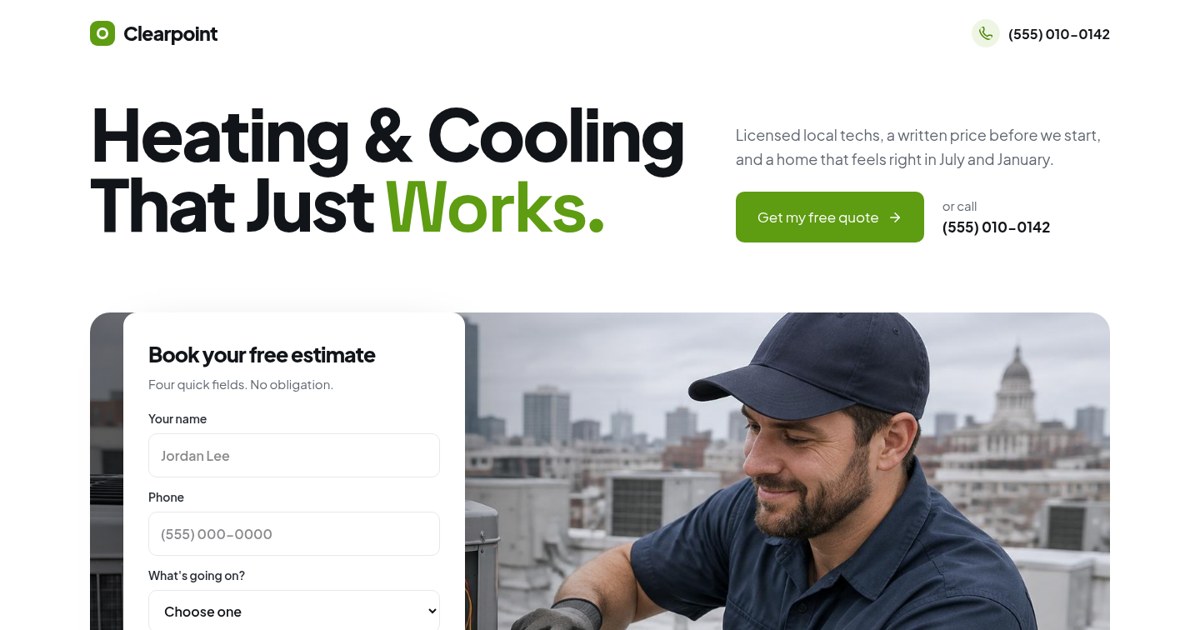
One offer, one estimate form and no main navigation: built to receive ad traffic.
Open the live demoBooking, quote and thank-you pages
These small pages carry the most valuable moments on your site: the moment someone commits.
If people book appointments or request quotes, give that step its own focused page or embedded tool. After any form, send people to a thank-you page that confirms the request, says what happens next and when, and offers a useful next step.
- Confirmation of what they asked for
- When and how you'll reply
- What to prepare
- A secondary action: read a guide, follow, call now if urgent
- Tracking set up so the visit counts as a conversion
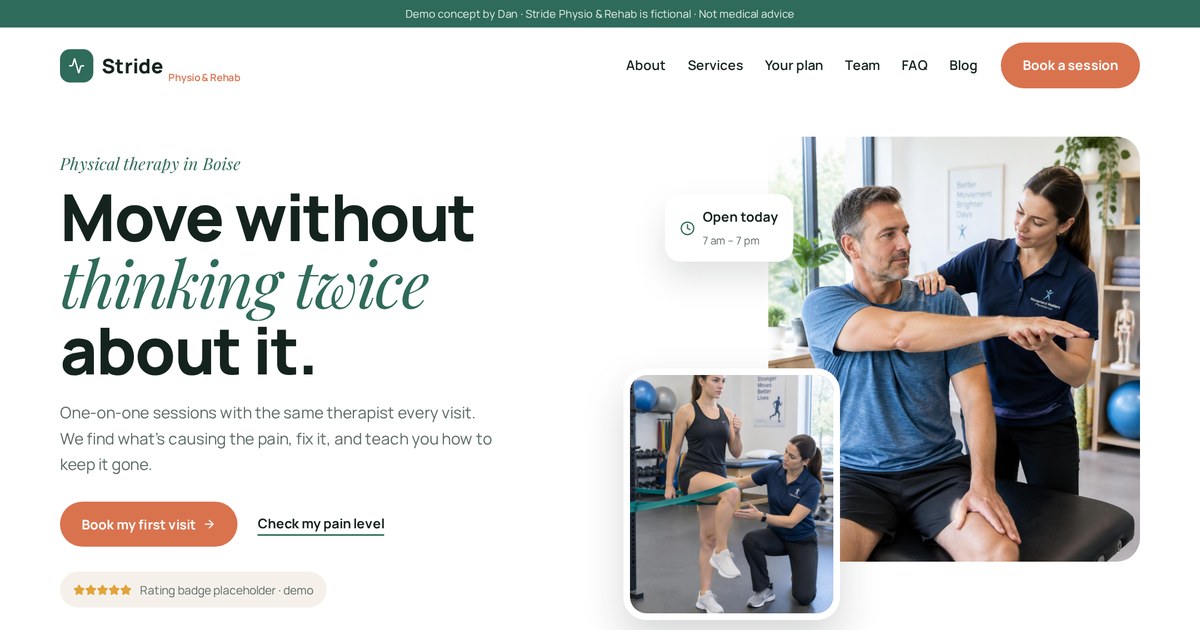
A short plan finder leads into booking, so the commitment step feels like a natural next move.
Open the live demoWhat legal pages should a website have?
Legal pages aren't exciting, but they protect you and signal that you're a real, accountable business.
Most business websites should have a Privacy Policy and Terms of Use. Depending on what you do, you may also need a cookie notice, a refund or cancellation policy, an accessibility statement and a disclaimer. Requirements vary by country and industry, so have a qualified professional review them.
| Page | When you need it |
|---|---|
| Privacy Policy | You collect any personal data (forms, analytics, email) |
| Terms of Use | Almost always: sets rules for using the site |
| Cookie notice | You use tracking or ad cookies, especially for EU/UK visitors |
| Refund / Cancellation | You sell products, bookings or subscriptions |
| Accessibility statement | You want to show commitment to accessible design |
| Disclaimer | You give advice, results claims or information others may rely on |
Link them in the footer of every page. This isn't legal advice; it's the list I make sure every client discusses with their own advisor before launch.
404 and utility pages people forget
Nobody plans these pages, yet visitors hit them all the time.
Plan a friendly 404 (page not found) page with links back to your main pages, a thank-you page for every form, and, if relevant, account, cart, checkout and order-confirmation pages. These keep visitors moving instead of leaving.
- 404 page with search or key links
- Thank-you / confirmation pages
- Cart, checkout and order confirmation for stores
- Login and account pages for members
- Sitemap file for search engines
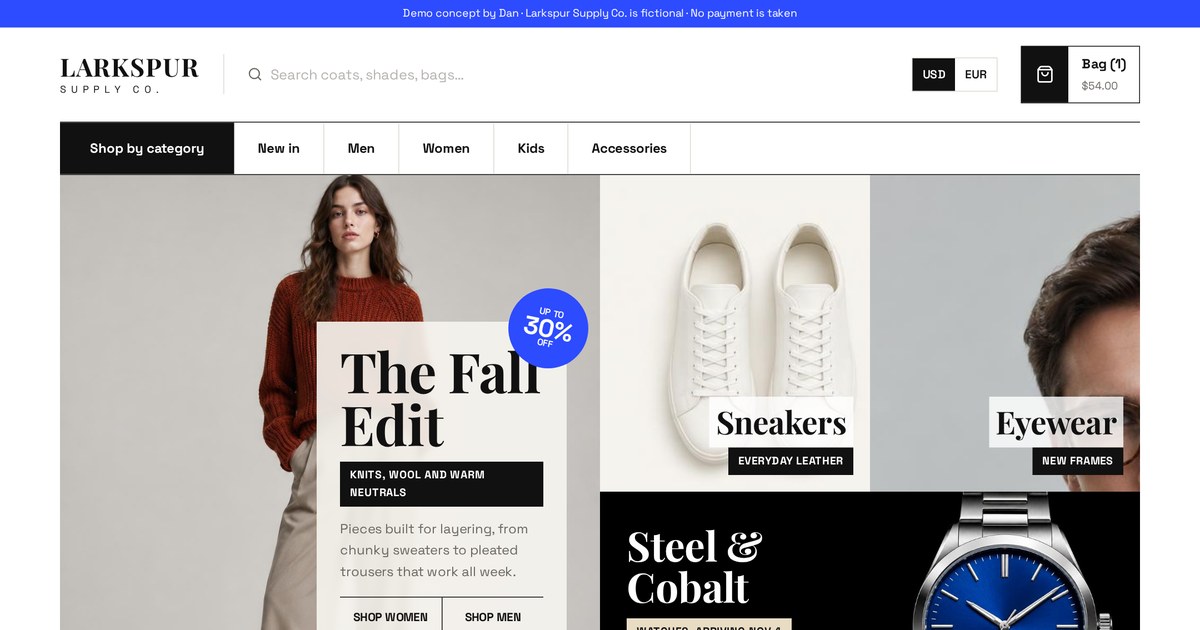
A store needs extra pages: product, cart, quick view and checkout flow, each with its own job.
Open the live demoWhat pages should a business website have? By business type
The core five apply everywhere, but the extras change a lot by industry. Here's how I'd plan pages for common businesses.
Start with the core five pages, then add the pages that answer your industry's biggest buying questions: menus and reservations for restaurants, pricing and demos for software, service areas for trades, programs and giving for nonprofits, and product and policy pages for stores.
| Business type | Must-have extras | Nice to have |
|---|---|---|
| Local trade (HVAC, plumbing, roofing) | One page per service, service areas, quote/booking | Financing, maintenance plans, guides |
| Professional service (law, finance, consulting) | Practice areas, team bios, consultation booking | Case results (real only), insights |
| Health (dental, physio, clinics) | Treatments, new patient info, booking, insurance | Team, FAQs, patient guides |
| Coach / creator | Programs, about, booking or apply | Free resource, podcast or blog |
| Software / SaaS | Features, pricing, sign-up or demo | Integrations, docs, comparisons |
| Online store | Products, categories, cart, shipping & returns | Lookbook, reviews, gift guide |
| Restaurant | Menu, reservations or ordering, location & hours | Events, private dining, gift cards |
| Nonprofit / church | Mission, programs, donate, get involved | Events, stories, reports |
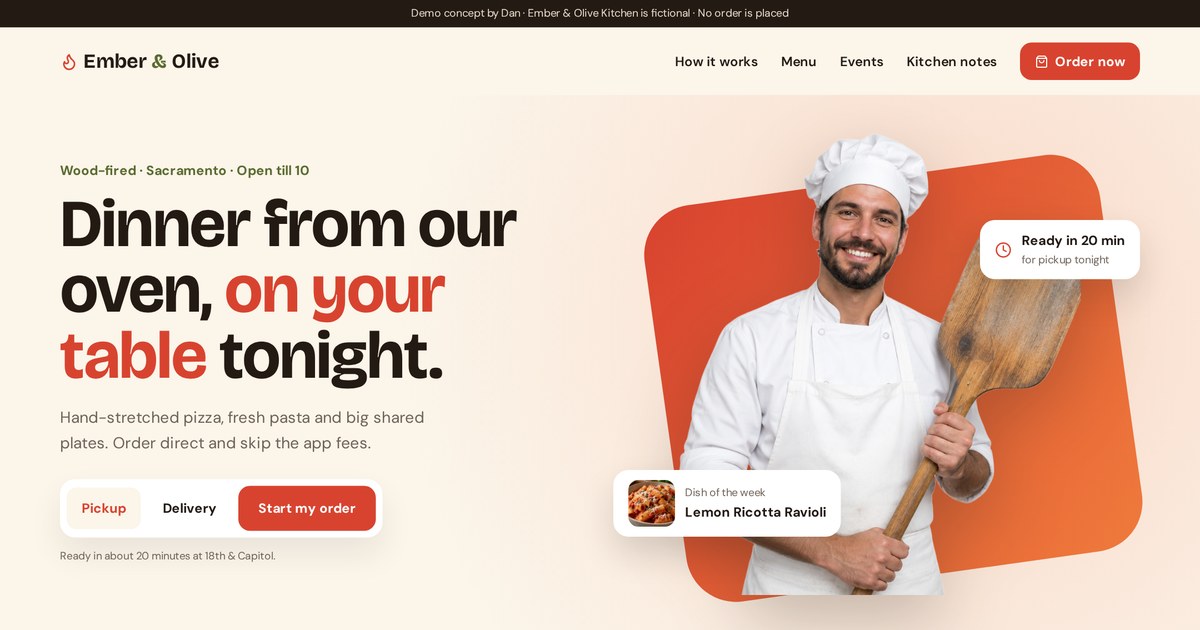
Menu and ordering are the main event; everything else supports them.
Open the live demo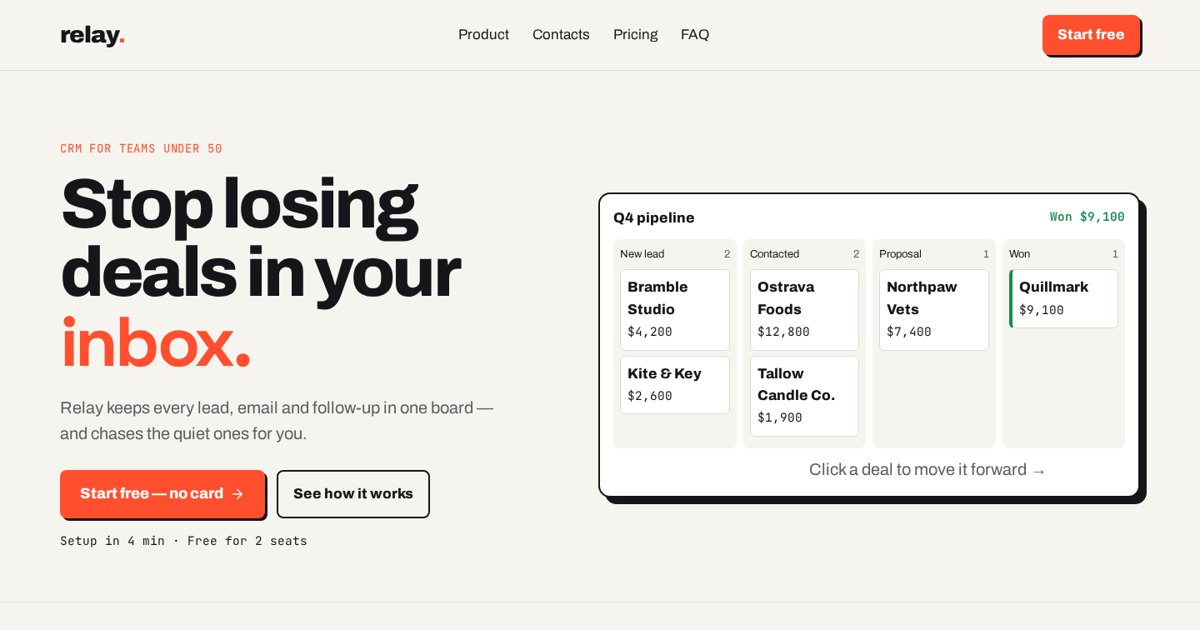
Features, pricing and a sign-up path: the three pages software buyers need.
Open the live demo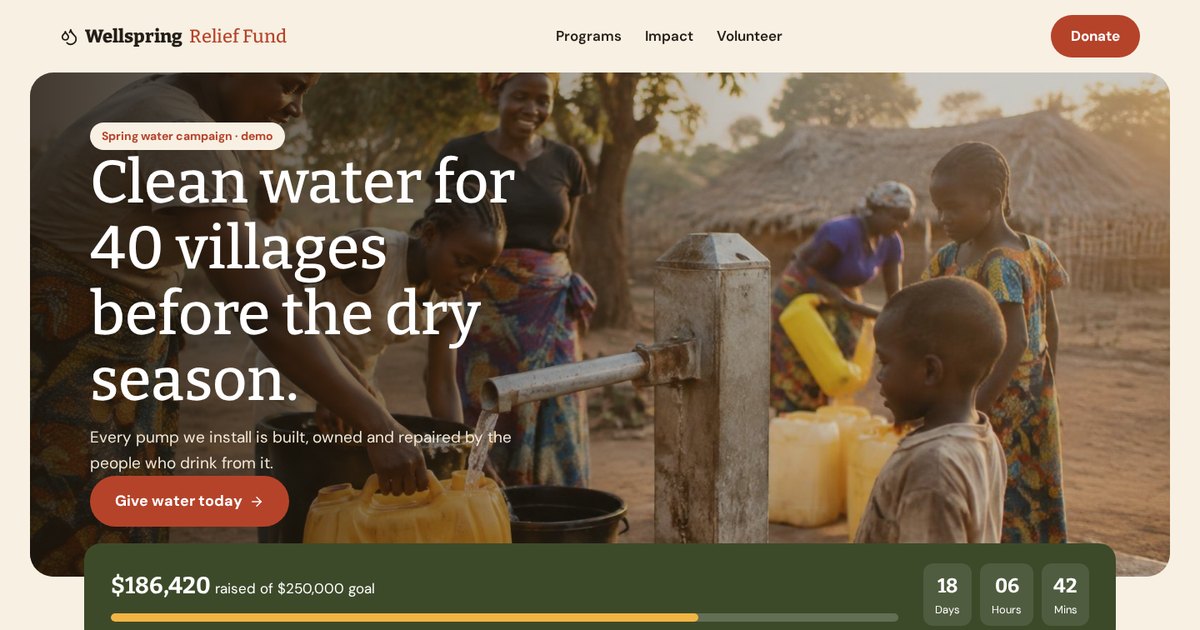
Mission, programs and a giving flow built around one question: how can I help?
Open the live demoOne-page website vs multi-page website
One-page sites are tempting: quick, cheap and tidy. They're right for some businesses and wrong for most that want Google traffic.
A one-page website works for a single offer, an event, a new business testing an idea, or a campaign. A multi-page website is better when you offer several services, want to rank on Google for different searches, or need room for proof, pricing and guides.
| One-page | Multi-page | |
|---|---|---|
| Best for | One offer, events, early-stage tests | Several services, local SEO, growth |
| Google visibility | Limited to a few searches | A page for each search intent |
| Build time | Shorter | Longer |
| Ad traffic | Good if it matches the ad | Use dedicated landing pages |
| Room to grow | Low | High |
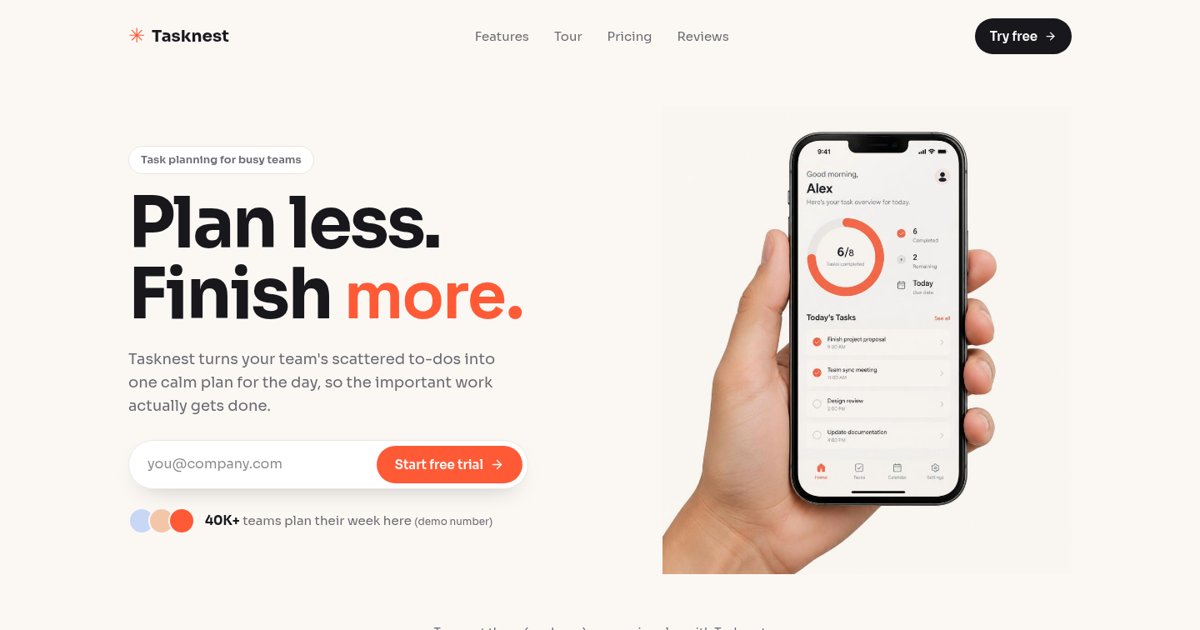
A focused single page that works because it sells one product with one action.
Open the live demoHow I plan website pages for clients (and when to hire help)
Here's the process I actually use to decide a client's page list before any design starts.
- List the buyer's questions from calls, emails and reviews
- Map each question to an existing or new page
- Choose the one main action for the whole site
- Pick the top services and areas that deserve their own pages
- Check which pages competitors have that buyers expect
- Sketch the navigation and footer
- Write the page-job sentence for every page
- Plan tracking: which pages and forms count as conversions
Then I wireframe the pages and show them before building, so nobody is surprised. This is the same process I use for my own site and my demos.
When to hire help
- You offer several services and want each to rank
- You're running ads and need landing pages that match
- Your current site gets visits but few enquiries
- You don't have time to write and structure the pages yourself
Not sure which pages your business needs? Send me your website or your service list and I'll suggest a page plan.
Email meMy website pages checklist
- Homepage with one clear main action
- One page per main service
- About page with real photos
- Contact page with reply time and next steps
- Privacy Policy and Terms in the footer
- Pricing, ranges or how you price
- Real work examples (labeled honestly)
- FAQs near each call to action
- Thank-you page after every form
- Friendly 404 page
- Main menu of 5 to 7 items
- Sitemap submitted to Google Search Console
Website page terms in plain English
- 404 page
- The page shown when a link points to a page that doesn't exist.
- About page
- A page explaining who you are and why visitors should trust you.
- Above the fold
- What's visible before scrolling.
- Call to action (CTA)
- The button or link asking visitors to take the next step.
- Case study
- A story of a real project: problem, solution and result.
- Conversion
- A valuable action, like a call, booking or purchase.
- Footer
- The bottom area repeated on every page.
- Google Business Profile
- Your free business listing on Google Search and Maps.
- Internal link
- A link from one page of your site to another.
- Landing page
- A focused page built for one offer and one action.
- Location page
- A page for a specific area you serve.
- Navigation
- The menu that helps visitors move around your site.
- Page job
- The single purpose a page exists to fulfil.
- Portfolio
- A collection of your work.
- Privacy policy
- A page explaining what data you collect and how you use it.
- Search intent
- What someone actually wants when they search a phrase.
- Service page
- A page dedicated to one service you offer.
- Sitemap
- A list of your pages, for people or for search engines (XML).
- Terms of use
- The rules for using your website.
- Thank-you page
- The page shown after someone submits a form or buys.
- Wireframe
- A simple sketch of a page layout before design.
Frequently asked questions
What pages should a website have?
Most business websites need a Homepage, Services, About, Contact and legal pages (Privacy Policy and Terms). Add Pricing, Portfolio, FAQ, location pages, guides and landing pages when they answer real buyer questions.
How many pages should a small business website have?
Often between 5 and 15 to start: the core five plus one page per main service and a few supporting pages. Quality and clear purpose matter more than the count.
What should the home page of a website have?
A clear headline, one main call to action, a services overview, trust signals, a short how-it-works section and contact details.
What legal pages should a website have?
Usually a Privacy Policy and Terms of Use, plus a cookie notice, refund policy, accessibility statement or disclaimer when relevant. Have a qualified professional review them.
Do I need a separate page for each service?
If the services are distinct, yes. Separate pages answer specific questions, match specific searches and work better with ads.
Is a one-page website enough?
For a single offer, event or test, yes. For several services or Google visibility, a multi-page site usually performs better.
Should I have a pricing page?
In most cases, yes. Show prices, ranges or how you price. Transparency tends to bring better-fit enquiries.
Do I need a blog?
Not necessarily. A few genuinely useful guides you keep updated often do more than a blog you can't maintain.
Should landing pages be in my main menu?
Usually not. Landing pages are for specific campaigns and work best without menu distractions.
Can you plan and build my website pages?
Yes. I plan page structures, design and build websites and landing pages. Email dan@admusketeers.com with your business and goals.
Not sure which pages you need?
Let's plan them together.
I plan, design and build websites and landing pages where every page has a job. Send me your business and goals and I'll suggest a page plan.