 dan
danThe conversion guide · 20 parts Updated October 2026 · about 40 min read
Why Is Your Website Not Converting?
And how to fix it, step by step.
The real reasons visitors leave without calling, booking or buying, and the fixes I use as a website and funnel builder. A diagnosis table, a 30-day plan and live demos.

- 01What converting means
- 02Traffic or page problem?
- 03Wrong visitors
- 04The 5-second test
- 05Too many choices
- 06Weak or hidden CTAs
- 07No trust
- 08Slow pages
- 09Mobile problems
- 10Forms that scare people
- 11Pricing confusion
- 12Copy about you
- 13Dated design
- 14Not ready yet visitors
- 15Missing tracking
- 16Reading the data
- 17Slow follow-up
- 1830-day fix plan
- 19A/B testing
- 20Before/after and hiring help
On this page
- 01What converting means
- 02Traffic or page problem?
- 03Wrong visitors
- 04The 5-second test
- 05Too many choices
- 06Weak or hidden CTAs
- 07No trust
- 08Slow pages
- 09Mobile problems
- 10Forms that scare people
- 11Pricing confusion
- 12Copy about you
- 13Dated design
- 14Not ready yet visitors
- 15Missing tracking
- 16Reading the data
- 17Slow follow-up
- 1830-day fix plan
- 19A/B testing
- 20Before/after and hiring help
- +Glossary
- +FAQ
What does "converting" actually mean for your website?
Before I fix a website that isn't converting, I ask one boring question: converting into what? Most sites I audit can't answer it, and that's usually the first leak.
A conversion is the one action a visitor takes that moves them closer to paying you: a call, a quote request, a booking, a sign-up or a purchase. Your website is "not converting" when enough of the right people visit but too few of them take that action. Fixing it starts by naming the action, measuring it, and then removing whatever stands between the visitor and that action.
When a business owner tells me "my website isn't working," they usually mean the phone isn't ringing. But the site might have six different buttons, three forms and a chat widget, and nobody knows which one is supposed to matter. If you don't decide what a win is, you can't tell if you're winning.
Primary and secondary conversions
I split conversions into two groups. The primary conversion is the money action: a quote request for a roofer, a consultation booking for a lawyer, a trial sign-up for software, a purchase for a store. Secondary conversions are smaller steps that show interest: downloading a guide, joining an email list, using a price calculator, watching a video.
| Business | Primary conversion | Secondary conversions |
|---|---|---|
| HVAC / plumbing | Call or estimate request | Price checker, financing page view |
| Dentist / clinic | Appointment booked | New-patient form started, insurance check |
| Lawyer / consultant | Consultation booked | Case evaluation started, guide download |
| SaaS | Free trial started | Demo video watched, pricing viewed |
| Online store | Purchase | Add to cart, email sign-up |
What a conversion rate is
Conversion rate is conversions divided by visitors. If 1,000 people visit a page and 20 request a quote, that's a 2% conversion rate (example numbers). The number on its own means little. What matters is whether it goes up after you change something, and whether the leads are any good.
I'm careful with benchmark numbers you'll see online. They mix industries, traffic sources and definitions of a "conversion." A local emergency plumber getting search traffic will convert very differently from a software company getting cold social traffic. Your own past results are the benchmark that counts.
First check: is it a traffic problem or a page problem?
Half the "my website isn't converting" calls I get aren't about the website. They're about who is arriving. This is the first fork in the road, and getting it wrong wastes months.
If very few people visit, you have a traffic problem, and redesigning won't help much. If plenty of people visit but few act, you likely have a page problem. If people act but the leads are junk, you have a targeting or offer problem. Check your analytics for visitor numbers and sources before touching design.
Diagnose your site: the triage table
This is the table I use on a first audit call. Find the symptom that sounds like you, then jump to the part that covers it.
| Symptom | Likely cause | First fix | Read part |
|---|---|---|---|
| Under ~100 visits a month | Not enough traffic | SEO, profiles, referrals, ads | 2 |
| Lots of visits, people leave in seconds | Wrong visitors or unclear headline | Match message to source, rewrite hero | 3, 4 |
| People scroll but don't click | Weak or hidden CTA, no trust | One clear CTA, add real proof | 6, 7 |
| People start the form but quit | Form too long or scary | Cut fields, explain what happens next | 10 |
| Fine on desktop, dead on phones | Mobile layout and speed | Fix tap targets, sticky CTA, speed | 8, 9 |
| Leads come in but never close | Slow follow-up or wrong offer | Auto-reply in minutes, qualify | 17 |
| You have no idea | No tracking | Set up GA4 and conversion events | 15 |
Where to look
- Visitors per month: if it's tiny, conversion rate swings wildly and tells you nothing yet.
- Traffic sources: Google search, ads, social, direct and referrals each behave differently.
- Landing pages: which pages people arrive on first. Often it isn't your homepage.
- Device split: if most visitors are on phones, judge your site on a phone.
- Engagement: how long people stay and how far they scroll on key pages.
Not sure which problem you have? Send me your URL and I'll tell you where I'd look first.
Email meWrong visitors: message and audience mismatch
You can't convert people who were never going to buy. A lot of "low conversion" is actually the right page meeting the wrong crowd, or the right crowd meeting the wrong page.
Your website won't convert if the people arriving don't need what you sell, can't afford it, are outside your area, or expected something different from the link they clicked. Fix it by matching each page to one audience and making sure ads, search results and social posts promise exactly what the page delivers.
Common mismatches I see
- Ranking for information searches ("how to unclog a drain") and expecting emergency calls.
- An ad promising a discount that the page never mentions.
- A local service with no clear service area, so out-of-town visitors bounce or waste your time.
- A premium brand attracting bargain hunters with "cheap" keywords.
- One generic homepage for every ad, post and email.
Message match
Message match means the page repeats the promise that got the click: the same words, the same offer, ideally the same look. If someone clicks "Free roof check before storm season," the page should say "Book your free roof check before the next storm" in the headline, not "Welcome to Ridgeline Roofing, family owned since 1998."
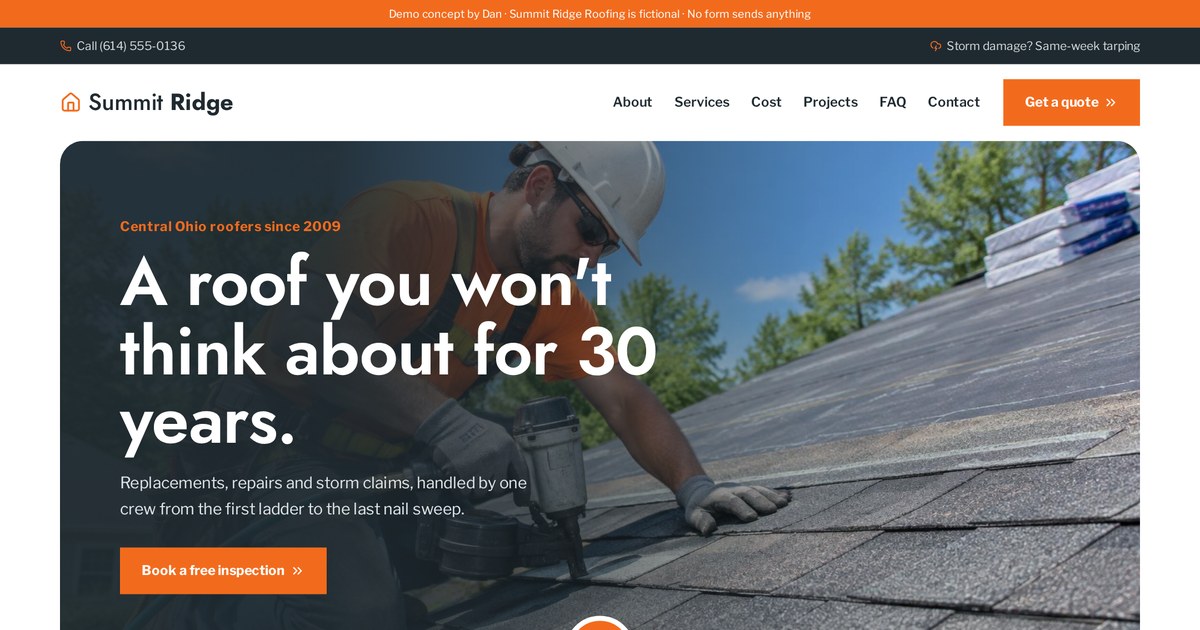
Click through the ad and see the landing page repeat its promise word for word.
Open the live demoThe 5-second test: is your headline and offer clear?
Show your homepage to someone for five seconds, then hide it. Ask what you do, who it's for and what they should do next. If they can't answer, that's your conversion problem.
Visitors decide in seconds whether a page is for them. A clear headline says what you do, for whom, and the result they get. A clear offer says what happens when they take action. Vague headlines like "Excellence in every detail" lose people before they scroll.
A headline formula I use
[Result the customer wants] + [for who / where] + [without the thing they fear]. For example: "Fast, upfront-priced AC repair in Denver, without the surprise bill." It isn't poetry. It works because a stressed homeowner understands it instantly.
| Vague (before) | Clear (after) |
|---|---|
| Solutions for a better tomorrow | Retirement plans for Texas teachers, built around your pension |
| Your smile, our passion | Gentle family dentistry in Austin. New patients seen this week. |
| Innovative software for teams | Plan your team's week in one shared board. Free for 14 days. |
| Quality roofing since 1998 | Free roof check in 20 minutes, with a photo report the same day |
The offer is more than the headline
An offer answers: what do I get, what does it cost me (money, time, effort), and what happens next? "Contact us" is not an offer. "Get a fixed-price quote in 24 hours" is. If your offer is weak, no design will save it.
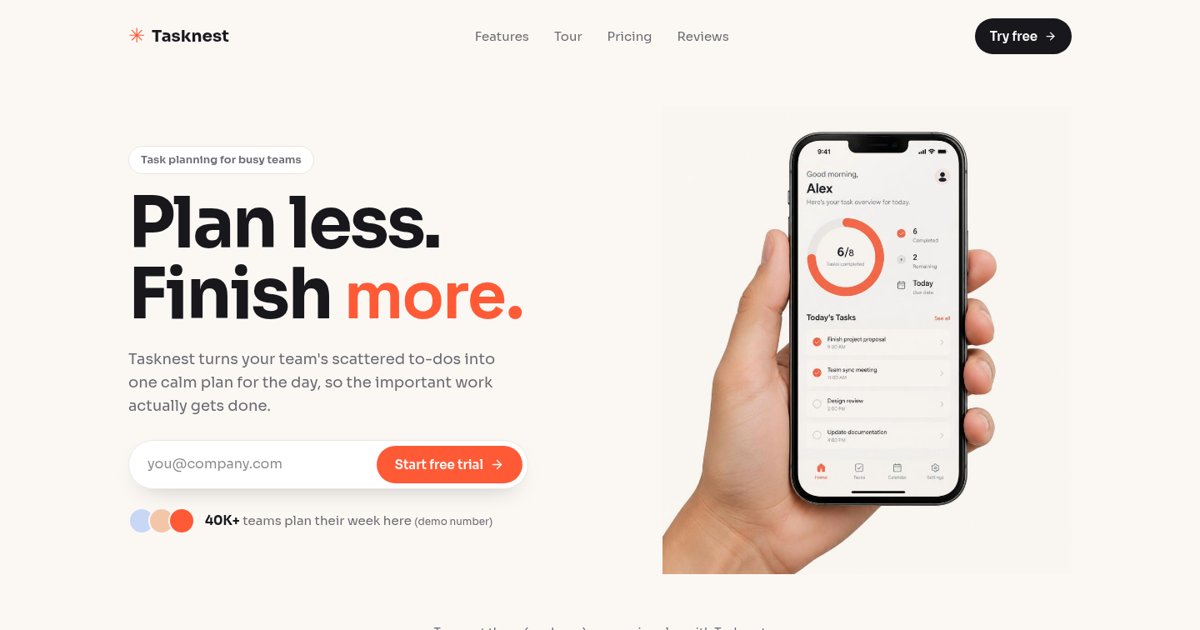
A SaaS landing page where the headline, subhead and email field explain the offer above the fold.
Open the live demoToo many choices: competing CTAs and cluttered navigation
Every extra link is a door out. When a page asks visitors to call, book, chat, follow on Instagram, read the blog and sign up for a newsletter, most people pick the easiest option: leaving.
Pages with many equal-weight buttons and links split attention and lower conversions. Give each page one main action, make secondary options visually quieter, and remove links that pull people away from the goal, especially on landing pages built for ads.
What I usually remove
- Social media icons at the top of the page (move them to the footer).
- Menus with 9+ items. Group them or cut them.
- Pop-ups that fire the second the page loads.
- Sliders that rotate three different messages.
- Two or three different button colors fighting each other.
Homepages vs landing pages
A homepage serves many visitors, so it can offer a few paths: "Get a quote" as the main button, "See our work" as a quieter link. A landing page for an ad should have one goal, often no main menu at all. That's why I build separate landing pages for ad traffic instead of sending clicks to the homepage.
Weak or hidden calls to action
I've audited sites where the only way to get in touch was a tiny "Contact" link in the top corner. The business owner thought it was obvious. Visitors didn't.
A call to action (CTA) is the button or link that asks visitors to take the next step. It fails when it's hard to see, vague ("Submit", "Learn more"), asks for too much too soon, or only appears once at the very bottom. Make it visible above the fold, repeat it down the page, and write it as the result the visitor gets.
| Weak CTA | Stronger CTA |
|---|---|
| Submit | Get my free estimate |
| Contact us | Book a 15-minute call |
| Learn more | See prices for my home |
| Sign up | Start my free 14-day trial |
- Put the main CTA in the first screen on desktop and phone.
- Repeat it after each major section, so people never have to scroll back up.
- On phones, a sticky bottom button or click-to-call bar works well for local services.
- Add one line under the button that lowers risk: "No obligation. Takes 60 seconds."
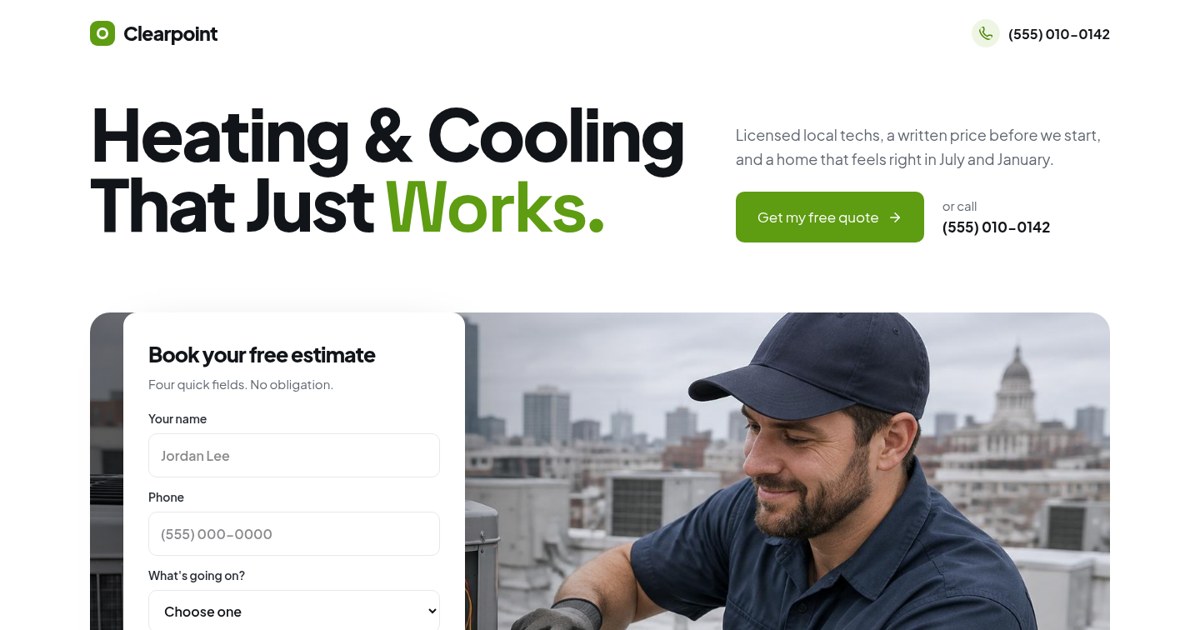
The estimate form sits in the first screen, and a sticky call bar follows you on mobile.
Open the live demoNo trust: missing proof, faces and guarantees
People don't hand over their phone number to a website they don't trust. Trust is a conversion element, not a nice extra. And no, the fix is not fake reviews.
Websites fail to convert when visitors can't tell if the business is real, competent and safe to contact. Add genuine proof: real reviews, real photos of you and your work, licenses, clear pricing, a physical location or service area, and a guarantee you can honor. Never invent testimonials or numbers; it backfires and can be illegal.
Trust signals that work
- Real customer reviews, with names (with permission) and specifics.
- Photos of the owner and team, not stock smiles.
- Before/after photos or case studies of real jobs.
- Licenses, insurance, certifications and memberships.
- Clear contact details: phone, email, address or service area.
- A specific guarantee: "If we can't fix it, you don't pay the call-out fee."
If you're new and have no reviews yet
I'm in this position myself with my own site, so I don't pretend. Show your work instead: demos, process, photos, credentials. Explain exactly what happens after someone contacts you. Ask your first clients for honest reviews and add them as they come. A clear, honest page beats a page stuffed with suspicious five-star quotes.
Slow pages and Core Web Vitals
A slow page doesn't feel slow to you because you've visited it a hundred times on office Wi-Fi. Your customers are on a phone, in a parking lot, with one bar of signal.
Slow loading makes people leave before they see your offer, and it can hurt Google rankings. Check your pages in Google PageSpeed Insights, then fix the usual culprits: huge images, too many plugins and scripts, heavy sliders and video backgrounds, and cheap hosting.
Core Web Vitals in plain English
| Metric | What it measures | Common fix |
|---|---|---|
| LCP (Largest Contentful Paint) | How fast the main content appears | Compress and size the hero image |
| INP (Interaction to Next Paint) | How quickly the page responds to taps | Cut heavy scripts and widgets |
| CLS (Cumulative Layout Shift) | How much the page jumps while loading | Set image sizes, reserve space for banners |
- Use modern image formats (WebP/AVIF) and export at the size you display.
- Remove tracking and chat scripts you don't use.
- Avoid autoplay video backgrounds on mobile.
- Lazy-load images below the first screen.
Mobile problems that kill leads
For most local businesses I work with, the majority of visitors are on phones. Yet most owners review their site on a laptop. That gap hides a lot of lost leads.
A site can look fine on desktop and still fail on phones: tiny text, buttons too close together, forms that are painful to type into, pop-ups that cover the screen and phone numbers that aren't tappable. Test your key pages on a real phone and fix the first screen, the CTA and the form first.
My mobile checklist
- Body text at least 16px; no pinching to read.
- Buttons big enough for a thumb, with space between them.
- Phone number is a tap-to-call link.
- Headline and main CTA visible without scrolling.
- Forms use the right keyboards (numbers for phone and ZIP).
- No pop-up that's hard to close.
- Menu is easy to open and close.
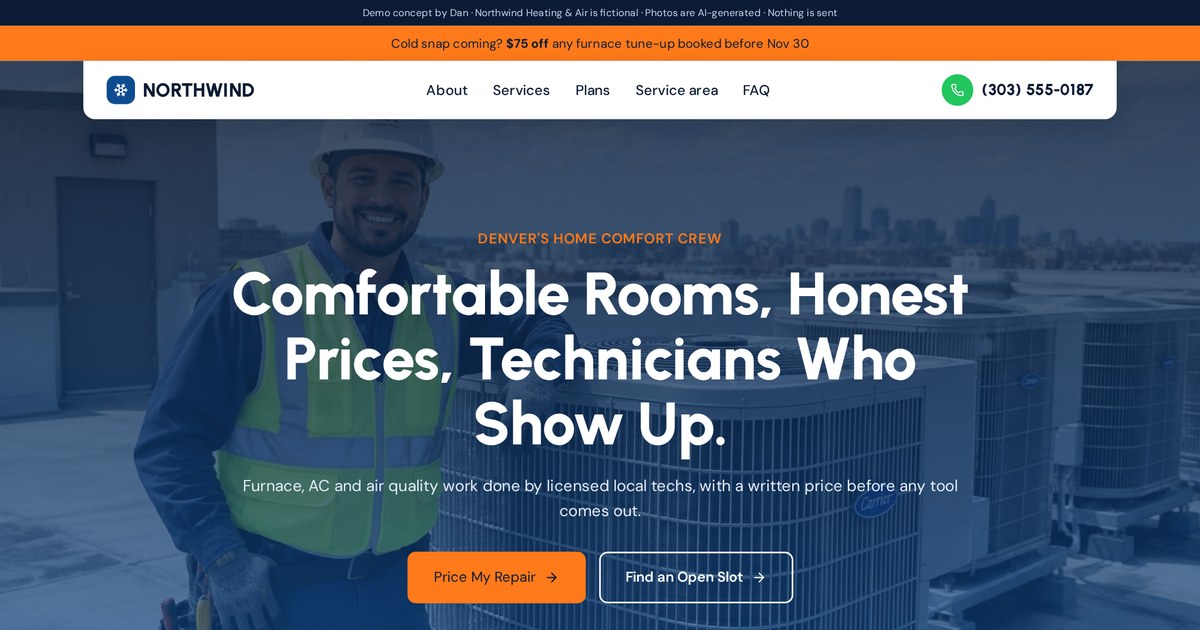
Open it on your phone: the call button and booking path stay within thumb reach.
Open the live demoForms that scare people off
Forms are where conversions actually happen, and where many of them die. People start, see question seven, and quietly close the tab.
Long, unclear or invasive forms reduce conversions. Ask only for what you need to take the next step, label every field clearly, explain what happens after they submit, and consider splitting longer forms into short steps that start with easy questions.
How I slim down a form
- List every field and ask: do I need this before the first call?
- Delete or postpone anything that isn't essential (budget, company size, how did you hear about us).
- Start with easy, low-risk questions ("What do you need help with?") before contact details.
- Use buttons or picks instead of typing where possible.
- Show a friendly error message right next to the field, not at the top.
- Say what happens next: "I'll reply within one business day."
Multi-step forms often feel shorter even when they ask the same number of questions, because each step is small and the first one is easy. That's the idea behind the quiz in my roofing funnel demo.
Three small taps instead of one long form, with a progress bar.
Open the live demoPricing confusion and hidden costs
"Call for pricing" is one of the most common reasons visitors leave without calling. Not because they can't afford you, but because they're afraid of the awkward conversation.
When visitors can't get any idea of cost, many assume you're too expensive and leave. You don't always need exact prices. Show starting prices, typical ranges, what affects the price, or an estimator. Be upfront about fees, so the people who do contact you are already comfortable.
- "Most AC repairs fall between X and Y" (use your real ranges).
- Packages with clear inclusions: basic, standard, premium.
- A simple calculator that gives a ballpark before the form.
- A list of what changes the price: size, materials, urgency.
- Financing options, if you offer them.
An interactive price builder gives an estimate before anyone fills in a form.
Open the live demoCopy that talks about you instead of the customer
Count how many sentences on your homepage start with "We." Then count the ones that start with "You." Most sites I audit are heavily weighted to "We."
Visitors care about their problem, not your history. Copy converts better when it names the customer's situation, explains the outcome, handles their worries and only then talks about you as the proof you can deliver. Replace generic claims ("quality service") with specifics ("photo report the same day").
A simple page story
- The problem in their words.
- The result you deliver.
- How it works, in three steps.
- Proof: reviews, photos, credentials.
- Answers to their worries (FAQ).
- The offer and CTA again.
| About you | About them |
|---|---|
| We have 20 years of experience. | You get a technician who has seen your exact problem before. |
| We use the latest technology. | Your cleaning takes 30 minutes, not an hour. |
| We are passionate about service. | You get a reply within one business day, guaranteed. |
Design that looks dated or untrustworthy
Design isn't decoration. Visitors judge credibility from how a site looks, very quickly. A dated or messy site makes even a great business look risky.
If your site looks old, inconsistent or cheap, visitors may doubt your quality and leave. Good conversion design means clear hierarchy (the important things are biggest), readable fonts, consistent colors, real photos, plenty of space and one obvious button color. A fresh, honest design often lifts trust more than any single trick.
- Too many fonts or colors fighting each other.
- Low-contrast grey text that's hard to read.
- Stock photos that look like every other site.
- Walls of text with no headings or breaks.
- Broken links, old copyright years, blog posts from years ago.
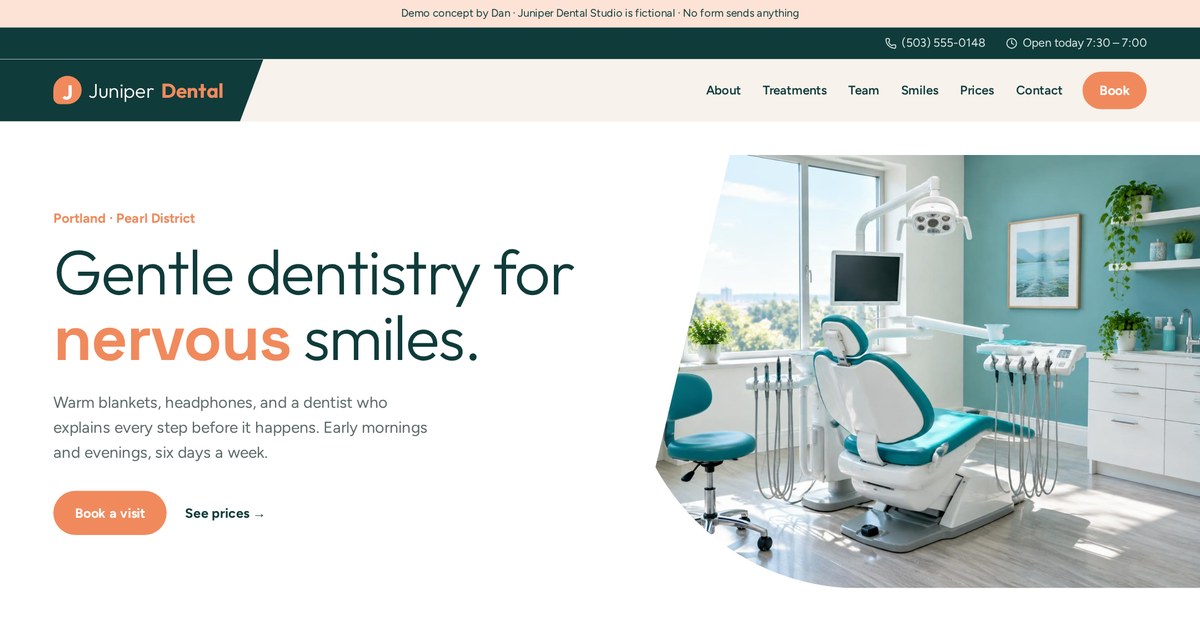
Calm hierarchy, readable type and one booking color throughout.
Open the live demoNo path for "not ready yet" visitors
Most visitors aren't ready to buy today. If your only option is "Book a call," you lose everyone who's still researching, which is most people.
Give people who aren't ready a smaller step: a quiz, calculator, checklist, guide or email list. This captures interest now so you can follow up later. It's how many sites turn browsing traffic into future customers instead of losing it.
| Lower-commitment step | Good for |
|---|---|
| Quiz ("Which plan fits me?") | Services with options, health, fitness, coaching |
| Price or savings calculator | Home services, solar, loans, finance |
| Checklist or guide | Consultants, B2B, complex purchases |
| Free trial or demo | Software |
| Email list with a discount | Online stores |
- VisitorBrowsing, not ready
- Small stepQuiz, calculator or guide
- Follow-upEmail or SMS with useful info
- ReadyBooks or buys when it's time
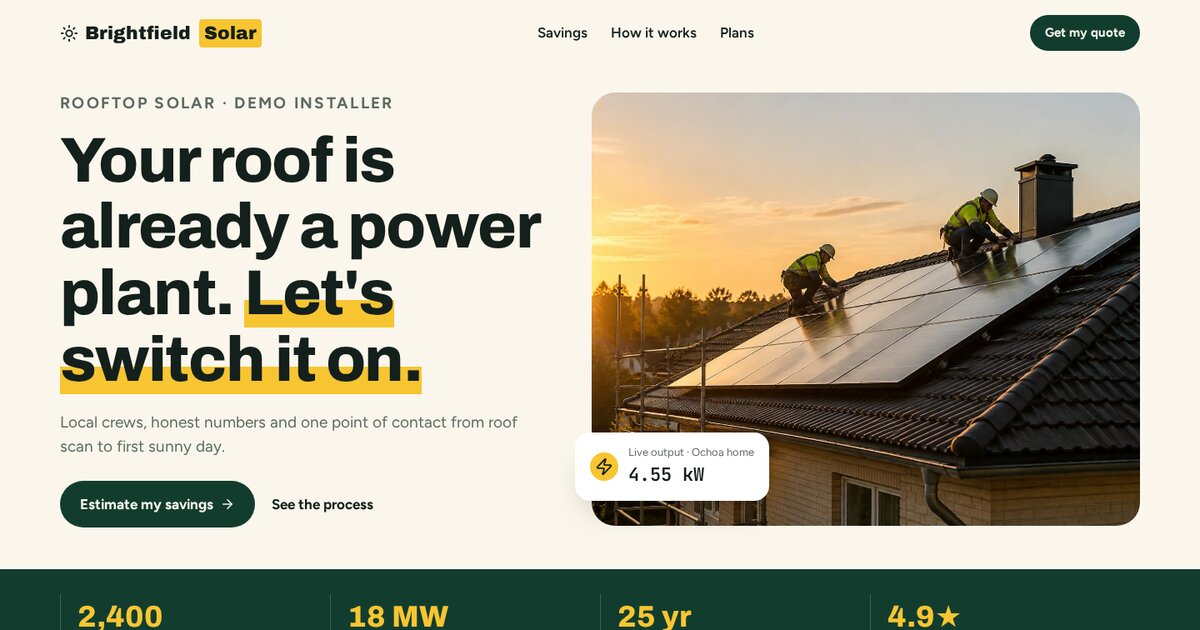
A savings calculator gives value before asking for anything.
Open the live demoMissing or broken tracking: you can't fix what you can't see
On most audits, the first thing I find isn't a design problem. It's that the business has no reliable way to tell how many leads the site actually produces.
Without conversion tracking you're guessing. Set up Google Analytics 4 (GA4) with conversion events for your key actions (form submits, calls, bookings, purchases), check them with a real test, and tag your links with UTMs so you know which sources bring leads. If you run ads, install the platform pixels too.
- GA4 installed on every page, ideally through Google Tag Manager.
- Key events: form submit, thank-you page view, click-to-call, booking, purchase.
- Phone calls tracked (tap-to-call clicks at minimum).
- UTM tags on ads, emails and social links.
- A test lead submitted every time you change the form.
The "under the hood" panel shows which tracking event fires at each step.
Open the live demoReading the data: GA4, heatmaps and session recordings
Numbers tell you where people drop off. Recordings tell you why. I use both before I change anything.
Use analytics to find where the leak is, and behavior tools to understand it. GA4 shows which pages get traffic and which convert. Heatmaps show where people click and how far they scroll. Session recordings (from tools like Microsoft Clarity or Hotjar) let you watch anonymous visits and spot confusion, rage clicks and form drop-offs.
| Tool | Question it answers |
|---|---|
| GA4 | Which pages and sources bring visitors and conversions? |
| Search Console | Which Google searches bring people, and do they click? |
| Heatmaps | Where do people click? How far do they scroll? |
| Session recordings | Where do people get stuck or confused? |
| Form analytics | Which field makes people quit? |
- People clicking on things that aren't links (they expect them to be).
- Most visitors never scrolling past the first screen.
- Rage clicks on a broken button.
- Visitors hovering over the price, then leaving.
Slow follow-up: leads that convert, then go cold
Sometimes the website converts fine. The leads just sit in an inbox for two days, and by then the customer has hired someone else.
A lead that waits loses interest fast. Reply within minutes if you can, at least automatically: an instant email or SMS confirming you got their request and what happens next. Then follow up a few times over the next days. Many "bad websites" are really slow follow-up.
- Form submittedInstant thank-you page with next steps
- Within minutesAuto SMS / email confirmation
- Same dayPersonal call or reply
- Days 1-7Helpful follow-up until they book or reply
- Send leads to a CRM or shared inbox, not one person's email.
- Use the thank-you page to offer booking right away.
- Stop automated messages once someone books or replies.
A 30-day fix plan, in priority order
Here's the order I work in when a client says their website isn't converting. Quick, cheap fixes first; big rebuilds only if the basics don't move things.
Week 1: set up tracking and look at the data. Week 2: fix the first screen (headline, offer, CTA) and mobile basics. Week 3: add real trust signals, simplify forms and pricing info. Week 4: speed up the site, set up fast follow-up, then measure and decide what to test next.
| Week | Focus | Tasks |
|---|---|---|
| 1 | See clearly | GA4 + conversion events, test lead, install recordings, check traffic sources |
| 2 | First impression | Rewrite headline and offer, one main CTA, mobile check, tap-to-call |
| 3 | Remove friction | Shorten forms, add real reviews/photos, price ranges, FAQ |
| 4 | Speed and follow-up | Compress images, cut scripts, auto-reply, follow-up sequence |
After 30 days, compare leads and conversion rate with the month before (keeping in mind traffic changes and seasons). If things barely moved and the data shows deeper problems, that's when a rebuild or a dedicated landing page makes sense.
A/B testing without fooling yourself
A/B testing sounds scientific, and it can be. But with small traffic it often produces confident-looking answers that are just noise.
An A/B test shows two versions of a page to similar visitors and compares results. It's only reliable when you have enough conversions (usually hundreds, not a handful), test one meaningful change at a time and run long enough to cover normal weekly ups and downs. Small sites are often better off making clear improvements and watching the trend.
- Test big things first: offer, headline, page layout, form length. Not button shades.
- Decide what success means before starting.
- Run for at least one or two full weeks.
- Don't stop the moment one version looks ahead.
- Check lead quality too, not just lead count.
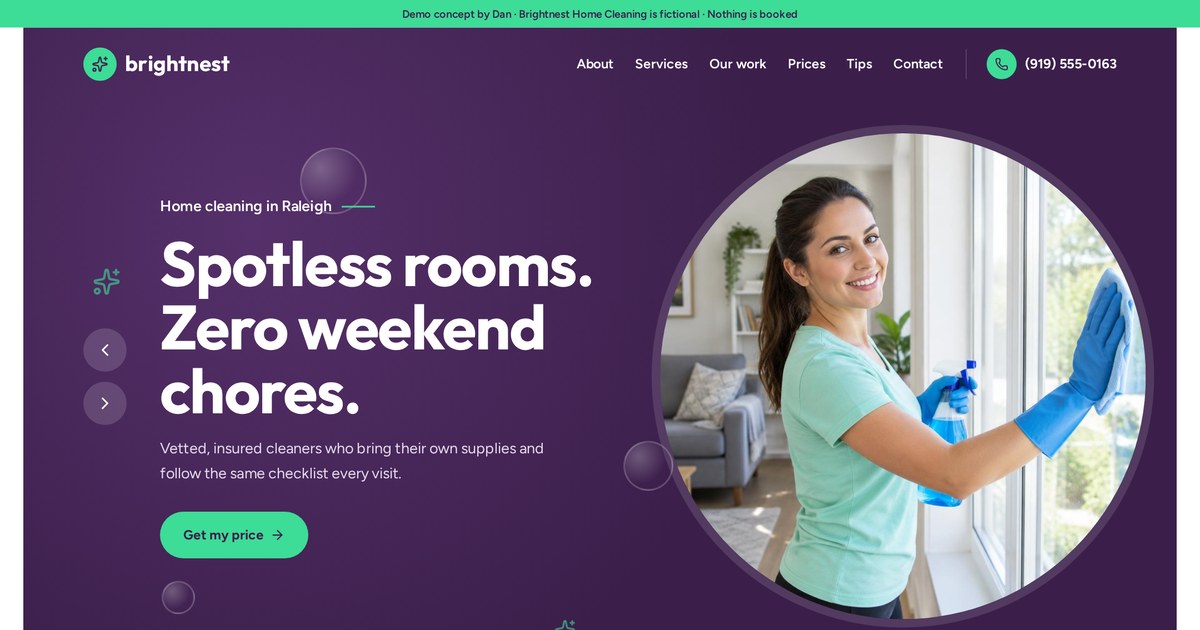
Before/after walkthroughs with my demos, and when to hire help
To make this concrete, here's how I'd apply this guide to three kinds of pages, using demos I built. All brands are fictional, and the "before" problems are typical ones I see, not real clients.
Local service lead page
Typical before: a generic homepage, a tiny contact link, a 10-field form and no prices. After: a problem-focused headline, a four-field estimate form in the first screen, real-looking trust strip, a repair-or-replace helper and a sticky mobile call bar.
Short form above the fold, problem picker and sticky call bar.
Open the live demoSoftware trial page
Typical before: feature lists and jargon, a "Request a demo" button and no pricing. After: an outcome headline, email-only sign-up, feature tabs that show the product and a clear pricing toggle.
Email-only trial sign-up, feature tabs and transparent pricing.
Open the live demoAd-to-booking funnel
Typical before: ads pointing to a homepage with no tracking. After: an ad, a matching opt-in page, a three-question quiz, booking on the thank-you page and automatic SMS and email follow-up, with tracking at every step.
Click through every step and see what runs behind it.
Open the live demoWhen to hire help
- You've fixed the basics and conversions still haven't moved.
- Your site is hard to edit, slow or built on an old platform.
- You're about to spend real money on ads.
- You don't have time to set up tracking and follow-up properly.
When you hire someone, ask to see pages they've built, how they'll measure success and what they'll change first. Be cautious of anyone guaranteeing a specific conversion rate. I don't, because results depend on your traffic, offer and follow-up as much as the page.
Want me to look at why your site isn't converting? Send me the URL and what you want visitors to do.
Email meMy conversion fix checklist
- One primary conversion named for each key page
- GA4 and conversion events tested with a real lead
- Traffic sources and device split checked
- Headline passes the 5-second test
- One main CTA, visible on phones without scrolling
- CTA text describes the result
- Real reviews, photos and credentials (nothing invented)
- Page loads fast on mobile
- Tap-to-call phone number
- Form cut to essential fields, with next steps explained
- Price ranges or starting prices shown
- A smaller step for visitors not ready yet
- Instant auto-reply and same-day follow-up
- Monthly test lead scheduled
Conversion terms in plain English
- A/B test
- Showing two versions of a page to similar visitors to compare results.
- Above the fold
- What's visible before scrolling.
- Bounce
- A visit where someone leaves without interacting.
- Call to action (CTA)
- The button or link asking visitors to take the next step.
- CLS
- Cumulative Layout Shift: how much a page jumps while loading.
- Conversion
- A valuable action: a call, lead, booking, sign-up or purchase.
- Conversion rate
- Conversions divided by visitors.
- Conversion rate optimization (CRO)
- Improving a site so more visitors take the key action.
- Core Web Vitals
- Google's measures of loading, responsiveness and visual stability.
- CRM
- Software that stores leads and tracks them to a sale.
- Drop-off
- The point where visitors abandon a page, form or funnel.
- Event
- A tracked action in analytics, like a form submit.
- Friction
- Anything that makes the next step harder.
- GA4
- Google Analytics 4.
- Google Tag Manager
- A tool for managing tracking tags in one place.
- Heatmap
- A visual of where visitors click and scroll.
- Hierarchy
- Design that makes the most important things stand out first.
- INP
- Interaction to Next Paint: how fast a page responds to taps.
- Landing page
- A page built for one offer and one action.
- LCP
- Largest Contentful Paint: how fast the main content appears.
- Lead
- A person who shared contact details or asked to be contacted.
- Lead magnet
- Something useful offered in exchange for contact details.
- Message match
- A page repeating the promise of the link that brought the visitor.
- Micro-conversion
- A small step showing interest, like using a calculator.
- Multi-step form
- A form split into short steps.
- Offer
- What a visitor gets, what it costs them and what happens next.
- Session recording
- An anonymous replay of a visitor's session.
- Social proof
- Real reviews, testimonials and results from others.
- Speed to lead
- How quickly you reply to a new lead.
- Sticky CTA
- A button that stays visible while scrolling.
- Trust signal
- Anything that shows the business is real and reliable.
- UTM parameters
- Tags on links that show where traffic came from.
- Value proposition
- A clear statement of the result you deliver and for whom.
Frequently asked questions
Why is my website not converting?
The most common causes are the wrong visitors, an unclear headline or offer, weak or hidden calls to action, no trust signals, slow or broken mobile pages, long forms, and slow follow-up. Check tracking first so you know where people drop off.
How do I know if it's a traffic or a website problem?
Look at visitor numbers. If few people visit, you need traffic. If many visit but few act, it's likely the page. If leads come but don't close, look at targeting, offer and follow-up.
What is a good website conversion rate?
It varies a lot by industry, offer and traffic source. Use your own past results as the benchmark and aim to improve them, rather than chasing a universal number.
How can I increase my website conversions quickly?
Rewrite your headline and offer, make one clear CTA visible on phones, shorten your form, add genuine reviews and photos, and set up an instant reply to new leads.
Does website speed affect conversions?
Yes. Slow pages lose visitors before they see your offer, especially on mobile. Compress images and remove unused scripts first.
Should I redesign my website to improve conversions?
Not always. Fix tracking, copy, CTAs, forms and speed first. Redesign when the platform holds you back or the basics don't move results.
Do I need a landing page if I have a website?
For ads and specific campaigns, yes. A focused landing page with one goal usually converts better than sending traffic to a homepage.
What tools help find conversion problems?
GA4, Google Search Console, heatmaps and session recordings like Microsoft Clarity or Hotjar, plus form analytics.
Is A/B testing worth it for a small business?
Only with enough traffic and conversions. Otherwise make clear improvements and watch the trend over weeks.
Can you fix my website's conversions?
Yes, I audit and rebuild websites, landing pages and funnels for conversion. Email dan@admusketeers.com with your URL and goal.
Getting visitors but not leads?
Let's find the leak.
I audit and rebuild websites, landing pages and funnels so more of the right visitors take action. Send me your URL and what you want people to do.