 dan
danThe landing page guide · 20 parts Updated October 2026 · about 45 min read
What Is a Landing Page?
A landing page designer's playbook.
What a landing page is, how it differs from a homepage, the types, and exactly how I plan, write, design, test and improve landing pages that convert. Plain English, with live pages you can click.

- 01What is a landing page?
- 02Landing page vs homepage
- 03What it's used for
- 04Types of landing pages
- 05When you need one
- 06Know the visitor
- 07One page, one goal
- 08The offer on the page
- 09Wireframing
- 10Anatomy of a landing page
- 11Headlines & message match
- 12Landing page design
- 13Forms, buttons & CTAs
- 14Trust & proof
- 15Interactive elements
- 16Speed, mobile & accessibility
- 17Conversion rate & bounce rate
- 18Tracking & A/B testing
- 19SEO vs ad landing pages
- 20Examples, mistakes & hiring
On this page
- 01What is a landing page?
- 02Landing page vs homepage
- 03What it's used for
- 04Types of landing pages
- 05When you need one
- 06Know the visitor
- 07One page, one goal
- 08The offer on the page
- 09Wireframing
- 10Anatomy of a landing page
- 11Headlines & message match
- 12Landing page design
- 13Forms, buttons & CTAs
- 14Trust & proof
- 15Interactive elements
- 16Speed, mobile & accessibility
- 17Conversion rate & bounce rate
- 18Tracking & A/B testing
- 19SEO vs ad landing pages
- 20Examples, mistakes & hiring
- +Glossary
- +FAQ
What is a landing page?
Landing pages are what I build most. Here's the plain definition, then how I actually think about them when a client's money is on the line.
A landing page is a single web page built for one specific goal, like getting a visitor to request a quote, book a call, sign up or buy. People "land" on it after clicking an ad, email, social post or search result. Unlike a homepage, it removes distractions such as the main menu so the visitor focuses on one action.
Technically, any page someone arrives on first is their "landing page" in analytics. But when marketers and designers say landing page, we mean something more deliberate: a page designed for one audience, one message and one next step.
My own definition is simpler: a landing page is a promise kept. An ad, email or post made someone a promise. The landing page has about three seconds to prove they're in the right place, and a minute or two to get them to act on it.
How a landing page works
- Someone sees a message somewhere: an ad, an email, a post, a search result.
- They click and arrive on a page that repeats that exact message.
- The page explains the offer, answers doubts and shows proof.
- They take one action: fill a form, book, buy or sign up.
- A thank-you page and follow-up take it from there.
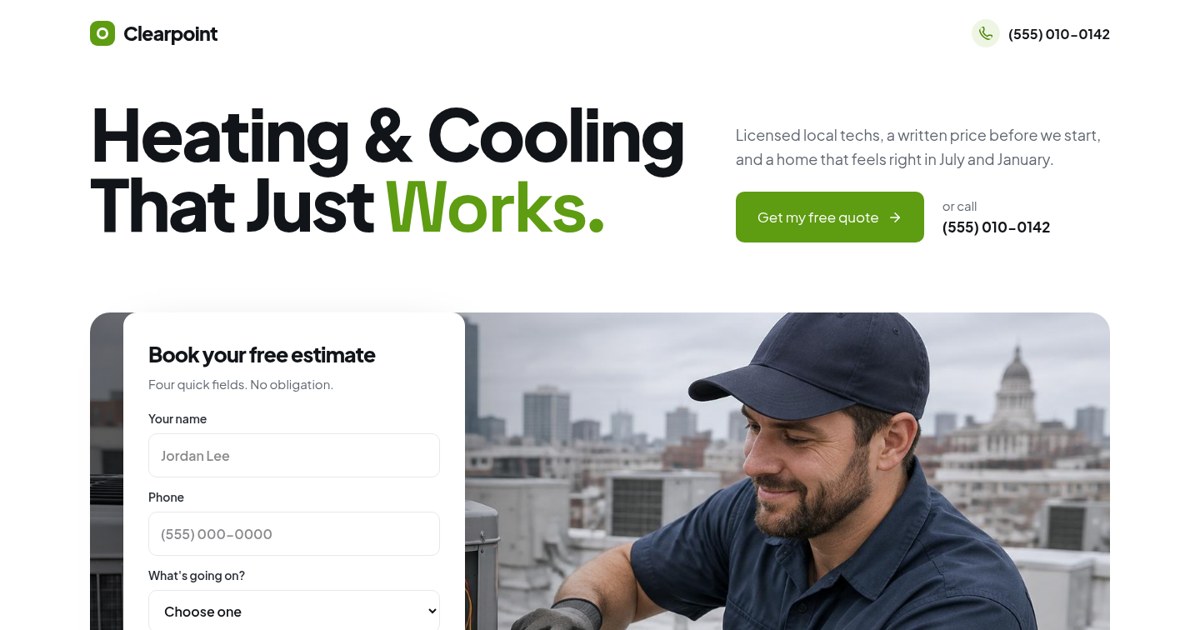
A classic lead landing page: one headline, one 4-field estimate form, proof and FAQ. No main menu to wander into.
Open the live demoLanding page vs homepage vs website vs sales page vs funnel
These get mixed up constantly, and it's how businesses end up paying for the wrong thing.
A homepage is the front door of your website and serves every kind of visitor. A website is the whole collection of pages. A landing page is one focused page with one goal. A sales page is a long landing page that sells a product directly. A funnel is a sequence of steps, often a landing page plus follow-up, that leads to a sale.
| Homepage | Landing page | Sales page | Funnel | |
|---|---|---|---|---|
| Goal | Many (explore) | One action | One purchase | One sale, over steps |
| Navigation | Full menu | None or minimal | None | Forward only |
| Audience | Everyone | One campaign | One buyer type | One buyer type |
| Length | Medium | Short to medium | Long | Several pages + messages |
| Traffic | Direct, brand search | Ads, email, social | Ads, email | Ads, content, email |
"Website landing page" is a common search, and it usually means one of two things: a page on your site built for a campaign, or the page people see first. Both are fine. What matters is whether it has one job and does it.
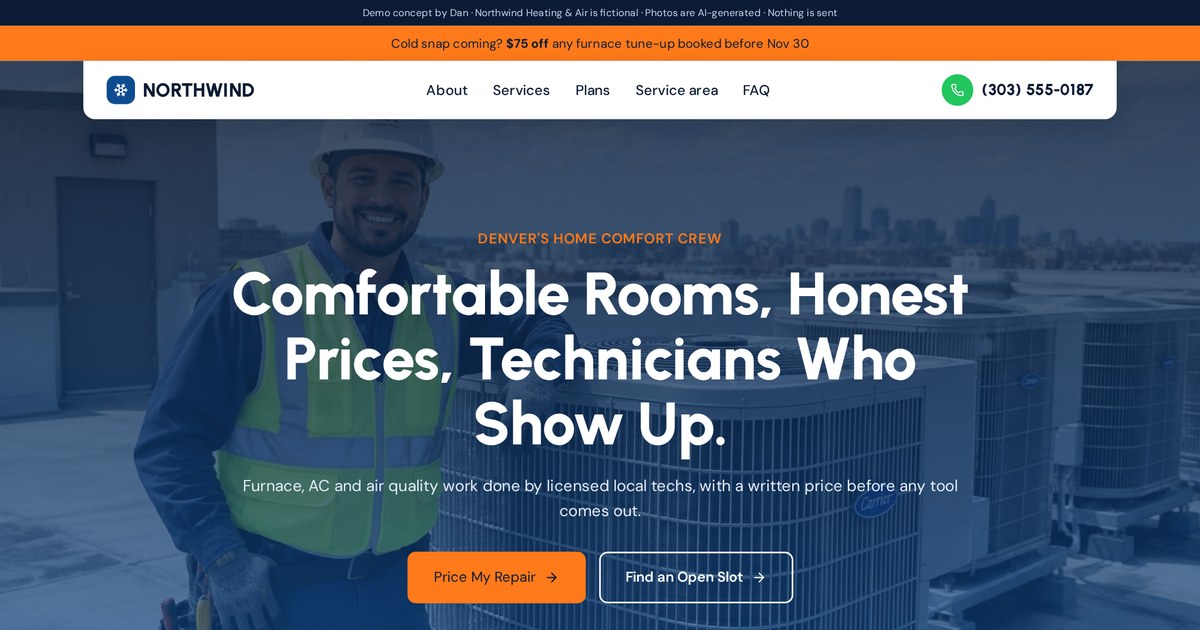
Compare with Clearpoint above: same industry, but a full website with many paths instead of one.
Open the live demoWhat a landing page is used for
Every landing page exists to get one thing. Knowing which thing decides almost everything else on the page.
Landing pages are used to generate leads (quotes, bookings, enquiries), sell products, get sign-ups for free trials or newsletters, register people for events or webinars, promote app downloads, and support specific ad campaigns or seasonal offers.
| Goal | The action | Example |
|---|---|---|
| Leads | Form, call, quote | Free roof inspection page |
| Bookings | Calendar slot | New patient exam page |
| Sales | Checkout | Product launch page |
| Sign-ups | Email or account | Free trial page |
| Events | Registration | Webinar or workshop page |
| Downloads | App store click | App launch page |
| Donations | Give | Appeal campaign page |
One page, one of these. The moment a page tries to get leads and sign-ups and sales at once, visitors hesitate, and hesitation looks like a low conversion rate.
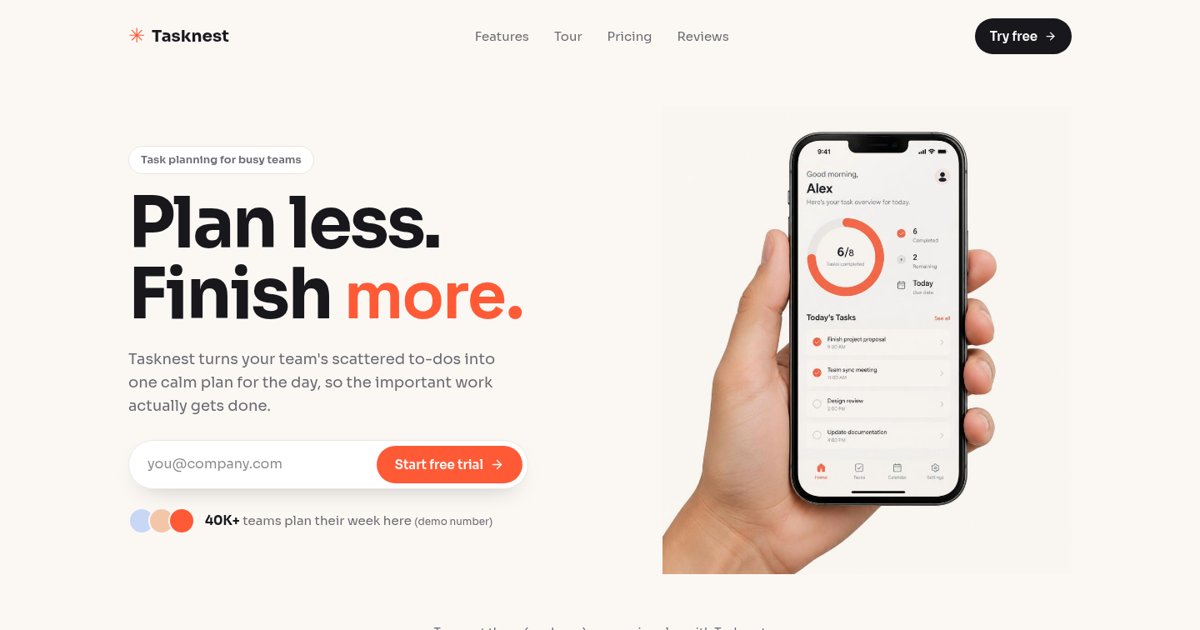
Built for one action: start a free trial with your email. Everything else on the page supports that.
Open the live demo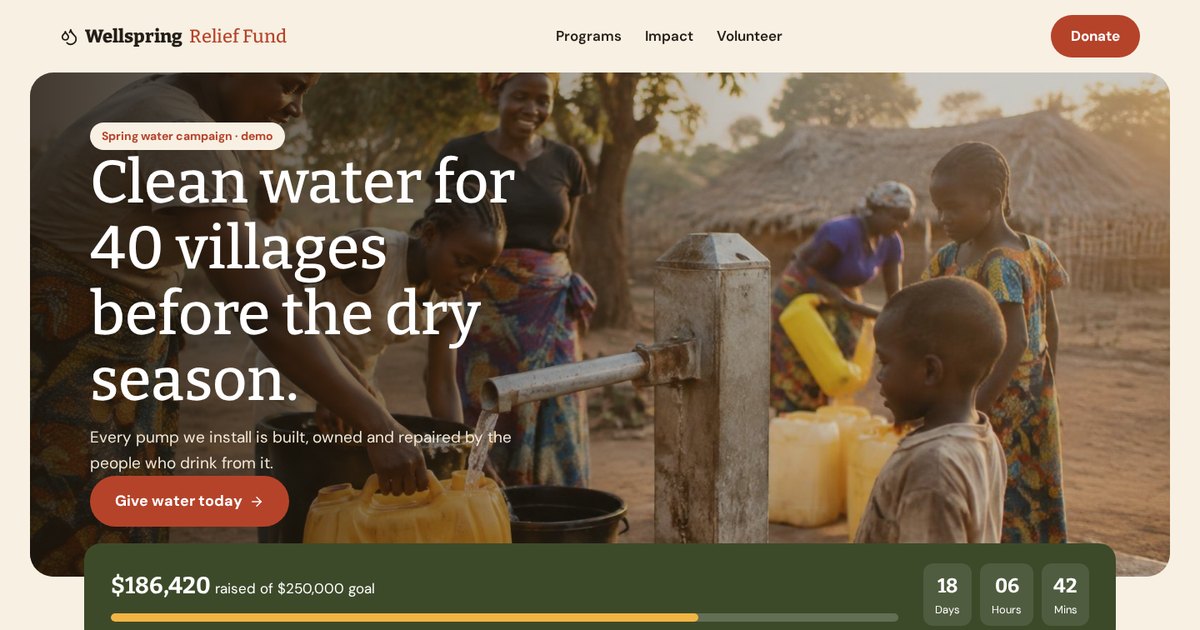
A donation builder with suggested amounts shows how a single "give" action can be made specific and easy.
Open the live demoTypes of landing pages
The names vary, but almost every landing page fits one of these patterns.
The main types of landing pages are lead generation pages (with a form), click-through pages (warm up, then send to checkout), squeeze pages (short email capture), sales pages (long-form selling), product pages, event or webinar pages, thank-you pages, and coming-soon or waitlist pages.
| Type | What it does | Length | Best for |
|---|---|---|---|
| Lead generation | Collects details with a form | Short to medium | Services, B2B, finance |
| Click-through | Explains, then sends to checkout or sign-up | Medium | SaaS, ecommerce |
| Squeeze | Captures an email fast | Very short | Lead magnets, newsletters |
| Sales | Sells directly with depth | Long | Courses, high-ticket products |
| Product | Showcases one product | Medium | Ecommerce launches |
| Event / webinar | Gets registrations | Short to medium | Workshops, launches |
| Thank-you | Confirms and sets next step | Short | After every conversion |
| Coming soon / waitlist | Builds a list before launch | Short | New products, apps |
Don't forget the thank-you page
It's the most ignored landing page and one of the most valuable. The visitor just said yes, so they're at peak attention. Tell them exactly what happens next, set expectations on response time, and offer one small next step, like adding the appointment to their calendar.
Opt-in page, quiz, booking and follow-up preview: several landing page types working as steps in one path.
Open the live demoWhen you need a landing page (and when your homepage is enough)
Not every business needs a dozen landing pages. Here's how I decide.
You need a landing page when you run paid ads, launch a specific offer or product, promote an event, send email campaigns that point to one action, or target a specific service and city in search. Your homepage is usually enough when most visitors already know your brand and come from word of mouth.
- Running Google or Meta ads: yes, one page per offer, and ideally per audience.
- Launching a promotion or seasonal offer: yes.
- Selling several distinct services: one page per main service helps both ads and search.
- Mostly referral and repeat customers: a strong homepage and contact page may be enough for now.
- Brand-new business with no offer tested: get a simple site live first, then add landing pages as you test offers.
Running ads to your homepage right now? Send me the link and I'll tell you what I'd change first.
Email meKnow the visitor: traffic source, temperature and intent
The same offer needs a different page depending on where the visitor came from and how ready they are.
Before designing a landing page, decide who is arriving, where from, and how ready they are. Search traffic is usually high intent and wants fast answers. Social traffic is usually colder and needs more explanation and a smaller first step. Email and referral traffic is warm and already trusts you.
| Visitor | Typical source | What the page needs |
|---|---|---|
| Hot | "Near me" search, referral | Phone, short form, price, proof. Fast. |
| Warm | Email, retargeting, brand search | Clear offer, reminder of value, easy action |
| Cold | Social ads, display | Problem first, explanation, proof, smaller ask |
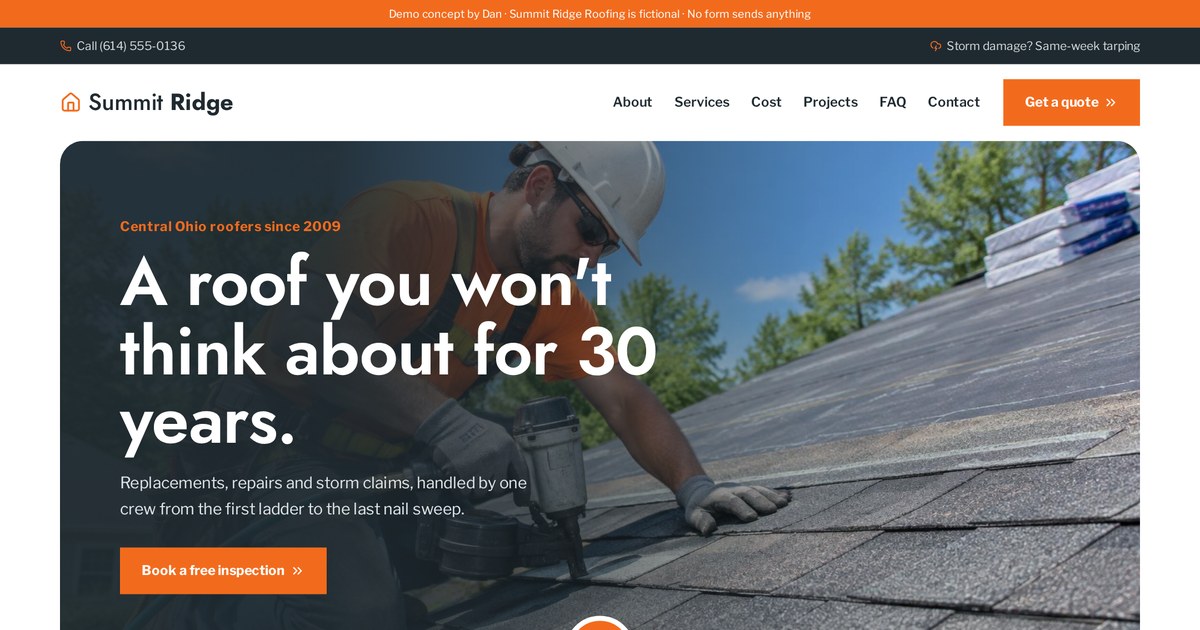
I write one sentence before designing: "This page is for [who], arriving from [where], who wants [what] and is worried about [what]." If I can't fill it in, the page isn't ready to design.
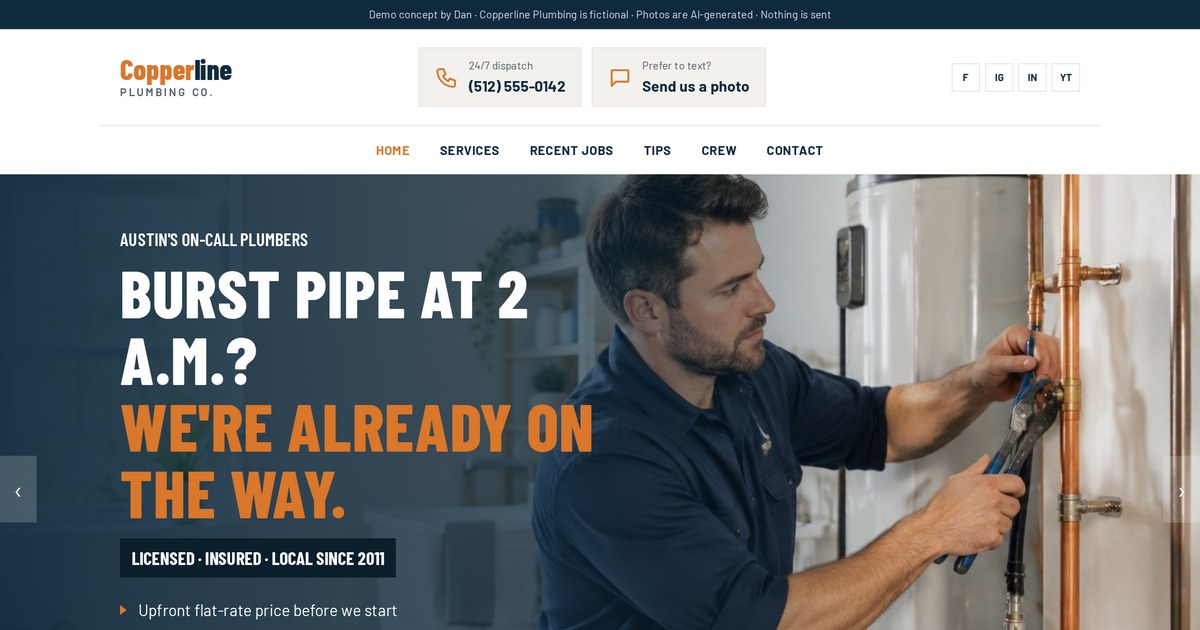
Built for hot emergency traffic: phone number and quote form first, everything else after.
Open the live demoOne page, one goal: choosing the conversion
The single biggest rule in landing page design, and the one people break most.
A landing page should have one conversion goal, meaning one main action you want visitors to take. Every button on the page should lead to that same action. Removing the main menu, extra links and competing offers usually makes it easier for visitors to decide.
Choose the action by asking: what's the smallest step that moves this person meaningfully closer to buying? For a roofer, it's an inspection. For a SaaS tool, a free trial. For a dentist, a booking. For a big purchase, maybe just an estimate.
- Remove the main navigation or reduce it to the logo.
- Make every button say and do the same thing.
- Move secondary options (phone, chat) to a quiet line, not a rival button.
- Cut links to blog posts, social profiles and other services.
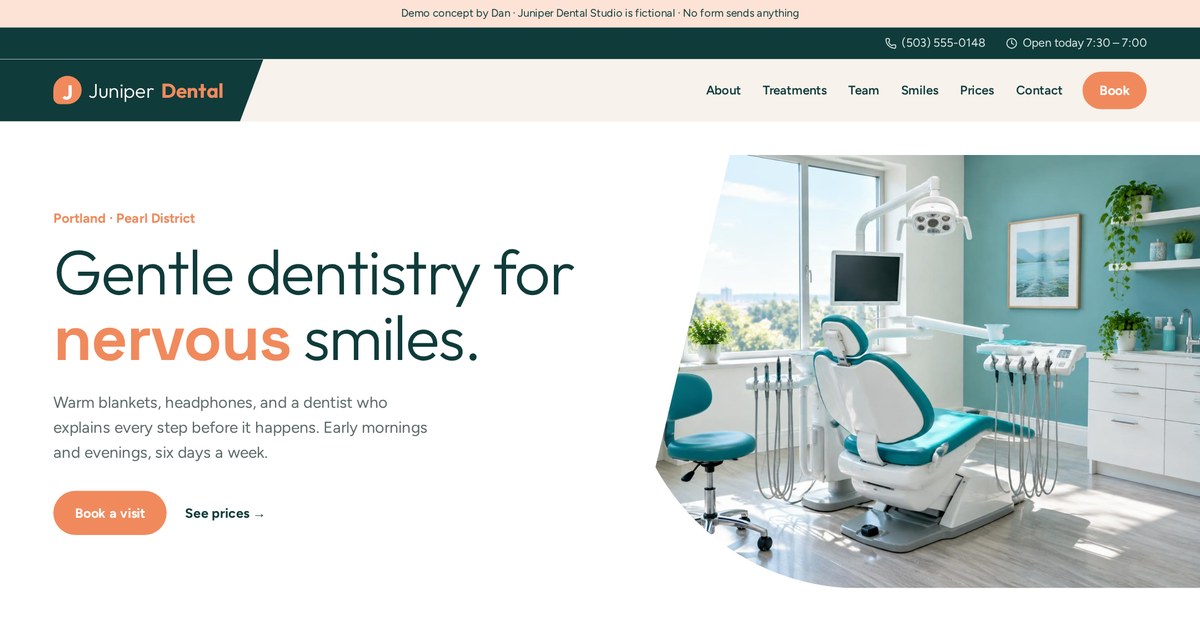
Every treatment tab ends in the same "book a visit" action, so there's never a question about what to do next.
Open the live demoThe offer on the page
Design and copy can only make a good offer easier to say yes to. They can't fix a weak one.
The offer is what the visitor gets for taking action: the result, what's included, the price or cost, and any guarantee. A strong landing page offer is specific, easy to understand in seconds, low-risk, and clearly more valuable than the effort of filling in the form.
Weak vs strong
| Weak | Strong |
|---|---|
| Contact us for a quote | Get a written repair-or-replace estimate within 24 hours |
| Sign up for our newsletter | Get our 1-page pre-storm roof checklist |
| Book a consultation | Book a free 20-minute plan call, no obligation |
| Quality cleaning services | A full 3-bedroom deep clean in one visit, free re-clean if we miss anything |
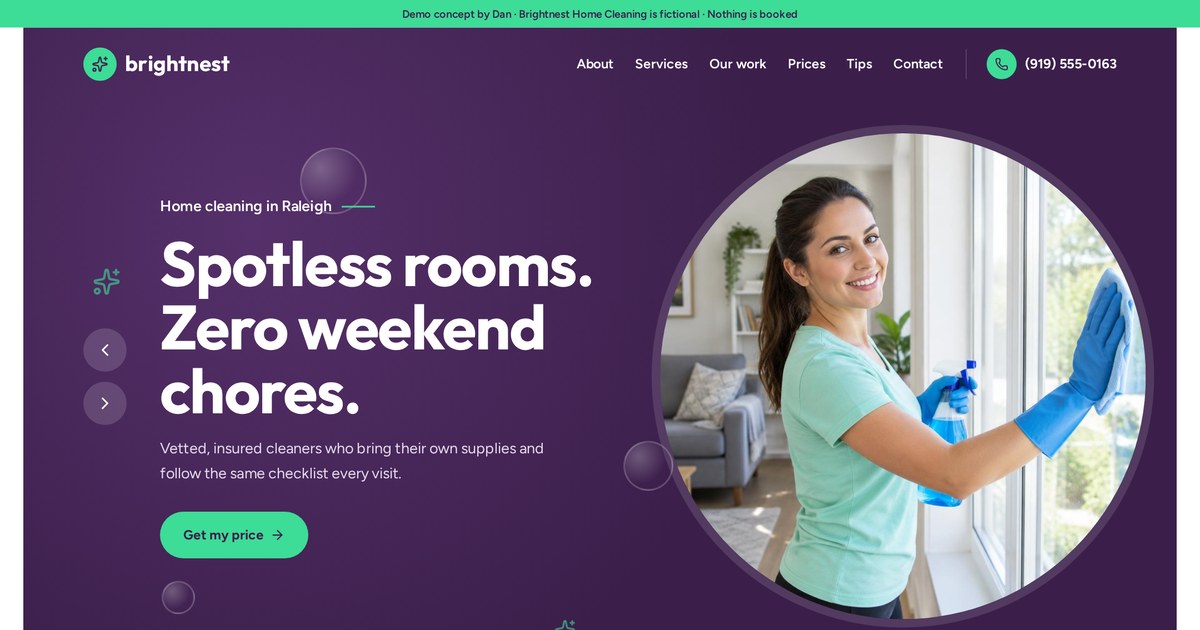
A price builder turns "cleaning services" into a specific, priced offer the visitor builds themselves.
Open the live demoWireframing a landing page
I sketch every landing page as grey boxes before any colour or photo. It keeps the focus on order and message.
Wireframing a landing page means sketching its sections in order as simple boxes, without design, to plan what the visitor sees first, what questions get answered next, and where the calls to action go. The most important decisions are what goes above the fold and the order of proof, offer and FAQ.
The section order I start from
- Headline, subhead, main action and a key visual (above the fold).
- Quick trust strip: ratings, licences, years, logos (only real ones).
- The problem, in the visitor's words.
- The offer and how it works, in three steps.
- Proof: photos of real work, reviews, results.
- Objections: price, timing, risk, answered plainly.
- FAQ.
- Final call to action repeating the offer.
What "above the fold" really means
It's what shows before scrolling. On phones, that's small. I design the phone version first and make sure the headline, one line of explanation and the button all fit. Desktop gets more room, not more content.
Anatomy of a high-converting landing page
Here's every section I typically include, top to bottom, and what each one is for.
A high-converting landing page usually has a clear headline, a supporting subheadline, a single call to action, a relevant image or video, trust signals, benefits, a short "how it works", proof, objection handling, an FAQ and a closing call to action. Not every page needs all of them, but each should earn its place.
- 01Hero
Headline that matches the ad, subhead, main button or form, one strong visual.
- 02Trust strip
Real ratings, licences, certifications, years in business, client logos.
- 03Problem
Name the visitor's situation so they feel understood.
- 04Offer & benefits
What they get and why it matters to them, not features alone.
- 05How it works
Three simple steps that remove uncertainty.
- 06Proof
Photos of real work, reviews, results, case studies.
- 07Objections
Price, time, risk, guarantee, answered directly.
- 08FAQ
The questions people ask on the phone.
- 09Closing CTA
Repeat the offer and the same single action.
Uses nearly every section above, in this order, plus a sticky phone button on mobile.
Open the live demoHeadlines, subheads and message match
Most visitors read the headline and decide. Everything else is for the people who stayed.
A landing page headline should state the main benefit or outcome in plain words and match the ad or link the visitor clicked. The subheadline adds who it's for, how it works or how fast. Message match means the same promise, wording and visuals continue from the ad to the page.
Headline formulas I actually use
- Outcome + timeframe: "A working AC by tonight, or the visit is free."
- Problem + promise: "Leaking roof? Get a written estimate in 24 hours."
- For who + what: "Bookkeeping for busy restaurant owners, done monthly."
- The question they're asking: "Repair or replace your furnace? Find out in 60 seconds."
Avoid clever. Puns and vague slogans make people think, and thinking costs attention. Your headline should be the thing the visitor would type into Google.
Message match checklist
- Same main phrase in the ad and the headline.
- Same offer and price.
- Same location if the ad targets a city.
- A similar image or colour so it feels continuous.
Landing page design: layout, type, colour, images, mobile first
Good landing page design isn't decoration. It's making the right thing obvious and everything else quiet.
Good landing page design uses a clear visual hierarchy (one obvious headline and button), readable type at generous sizes, one strong accent colour reserved for calls to action, real and relevant images, plenty of white space, and a layout designed for phones first.
My design rules
- One accent colour, used only for the action. If everything is bright, nothing is.
- Body text at least 17 to 18px on phones. Small grey text kills trust.
- Real photos of the team, the work or the product beat stock every time.
- One idea per section, with space around it.
- Design the phone version first.
- Keep the button in the same style everywhere so people learn it.
Make it look like you, not a template
Visitors have seen thousands of template pages. Generic gradients, stock handshakes and identical layouts read as "another one of these". A distinct type choice, real photos and a colour that fits your industry make the page feel trustworthy and specific.
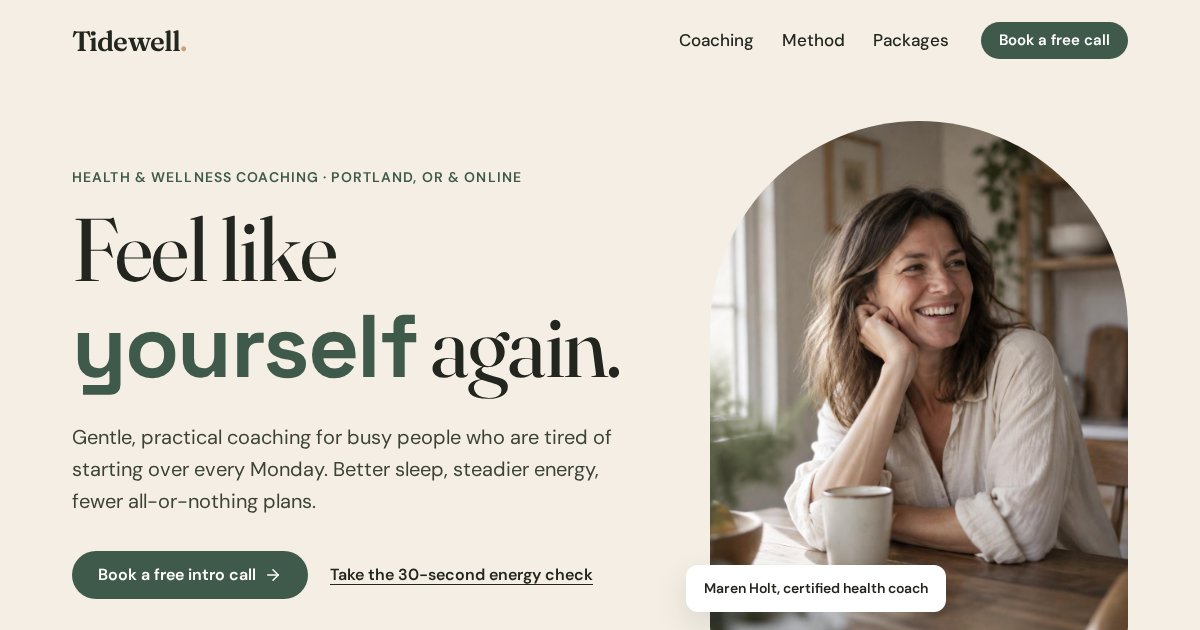
Warm sand and deep sage, editorial type: a calm look that fits the service rather than a generic template.
Open the live demo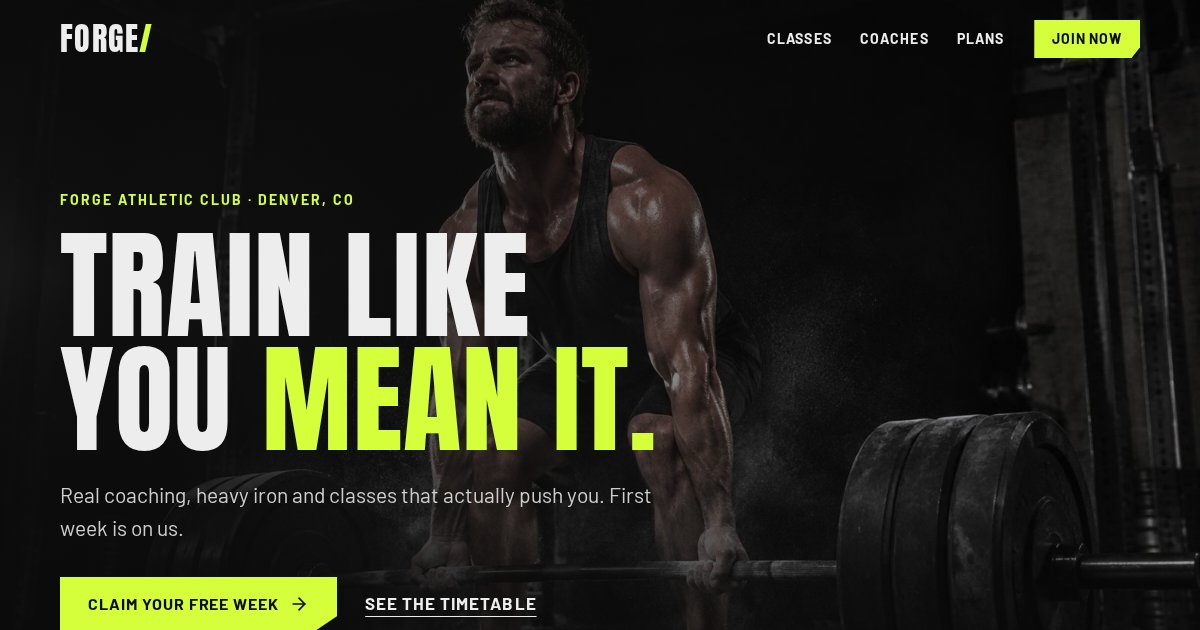
Near-black and acid lime. Same layout principles, completely different personality.
Open the live demoForms, buttons and calls to action
This is where the conversion actually happens, so small details have big effects.
Landing page forms should ask only for what you need to take the next step, use clear labels, and have a button that describes the result ("Get my free quote") instead of "Submit". Calls to action should be visible without scrolling, repeated at natural decision points, and all lead to the same action.
| Do | Don't |
|---|---|
| 3 to 5 fields to start | Ask for everything up front |
| Labels above fields | Placeholder text as the only label |
| "Check my rate" | "Submit" |
| Big tappable buttons on phones | Tiny links or dropdowns |
| A trust line under the button | Silence about what happens next |
| Multi-step for longer forms | One giant intimidating form |
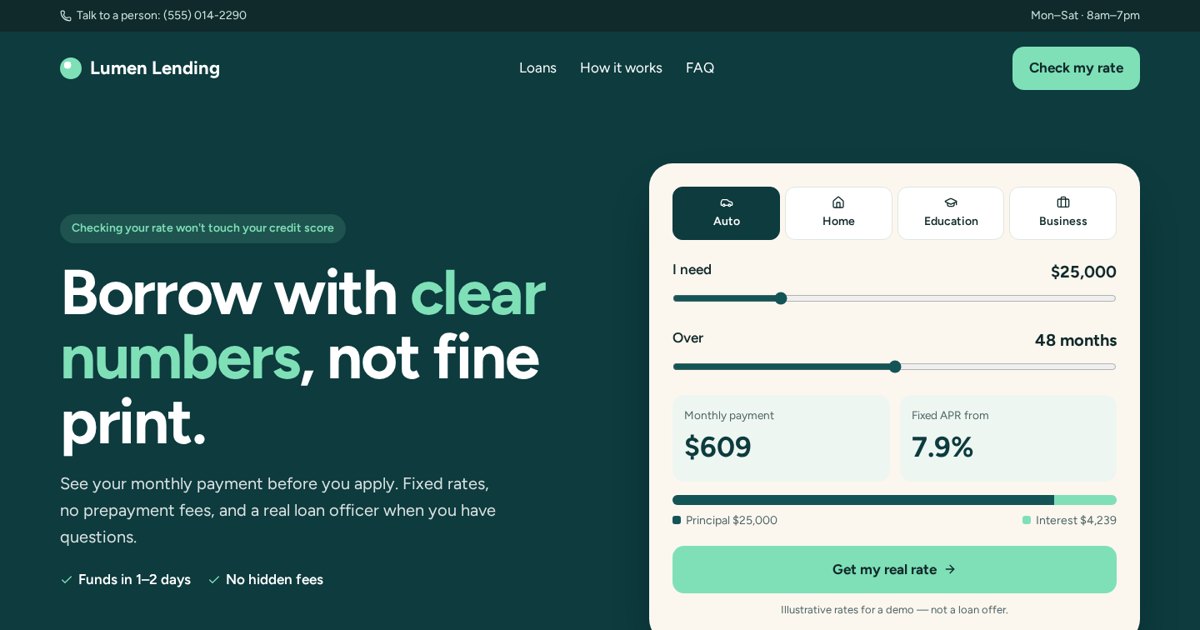
A 2-step rate check: the easy question (amount) first, details second.
Open the live demoTrust and proof (without fake reviews)
People don't believe your claims. They believe evidence. Here's what counts, especially when you're new.
Landing page trust signals include real reviews and ratings, photos of actual work and team, licences and certifications, guarantees, clear contact details, recognisable client logos, case studies and transparent pricing. Never invent testimonials or numbers: it's misleading, can break consumer protection rules, and visitors can often tell.
If you don't have reviews yet
- Show your real face and name. People trust people.
- Show your process in detail. Specifics feel credible.
- Offer a guarantee or a no-obligation first step.
- Show real work, even personal or practice projects, labelled honestly.
- Ask your first customers for a review the day the job is done.
Everything in my own demos is clearly labelled as fictional for exactly this reason. They show what a page could look like, not results I'm claiming.
Interactive elements: calculators, quizzes, estimators and sliders
This is my specialty. A good interactive tool turns a page from something you read into something you use.
Interactive landing page elements such as price calculators, quizzes, savings estimators and before/after sliders let visitors get a personal answer before handing over details. They tend to hold attention longer, qualify leads, and make the next step feel like a natural continuation rather than a sales ask.
| Tool | Good for | Why it works |
|---|---|---|
| Price builder | Cleaning, laundry, services | Specific price beats "call for a quote" |
| Savings calculator | Solar, finance, SaaS | People want their own number |
| Quiz | Coaching, roofing, health | Feels like advice, segments the lead |
| Before/after slider | Dental, renovation, cleaning | Shows the result visually |
| Estimator | Roofing, construction | Sets expectations, filters budgets |
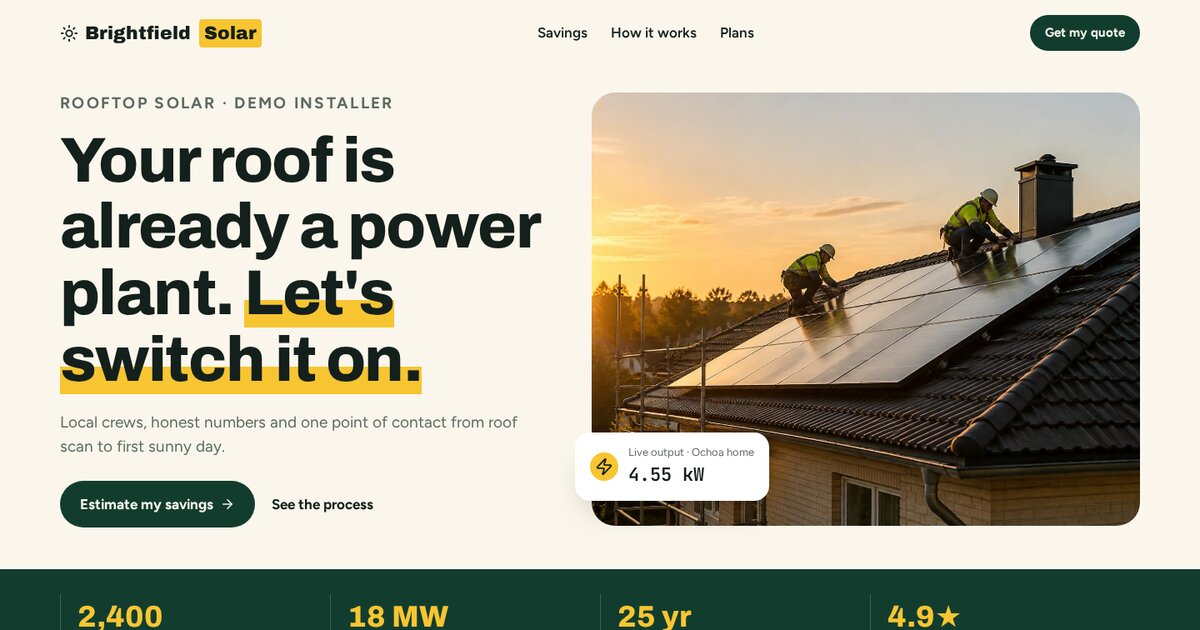
A savings calculator as the first step: get your number, then request the full estimate.
Open the live demoAn instant estimator replaces "call us for a price".
Open the live demo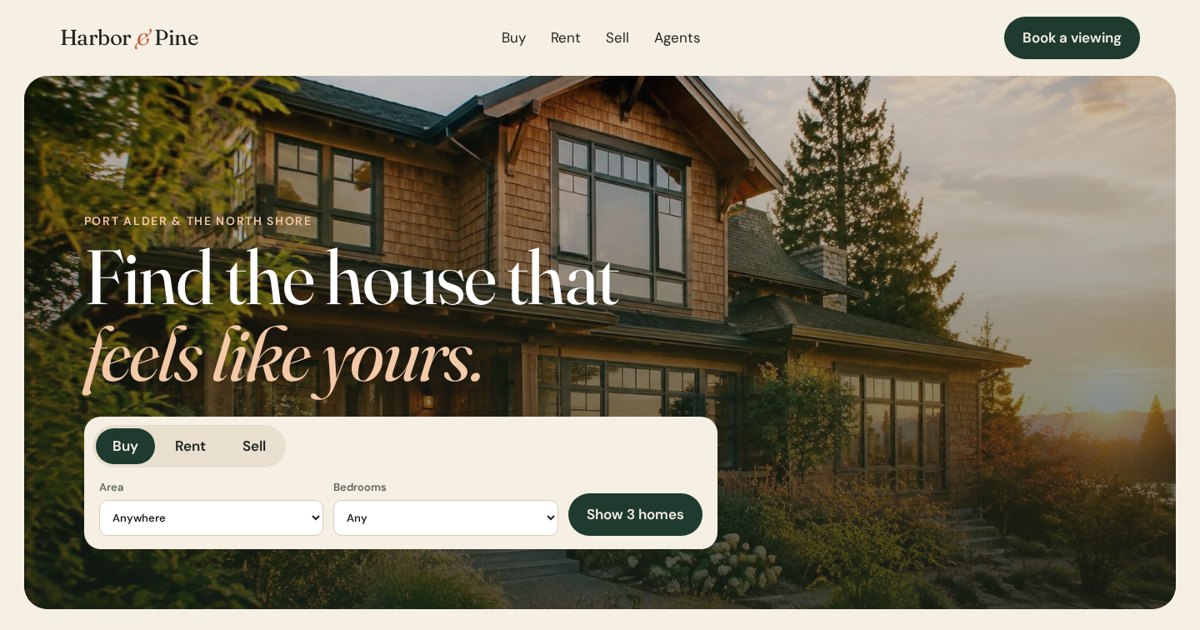
A mortgage estimator gives buyers a reason to stay and a reason to talk to an agent.
Open the live demoSpeed, mobile and accessibility
A slow page loses people before they read a word, and you've already paid for the click.
Landing pages should load quickly on mobile data, work perfectly on small screens, and be accessible: readable contrast, labelled form fields, keyboard-friendly buttons and descriptive image text. Speed and accessibility help visitors, and they also support how search engines and ad platforms judge page quality.
- Compress and properly size images; load below-the-fold images lazily.
- Avoid heavy sliders, autoplay video and piles of tracking scripts.
- Test on a real phone over mobile data, not just office wifi.
- Tap targets big enough for thumbs.
- Text contrast strong enough to read in sunlight.
- Every form field has a visible label.
Landing page conversion rate: what it is and what's "good"
This is one of the most searched landing page questions, and one of the most misunderstood.
A landing page conversion rate is the percentage of visitors who complete the page's goal. Calculate it as conversions divided by visitors, multiplied by 100. For example, 25 leads from 500 visitors is a 5% conversion rate. What counts as "good" depends heavily on industry, traffic source, offer and price, so compare against your own past results first.
| Metric | Formula | Example (illustrative) |
|---|---|---|
| Conversion rate | Conversions ÷ visitors × 100 | 25 ÷ 500 = 5% |
| Bounce rate | Single-page visits with no action ÷ visits | 300 ÷ 500 = 60% |
| Cost per conversion | Ad spend ÷ conversions | $500 ÷ 25 = $20 |
These numbers are examples to show the maths, not benchmarks. Published averages vary widely between studies and industries. The useful question isn't "am I above average?" but "is this page improving, and is each conversion worth more than it costs?"
What about bounce rate?
On a landing page, a high bounce rate isn't automatically bad. A visitor who reads, calls the phone number and leaves may count as a bounce. Track the actual action (calls, forms, bookings) instead of judging by bounce alone.
Tracking and A/B testing landing pages
If you can't see what's happening, every change is a guess.
Track page views, button clicks, form starts, form submissions, calls and bookings on every landing page, tag every incoming link with UTM parameters, and connect conversions to your ad platforms and CRM. A/B testing compares two versions of a page to see which converts better, and works best with enough traffic and one big change at a time.
What's worth testing
- The offer (free inspection vs discount vs guarantee).
- The headline angle (problem vs outcome).
- Form vs quiz vs calculator as the first step.
- One-step vs two-step form.
- Showing a price vs "get a quote".
Button colours and tiny wording changes rarely matter on small budgets. With low traffic, make bigger, clearer improvements and compare over a few weeks.
Open "Under the hood" to see the events and tags a landing page and its next steps would fire.
Open the live demoSEO landing pages vs ad landing pages
A page built for Google search and a page built for paid ads have the same goal but very different jobs.
An SEO landing page is built to rank in Google for a specific search, so it needs useful depth, a clear title and headings, internal links and helpful content. An ad landing page is built for paid traffic, so it can be shorter, has no navigation, and is often hidden from search. Many businesses need both for the same service.
| SEO landing page | Ad landing page | |
|---|---|---|
| Traffic | Google organic search | Paid ads |
| Length | Longer, more helpful detail | As short as the offer allows |
| Navigation | Usually kept | Usually removed |
| Indexed | Yes | Often no |
| Speed to results | Months | Days |
| Example | "Roof repair in [City]" service page | "Free storm inspection" ad page |
Building a good SEO landing page
- One main search phrase per page, used naturally in the title, headline and opening.
- Answer the question fast, then go deeper.
- Local details for local services: area served, real photos, contact info.
- Link to it from your homepage and related pages.
- Give it a clear next step, just like an ad page.
Landing page examples, mistakes, tools and hiring a designer
To wrap up: examples by industry, the mistakes I see most, the tools, and how to choose who builds yours.
Landing page examples by industry
| Industry | Best first action | Key element |
|---|---|---|
| Home services | Quote or booking | Phone + short form above the fold |
| Dental / clinics | Book a visit | Treatments + insurance answers |
| SaaS | Free trial | Product visuals + pricing toggle |
| Ecommerce | Add to cart | Product photos + clear shipping and returns |
| Finance | Check your rate | Calculator + privacy reassurance |
| Restaurants | Reserve | Menu highlights + booking bar |
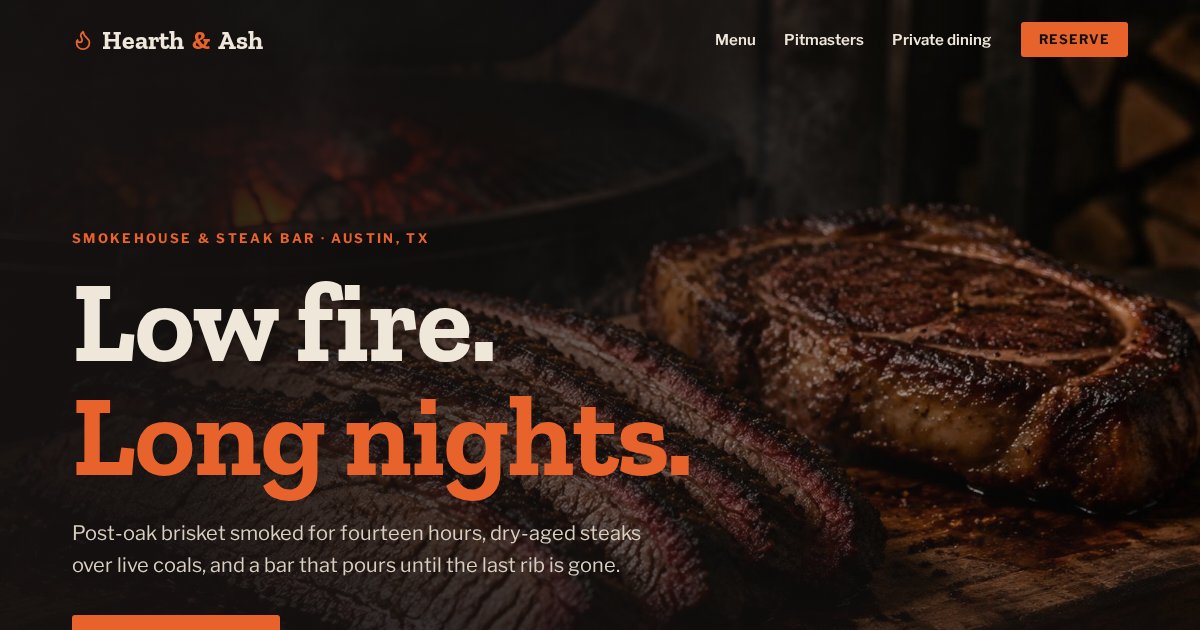
A booking bar with guests, date and time keeps the action one step away.
Open the live demo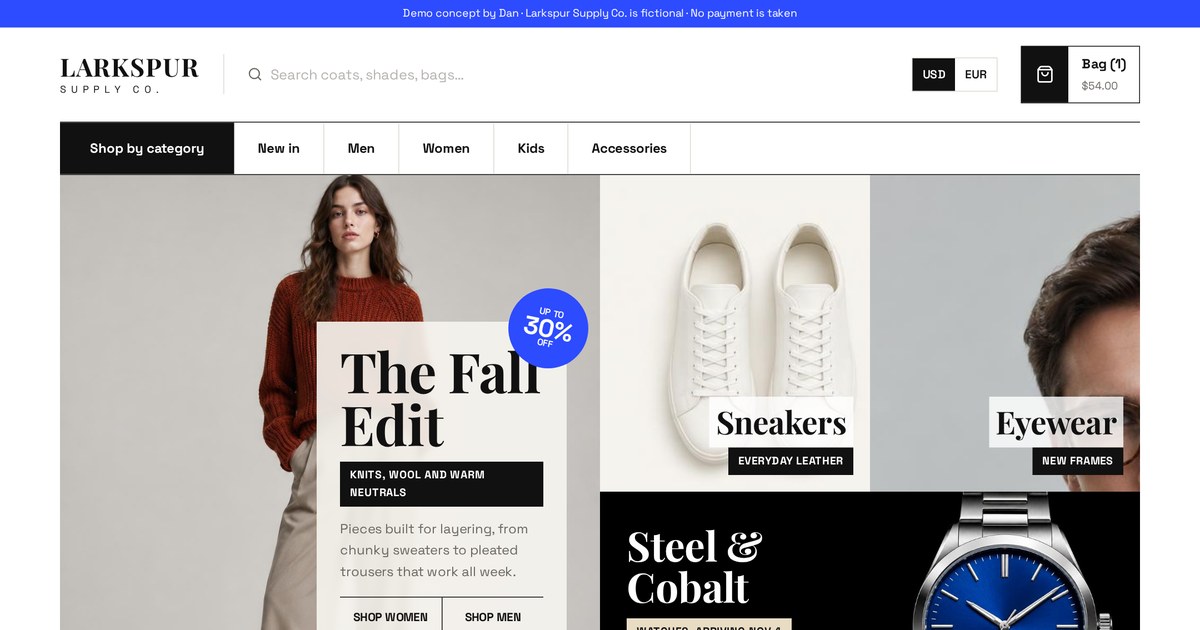
Quick view and a slide-out cart keep shoppers on the page instead of bouncing around.
Open the live demo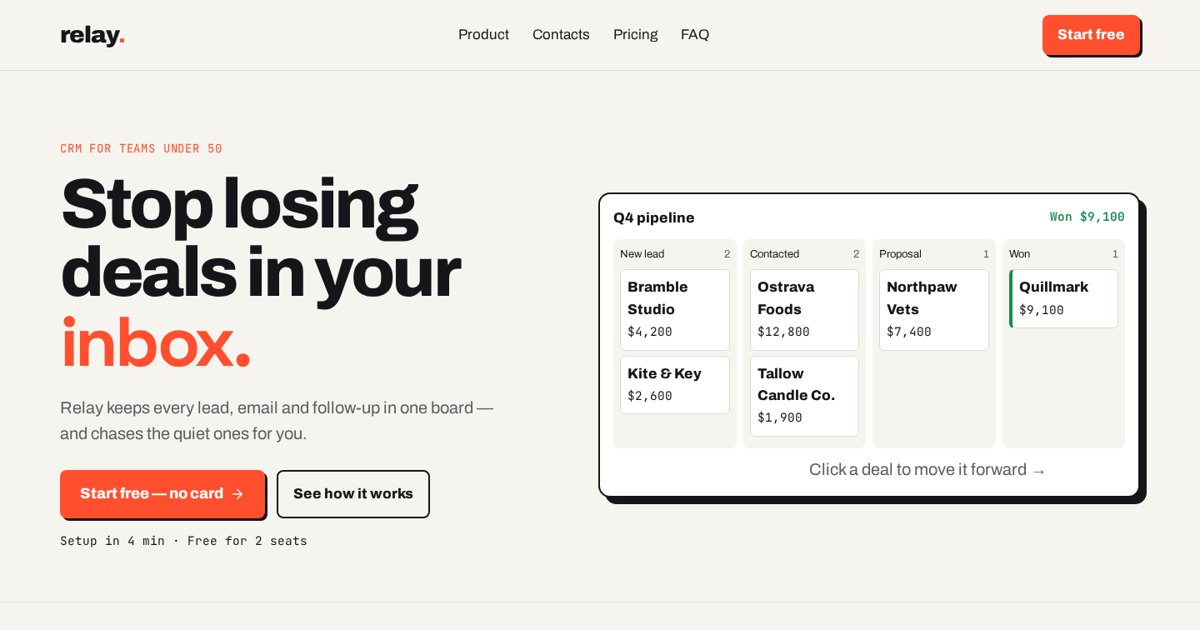
A clickable pipeline and a pricing toggle with a seat slider show the product instead of describing it.
Open the live demoThe 10 landing page mistakes I see most
- Sending ads to the homepage.
- Headline doesn't match the ad.
- Several competing goals on one page.
- Vague offer.
- Form too long, button says "Submit".
- No proof, or obviously fake proof.
- Slow on phones.
- Main action hidden below the fold on mobile.
- No thank-you page or follow-up.
- No tracking, so nobody knows what works.
Tools
Landing pages can be built in dedicated builders (Unbounce, Leadpages, Instapage), funnel platforms (ClickFunnels, GoHighLevel), website builders (Webflow, WordPress, HubSpot), or custom-built. I custom-build mine, which is how I add calculators, quizzes and estimators while keeping pages fast. The tool matters less than the offer, the message and the follow-up.
How to choose a landing page designer
- Ask to click through live pages they've built, on your phone.
- Ask how they'll measure success and what they'll track.
- Check they write or seriously edit the copy.
- Ask about your traffic source and offer before they talk about design.
- Make sure you own the page, domain and data.
Need a landing page for your next campaign? Email me what you're promoting and where the traffic comes from.
Email meMy landing page launch checklist
- One audience, one offer, one action
- Headline matches the ad or link that sends traffic
- Headline, subhead and button visible on a phone without scrolling
- Main navigation removed or minimal on ad pages
- Offer is specific and easy to repeat
- Form asks only what's needed; button says the result
- Only real reviews, ratings and logos
- Proof placed near the form
- FAQ answers the top objections
- Loads fast on mobile data
- Labels, contrast and tap targets are accessible
- Thank-you page explains what happens next
- Events tracked: clicks, form starts, submits, calls
- UTM tags on every incoming link
- Tested end to end on a real phone
Landing page terms in plain English
- A/B test
- Comparing two versions of a page to see which converts better.
- Above the fold
- What shows on screen before scrolling.
- Accent colour
- The one colour reserved for buttons and actions.
- Bounce rate
- Share of visits that leave without another tracked action.
- Call to action (CTA)
- The button or line telling visitors what to do.
- Click-through page
- A page that warms visitors up and sends them to checkout or sign-up.
- Cold traffic
- Visitors who don't know you yet.
- Conversion
- When a visitor completes the page's goal.
- Conversion goal
- The single action the page is built for.
- Conversion rate
- Conversions divided by visitors, as a percentage.
- Core Web Vitals
- Google's measures of loading, responsiveness and visual stability.
- Cost per conversion
- Ad spend divided by conversions.
- CRO
- Conversion rate optimisation: improving the share of visitors who convert.
- Estimator
- A tool giving visitors a rough price or outcome before contacting you.
- FAQ section
- Answers to common questions, usually near the end.
- Form field
- One input in a form, like name or phone.
- Hero section
- The top area of a page: headline, subhead, action and visual.
- Hot traffic
- Visitors actively searching or already familiar with you.
- Indexing
- Google storing a page so it can appear in results.
- Landing page
- A single page built for one specific goal.
- Lazy loading
- Loading images only when they're about to appear on screen.
- Lead
- Someone who shares contact details or shows buying interest.
- Lead generation page
- A landing page with a form to collect leads.
- Lead magnet
- A free, useful item offered in exchange for contact details.
- Message match
- Keeping the page's promise and wording consistent with the ad.
- Mobile first
- Designing the phone version before the desktop version.
- Multi-step form
- A form split into short steps.
- Noindex
- A tag asking search engines not to list a page.
- Offer
- What the visitor gets for taking action.
- Pixel
- Code that reports visitor actions to an ad platform.
- Risk reversal
- Guarantees or terms that lower the buyer's risk.
- Sales page
- A long landing page that sells a product directly.
- SEO landing page
- A page built to rank in search for a specific query.
- Social proof
- Evidence that others trust you: reviews, ratings, logos.
- Squeeze page
- A very short page focused on capturing an email.
- Sticky CTA
- A button that stays visible while scrolling.
- Subheadline
- The line under the headline that adds detail.
- Thank-you page
- The page shown after a conversion, explaining next steps.
- Trust strip
- A row of real credentials or ratings near the top.
- UTM
- Tags added to a link to record where a visitor came from.
- Visual hierarchy
- Design that shows what matters most first.
- Wireframe
- A simple box sketch of a page's layout.
Frequently asked questions
What is a landing page in simple terms?
A single web page built for one goal, like getting a quote request or a sign-up, that people arrive on after clicking an ad, email or link.
What is the difference between a landing page and a homepage?
A homepage serves every visitor with many links. A landing page focuses one audience on one action, usually without the main menu.
What is a landing page used for?
Getting leads, bookings, sales, sign-ups, event registrations, app downloads or donations from a specific campaign.
Is a landing page part of a website?
It can be. Many landing pages live on your main domain; others sit on a separate subdomain or tool. Either way, it has one job.
What is a landing page conversion rate?
The percentage of visitors who complete the page's goal: conversions divided by visitors, times 100.
What is a good landing page conversion rate?
It varies a lot by industry, traffic source, price and offer. Compare against your own results and improve from there rather than chasing a single benchmark.
What is a good bounce rate for a landing page?
It depends on the page. Because visitors may call or leave after reading, track real actions like calls and forms rather than judging by bounce rate alone.
What should a landing page include?
A clear headline, subheadline, one call to action, a relevant visual, trust signals, benefits, how it works, proof, FAQ and a closing call to action.
Should a landing page have navigation?
Ad landing pages usually work better without it. SEO landing pages often keep it so visitors and search engines can explore.
How long should a landing page be?
As long as it takes to answer the visitor's questions. Simple, cheap offers can be short; considered purchases need more detail.
Can a landing page rank on Google?
Yes, if it's built as an SEO landing page with helpful content for a specific search, a clear title and links from the rest of your site.
Do you design landing pages?
Yes. Landing pages are my core work, including interactive calculators, quizzes and estimators. Email dan@admusketeers.com with what you're promoting.
Running a campaign that deserves a better page?
Let's build it.
I design and build landing pages that match your ads, load fast, and turn visitors into leads, bookings and sales. Tell me what you're promoting.