 dan
danThe paid ads guide · 20 parts Updated October 2026 · about 45 min read
How to Use Paid Ads to Get Customers
From the person who builds what ads point to.
How paid advertising really brings in customers and clients: platforms, offers, budgets, message match, landing pages, funnels, tracking, follow-up and retargeting. Plain English, with live demos.

- 01What paid ads are
- 02Paid vs organic vs referral
- 03Choosing a platform
- 04Search vs social ads
- 05Know your numbers
- 06How much to spend
- 07The offer
- 08Writing ads
- 09Ad creative
- 10Message match
- 11Where to send traffic
- 12Landing pages for ads
- 13Funnels for paid traffic
- 14Forms, quizzes, booking
- 15Tracking
- 16Follow-up
- 17Retargeting
- 18Reading results
- 19Testing and fixing
- 20Mistakes and hiring help
On this page
- 01What paid ads are
- 02Paid vs organic vs referral
- 03Choosing a platform
- 04Search vs social ads
- 05Know your numbers
- 06How much to spend
- 07The offer
- 08Writing ads
- 09Ad creative
- 10Message match
- 11Where to send traffic
- 12Landing pages for ads
- 13Funnels for paid traffic
- 14Forms, quizzes, booking
- 15Tracking
- 16Follow-up
- 17Retargeting
- 18Reading results
- 19Testing and fixing
- 20Mistakes and hiring help
- +Glossary
- +FAQ
What are paid ads, and when do they make sense?
Paid ads are the fastest way to put your offer in front of strangers. They are also the fastest way to lose money if what happens after the click is weak. I build the part after the click, so that's the lens of this whole guide.
Paid ads (also called paid advertising, paid media or PPC) are messages you pay platforms like Google, Facebook, Instagram, TikTok, LinkedIn or YouTube to show to a chosen audience. You pay per click, per thousand views or per result. They make sense when you already have an offer people want and a page or funnel that turns visitors into leads or sales.
Most people think of ads as the whole marketing machine. They're not. An ad is only the door. The landing page, the form, the booking step and the follow-up are the rooms behind it. If those rooms are empty or confusing, a better door won't help.
How you pay for paid ads
| Pricing model | You pay when… | Common on |
|---|---|---|
| CPC (cost per click) | Someone clicks your ad | Google Search, Microsoft Ads |
| CPM (cost per 1,000 impressions) | Your ad is shown 1,000 times | Meta, TikTok, YouTube, display |
| CPA / cost per result | The platform optimizes for an action, you pay for delivery | Meta and Google conversion campaigns |
| CPV (cost per view) | Someone watches part of a video | YouTube |
When paid ads make sense
- You can describe your offer in one sentence and people already search for it or would stop scrolling for it.
- You know roughly what a customer is worth to you, so you know what you can afford per lead.
- You have a page built for that one offer, not just a homepage.
- Someone will answer leads fast, ideally within minutes.
- You can afford to spend a test budget while you learn, without needing it back next week.
When to wait
- Your offer is still changing every month.
- You don't have a way to track which ad brought which lead.
- Your site is slow or broken on phones.
- You need the money back immediately to pay rent.
Paid vs organic vs referral: how each brings customers
Every customer arrives through one of three doors: you paid for the visit, you earned it, or someone sent them. Each door has a different speed, cost and level of trust.
Paid traffic is fast and controllable but stops when you stop paying. Organic traffic (SEO, social posts, content) is slow to build but keeps working. Referrals bring the most trusting customers but you can't turn them up on demand. Healthy businesses use all three; ads are the one you can switch on today.
| Channel | Speed | Cost | Trust level | Control |
|---|---|---|---|---|
| Paid ads | Days | Pay per click or view | Low to medium | High: budget, audience, message |
| SEO / content | Months | Time or writer fees | Medium to high | Medium |
| Organic social | Weeks to months | Time | Medium | Low: algorithm decides |
| Referrals / word of mouth | Unpredictable | Mostly free | Highest | Very low |
| Email list | Instant once built | Low | High | High |
Paid ads are the only channel where you can decide on a Monday that you want more leads by Friday. That's their superpower. Their weakness is that a cold visitor from an ad trusts you the least of anyone who will ever visit your site.
This is why I design ad landing pages differently from SEO pages. Someone who found you on Google after searching for a long question wants depth. Someone who tapped an Instagram ad while waiting for coffee wants one clear promise, quick proof and a short form.
Running ads but not building a list? I can build the page and follow-up that catches every lead.
Email meChoosing a platform: Google, Meta, TikTok, LinkedIn or YouTube
There's no best ad platform. There's the platform where your customers are, in the mood your offer needs.
Use Google Search when people already look for what you sell (plumber near me, accountant for freelancers). Use Meta (Facebook and Instagram) when you need to create demand with a visual offer. Use LinkedIn for B2B targeting by job title. Use TikTok and YouTube when video can show the product or the person behind it.
| Platform | Best for | Mood of the visitor | Page I'd send them to |
|---|---|---|---|
| Google Search | Local services, urgent needs, high-intent B2B | Looking for a solution now | Service landing page with phone + short form |
| Google Local Services Ads | Plumbers, HVAC, roofers, lawyers in the US | Ready to call | Strong Google Business Profile + reviews |
| Meta (Facebook / Instagram) | Local offers, ecommerce, coaching, events | Scrolling, open to discovery | Offer page, quiz funnel or product page |
| TikTok | Consumer products, younger audiences, personal brands | Entertained, fast | Mobile-first offer page, very short |
| YouTube | Explaining complex offers, courses, demos | Watching, patient | Video sales page or booking page |
| B2B services, software, recruiting | Professional, skeptical | Lead magnet or book-a-call page | |
| Microsoft (Bing) Ads | Older, desktop, B2B searchers | Searching | Same as Google Search pages |
Start with one platform. Splitting a small budget across four platforms means none of them gets enough data to learn, and you can't tell what works.
A quick way to decide
- Do people search for my service by name? If yes, start with Google Search.
- Is my offer visual or easy to show in 5 seconds? If yes, try Meta or TikTok.
- Do I sell to companies and need a specific job title? If yes, LinkedIn.
- Does my offer need explaining? If yes, YouTube or a video landing page.
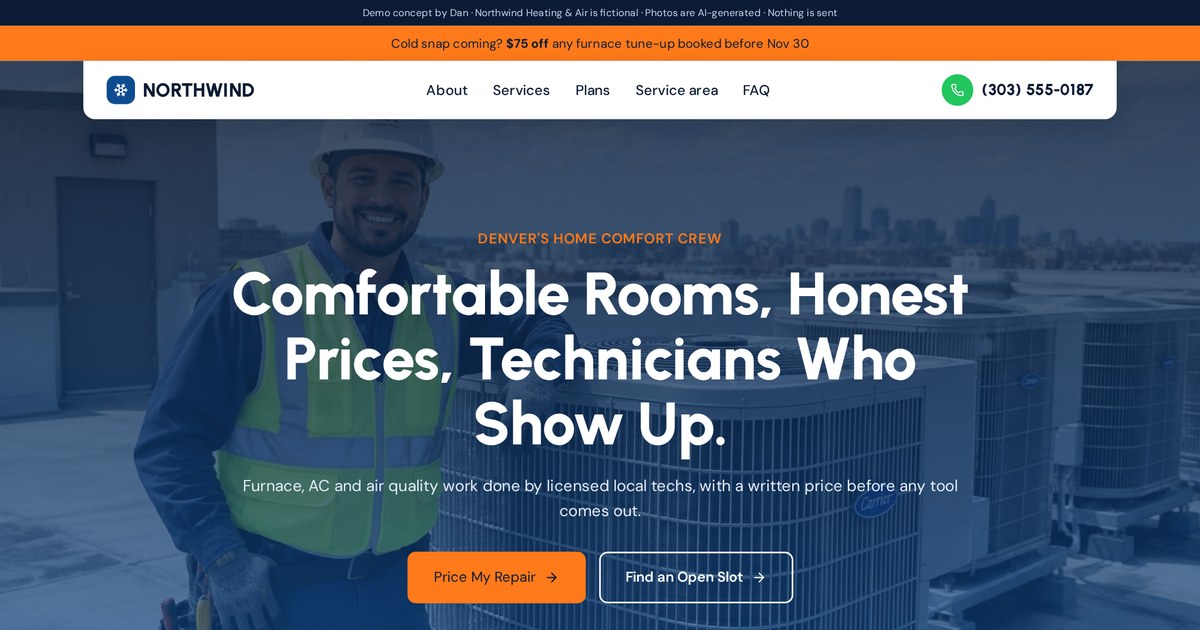
An HVAC company is a classic Google Search advertiser: people search 'furnace repair near me' when it's cold.
Open the live demoKnow your numbers first: customer value, cost per lead and break-even
Before spending a dollar, you need three numbers. Without them, you can't tell a good campaign from a bad one.
Know your average customer value, your close rate (how many leads become customers) and the most you can pay per customer and still make a profit. Divide what you can afford per customer by how many leads you need per customer, and you get your target cost per lead.
The simple math (example numbers only)
| Number | Example | How to get it |
|---|---|---|
| Average job or sale value | $1,200 | Average of your last 20 jobs |
| Gross profit per job | $480 (40%) | Value minus materials, labour, fees |
| Close rate | 1 in 4 leads | Customers ÷ leads over the last few months |
| Max cost per customer to break even | $480 | Your gross profit |
| Max cost per lead to break even | $120 | $480 ÷ 4 leads |
| Target cost per lead with profit | $60–$80 | Leave room for profit and bad months |
These are illustrative numbers, not benchmarks. Your industry, city and offer will be different. The point is the method: once you know your target cost per lead, you can judge any campaign in a week instead of guessing for months.
Where pages change the math
If your page converts 5% of visitors into leads and clicks cost $3, each lead costs $60. If a better page converts 10%, each lead costs $30 with the same ads and the same budget. That's why I say the cheapest way to lower ad costs is usually not touching the ads at all.
| Cost per click | Page conversion rate | Cost per lead |
|---|---|---|
| $3 | 2% | $150 |
| $3 | 5% | $60 |
| $3 | 10% | $30 |
Want me to look at where your page leaks leads? Send me the link.
Email meHow much to spend on ads when you're starting
The honest answer is 'enough to learn'. Here's how I'd think about a first budget, without promising results nobody can promise.
Start with a test budget you can afford to lose while you learn, run it for at least two to four weeks, and aim for enough clicks to judge your page (a few hundred visitors is a reasonable minimum). Your budget should be based on your target cost per lead times the number of leads you want, not on a round number.
A simple way to set a test budget
- Pick your target cost per lead from Part 5.
- Decide how many leads you need to judge the test, say 20 to 30.
- Multiply: a $60 target × 25 leads = $1,500 over the test period (example only).
- If that's too much, narrow the offer or location instead of cutting the budget so low that the test proves nothing.
| Budget mistake | What happens | Better move |
|---|---|---|
| Too small to learn | A handful of clicks, no conclusion | Narrow the target area or offer |
| Spread across platforms | None get enough data | One platform, one offer |
| Changing daily | Platform algorithm keeps resetting | Let a campaign run a week before big changes |
| No end date for the test | Money leaks slowly | Set a review date before launch |
Platforms need data to optimize. Meta and Google both 'learn' who converts. Constant edits, tiny budgets and missing conversion tracking keep them guessing.
The offer: why most ads fail before they even run
Ads amplify. If the offer is weak, ads just show a weak offer to more people.
An offer is what someone gets, why it matters to them now, and what they have to do to get it. Strong ad offers are specific, low-risk and easy to say yes to: a free roof check, a fixed-price first session, a quote in 24 hours, a free guide. 'Contact us to learn more' is not an offer.
Weak vs strong offers
| Weak | Stronger |
|---|---|
| Quality roofing services | Free 20-minute roof check with photos the same day |
| Book a consultation | 15-minute call: I'll tell you the one thing hurting your conversions |
| Shop our collection | Starter set, free shipping, 30-day returns |
| We're the best dentist in town | New patient exam + cleaning, one clear price |
| Business coaching | 3-question quiz: find your biggest growth bottleneck |
The five parts of a strong ad offer
- Specific: a number, a time or a deliverable.
- Relevant: it fixes a problem the audience feels now.
- Low risk: free, small, guaranteed or easy to undo.
- Easy first step: a short form, a quiz, a booking slot.
- Believable: backed by real proof, not hype.
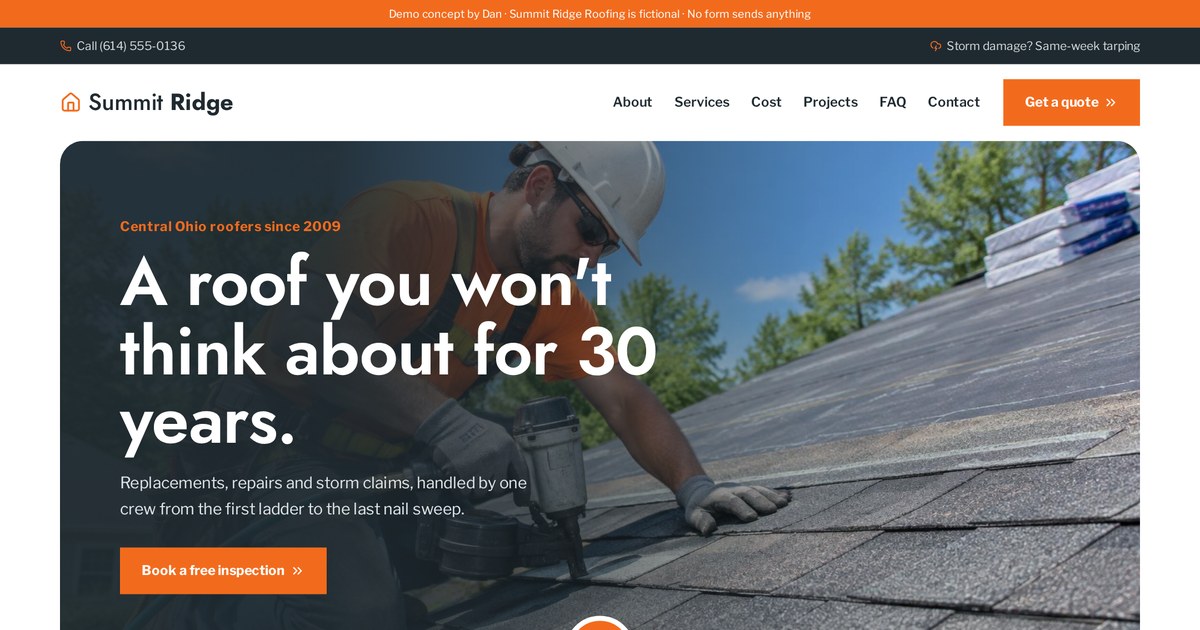
The whole funnel is built around one offer: a free 20-minute roof check. The ad, page, quiz and follow-up all repeat it.
Open the live demoWriting ads that get the right clicks
A good ad isn't the one with the most clicks. It's the one that attracts people your page can convert, and politely repels everyone else.
Write ads that name the audience or problem, state the offer plainly, give one reason to trust you and say what happens when they click. Avoid clever lines that hide what you sell. Clicks from the wrong people cost the same as clicks from the right ones.
A simple ad formula I like
- Call out: who is this for? (Homeowners in Denver, new physio patients, SaaS founders)
- Problem or desire: what do they want fixed or gained?
- Offer: what exactly do they get?
- Proof or risk-reducer: reviews, guarantee, years, 'no pressure'.
- Next step: what the click leads to (book, check price, take quiz).
Example (fictional)
"Storm season is here. Is your roof ready? Get a free 20-minute roof check with same-day photos. No pressure, no sales pitch. Book your free check."
Search ad specifics
- Put the main keyword in the headline so it matches what they typed.
- Use the extra headline slots for price, speed, location and guarantee.
- Add call, location and sitelink extensions (Google calls these assets).
- Write negative keywords to block searches like 'free', 'jobs' or 'DIY' if they don't fit.
Ad creative: images, video and user-style content
On social platforms the creative (the image or video) does most of the targeting now. It decides who stops.
Good ad creative shows the outcome, the product in use or a real person speaking plainly, and it's readable with the sound off. Test several different angles (problem, result, behind the scenes, testimonial-style) rather than small variations of one image.
| Creative type | Works well for | Watch out for |
|---|---|---|
| Simple photo + bold offer text | Local services, clear offers | Too much text, stock look |
| Short talking-head video | Coaches, consultants, local owners | Rambling start; hook in 2 seconds |
| User-style (UGC) video | Ecommerce, apps, consumer products | Fake reviews; label paid creators honestly |
| Before / after | Cleaning, dental, renovation | Platform policies on body and health claims |
| Carousel | Several products or steps | Weak first card |
| Screen recording | Software, tools, funnels | Tiny text on phones |
Real beats polished more often than people expect. A phone video of the owner on a real job often outperforms a studio shoot, because it looks like the feed rather than an ad.
Be careful with AI-generated people and fake testimonials. Platforms and regulators increasingly treat these as misleading, and visitors spot them. Use AI for backgrounds and mood, never to pretend a customer said something.
Message match: make the ad and the page say the same thing
Message match is the most underrated idea in paid ads, and it's the one I spend most time on.
Message match means the landing page repeats the ad's promise, words and look within the first second. If the ad says 'free roof check', the page headline says 'free roof check' too. When the match breaks, visitors feel they landed in the wrong place and leave.
What should match
- The offer: same thing, same price, same terms.
- The words: reuse the ad's key phrase in the headline.
- The visual: same photo, colors or product shot.
- The audience: if the ad says 'for dentists', the page talks to dentists.
- The location: if the ad targets Austin, the page says Austin.
| Ad says | Mismatched page | Matched page |
|---|---|---|
| Free 20-min roof check | Homepage: 'Roofing, siding, gutters since 1998' | 'Book your free 20-minute roof check' |
| New patient special | Generic services page | Page with the exact offer and booking slots |
| Quiz: find your skin type | Shop all products | The quiz, then matched products |
Message match is also why one page rarely fits every ad. If you run three different angles, you often want three page versions, or one page with a headline that changes based on which ad was clicked.
Running ads to a page that doesn't match? I build matched pages for each ad angle.
Email meWhere to send ad traffic: homepage, landing page or funnel?
This is the decision that matters most, and it's the one most businesses never consciously make.
Send ad traffic to a dedicated landing page for one offer, or to a funnel when the sale needs several steps (qualifying, booking, follow-up). The homepage is the wrong destination for most ads because it's built to serve everyone and asks visitors to choose.
| Destination | Good for | Problem |
|---|---|---|
| Homepage | Brand searches (people typing your name) | Too many choices for cold traffic |
| Service page | Search ads for one service | Often still has full menu and distractions |
| Landing page | One offer, one action | Needs a version per offer or audience |
| Funnel | Higher-ticket offers, booking, quizzes, upsells | More pieces to build and track |
| Product page | Ecommerce with a single hero product | Needs strong reviews and clear shipping/returns |
- AdOne promise
- Landing pageRepeats the promise, one button
- Form / quizSmall first step
- Booking or checkoutCommit while interest is hot
- Follow-upSMS + email until they act
Landing pages built for ad traffic
This is the part I actually build, so I'll be specific about what goes on the page.
A landing page for ads has one goal, no main menu, a headline that matches the ad, a visible form or button above the fold on phones, quick proof, answers to the main objections and the same button repeated down the page.
- 01Headline that matches the ad
Same offer, same words
- 02Subhead with the outcome
What they get and how fast
- 03Form or button above the fold
Visible on a phone without scrolling
- 04Trust strip
Real reviews, licenses, guarantees, years
- 05Problem / solution
Show you understand their situation
- 06How it works
Three simple steps
- 07Objection answers
Price, time, risk, 'is this for me?'
- 08Repeat the button
Every couple of sections
- 09Sticky mobile CTA
Call or book always within thumb reach
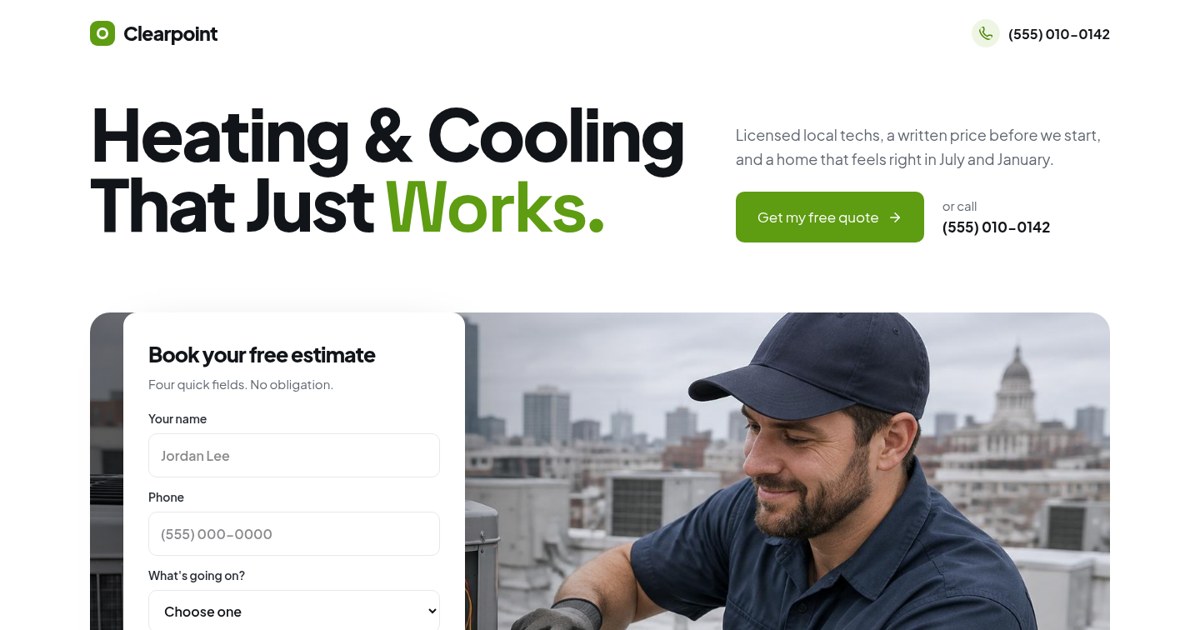
Built for Google Search traffic: estimate form in the hero, problem cards that pre-fill the form, sticky call button on phones.
Open the live demo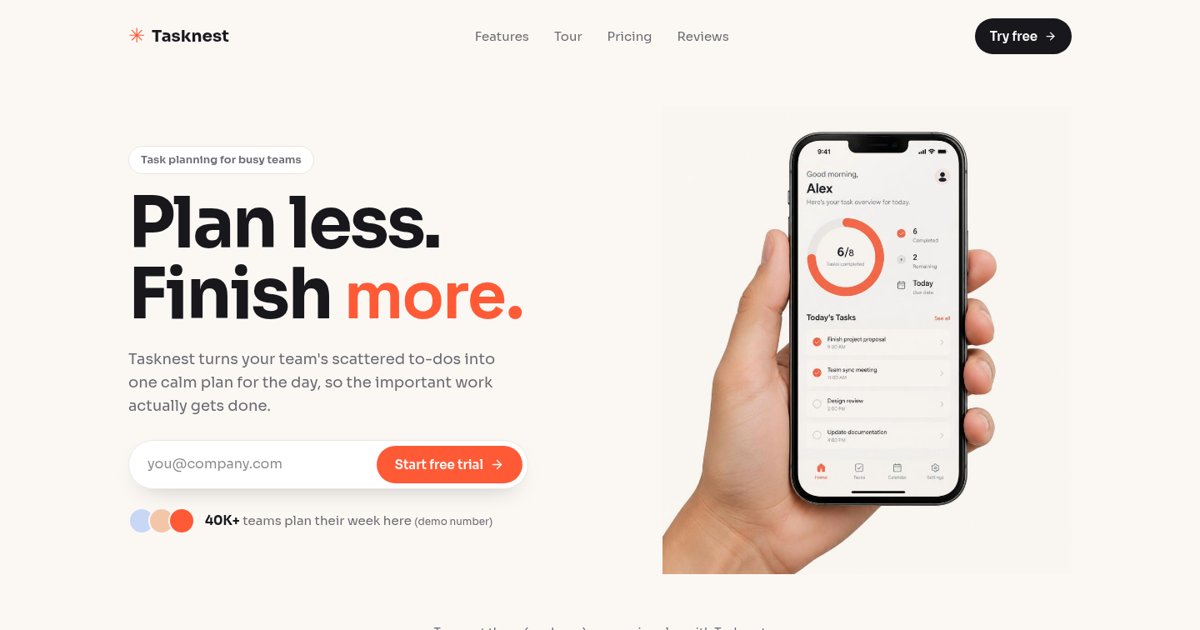
Built for social traffic: a sign-up offer up top, then features, proof and pricing to earn the click.
Open the live demoSpeed matters more with ads
You pay for the click whether the page loads or not. On phones, every extra second loses visitors you already paid for. I compress images, avoid heavy sliders and keep scripts lean on every ad page.
Funnels for paid traffic
When the sale is bigger than a quick decision, a single page isn't enough. A funnel adds steps that qualify, schedule and remind.
A paid traffic funnel is a planned sequence after the ad: landing page, a short qualifying step like a quiz, booking or checkout, then automated follow-up. Each step has one job and is tracked, so you can see exactly where people drop off.
Click through ad, opt-in, quiz, booking and follow-up, with an 'under the hood' panel showing the tracking events and automations at each step.
Open the live demoThree funnels I build for ad traffic
| Funnel | Who it's for | Steps |
|---|---|---|
| Lead gen | Local services | Ad → opt-in → quiz → booking → SMS + email |
| Book-a-call | Coaches, consultants, agencies | Ad → video page → application → calendar → reminders |
| Offer to upsell | Online stores | Ad → offer page → checkout → one-click upsell → thank-you |
Funnels let you spend more per click because each visitor is worth more. A store with a good upsell can afford pricier ads than a competitor without one. A service business that books calls on the thank-you page wins more of the leads it already paid for.
Need a funnel behind your ads? I plan, build and connect the whole thing.
Email meForms, quizzes and booking that turn clicks into leads
The form is where the money is made or lost. Small changes here move results more than most ad tweaks.
Ask only what you need for the next step, split longer forms into small steps, start with easy questions, and let people book a time right away. Quizzes work well for social traffic because they're fun and qualify leads at the same time.
Form rules I follow
- Three to four fields for a first step: name, phone or email, one qualifying question.
- Use tap-friendly buttons instead of dropdowns on phones.
- Multi-step forms: easy question first, contact details last.
- Say what happens after submitting: 'We'll text you within 10 minutes'.
- Save UTM data in hidden fields so you know which ad brought the lead.
- Add spam protection that doesn't punish real people.
| Format | Best for | Why it works |
|---|---|---|
| Short form | Search ads, urgent needs | Fast for people who already decided |
| Multi-step form | Quotes, estimates | Feels small, collects more detail |
| Quiz | Social ads, recommendations | Engaging, segments leads automatically |
| Calendar booking | Calls, consultations, inspections | Turns a lead into an appointment immediately |
| Click-to-call | Emergency services | Some people would rather talk |
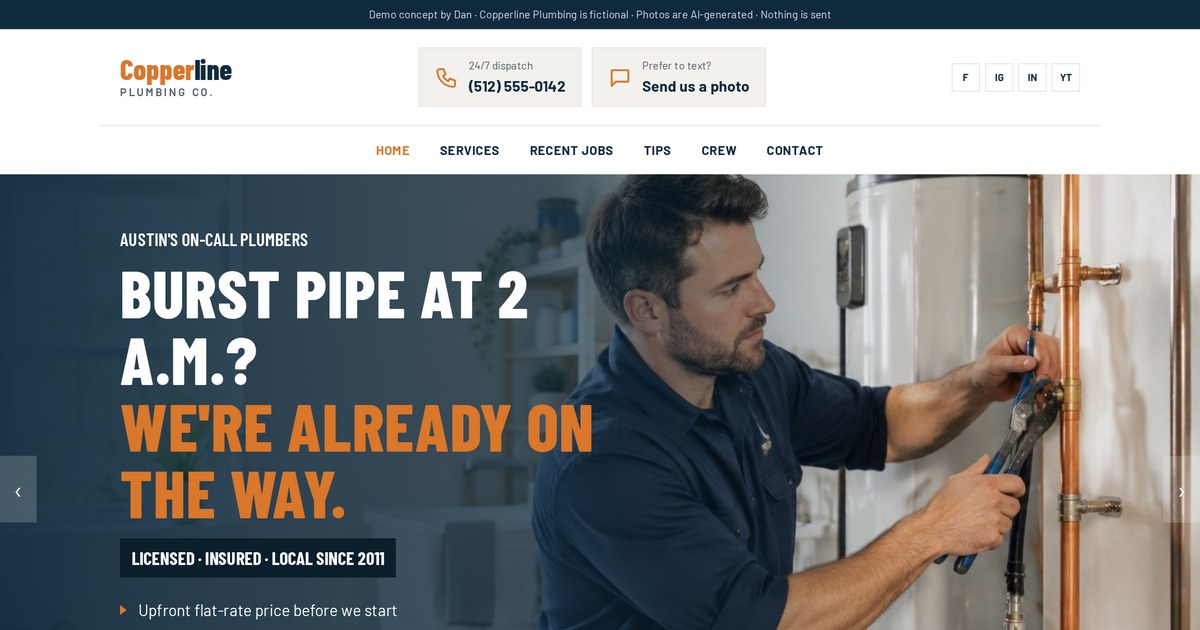
A short quote form and a visible phone number, made for people with a leak right now.
Open the live demoTracking: pixels, conversion events, UTMs and GA4
Without tracking, ad platforms can't learn who converts and you can't tell which ad paid for itself. This is the technical part people skip, and it costs them the most.
Install each ad platform's tracking (Meta Pixel and Conversions API, Google Ads conversion tag), set up GA4, tag every ad link with UTM parameters and fire a conversion event when someone becomes a lead, books or buys. Then test every event before launching.
| Tool | What it does | Example event |
|---|---|---|
| Meta Pixel + Conversions API | Tells Meta who converted so it finds more people like them | Lead, Schedule, Purchase |
| Google Ads conversion tracking | Tells Google which clicks became results | Form submit, call, purchase |
| GA4 | Shows the whole site journey across channels | generate_lead, purchase |
| Google Tag Manager | Manages all tags in one place | Fires tags on the right steps |
| UTM parameters | Labels each link with source, campaign, ad | utm_source=meta&utm_campaign=roof-check |
| CRM | Connects leads to actual sales | Lead → booked → won |
My pre-launch tracking checklist
- Every ad link has UTMs.
- UTMs are saved into the form's hidden fields and passed to the CRM.
- The lead event fires once, only on a real submission.
- Booking and purchase events fire on the confirmation step.
- Events show up in each platform's test tool.
- Cookie consent is set up where the law requires it.
Follow-up: speed to lead, SMS and email
You paid for the lead. Now it's a race between you and the next business they contact.
Reply to new leads within minutes, ideally with an automatic text and email that confirms the request and offers a next step. Then run a short follow-up sequence over the next week that stops the moment they book or reply.
A simple follow-up sequence (example)
| When | Channel | Message |
|---|---|---|
| 1 minute | SMS | Thanks, here's your booking link / we'll call shortly |
| 5 minutes | Confirmation + what to expect | |
| Same day | Call task | A person calls if no booking yet |
| Day 1 | Answer the most common question | |
| Day 3 | Email or SMS | Proof: a real result or review |
| Day 7 | Last friendly nudge with the offer |
Tools like GoHighLevel, HubSpot, ActiveCampaign or Klaviyo handle this. The important part isn't the tool; it's that the sequence runs automatically and stops when the person acts, so nobody gets nagged after booking.
Retargeting: winning back people who left
Most people won't convert on the first visit. Retargeting shows them ads again after they've left.
Retargeting (or remarketing) shows ads to people who already visited your page, watched your video or started a form. Because they know you, these ads are usually cheaper per result. Use them to remind, answer objections and show proof, not to repeat the same ad.
| Audience | What to show them |
|---|---|
| Visited the page, didn't act | Proof: reviews, results, a short video |
| Started the form or quiz | Reminder with the offer and a direct link back |
| Watched most of a video | The next step: book or buy |
| Added to cart | Shipping, returns, a reason to finish |
| Already customers | Exclude them, or show a referral or upsell offer |
Keep retargeting audiences fresh (last 7 to 30 days) and cap how often people see ads so you don't annoy them. Privacy changes have made these audiences smaller, which is another reason to capture emails early.
Reading results: CTR, CPC, CPL, conversion rate and ROAS
Ad dashboards show dozens of numbers. A handful matter, and each one points to a different part of the system.
Click-through rate tells you if the ad interests people. Cost per click tells you what attention costs. Landing page conversion rate tells you if the page works. Cost per lead and cost per customer tell you if it's profitable. Return on ad spend tells online stores how much revenue each ad dollar brought back.
| Metric | What it means | If it's bad, look at |
|---|---|---|
| CTR (click-through rate) | Clicks ÷ impressions | Ad creative, headline, targeting |
| CPC (cost per click) | Spend ÷ clicks | Competition, relevance, audience size |
| Conversion rate | Leads ÷ visitors | Landing page, offer, form, speed |
| CPL (cost per lead) | Spend ÷ leads | Both ad and page |
| Lead-to-customer rate | Customers ÷ leads | Follow-up, sales process, lead quality |
| CAC (cost per customer) | Spend ÷ customers | The whole funnel |
| ROAS (return on ad spend) | Revenue ÷ spend | Offer, pricing, upsells, page |
Read the numbers in order, from the ad down to the sale. The first metric that looks bad is usually where to focus. Good CTR and bad conversion rate? The page. Good conversion rate but few customers? The follow-up or the lead quality.
Good click numbers but poor leads? That usually means the page. I can rebuild it.
Email meTesting and fixing a funnel that loses money
Most campaigns don't work perfectly on day one. The skill is finding the leak quickly and fixing the right thing.
Find the step with the biggest drop-off, change one important thing there, give it enough traffic to judge, and keep the winner. Test big differences (offer, headline, form type) before small ones (button color).
My leak-finding order
- Is tracking correct? Broken tracking makes good campaigns look bad.
- Does the page load fast on a phone?
- Does the page match the ad?
- Is the offer clear and attractive?
- Is the form short and working on phones?
- Are leads contacted within minutes?
- Is the ad reaching the right people?
| Symptom | Likely cause | What I'd test |
|---|---|---|
| High clicks, low leads | Page or offer | New headline matching the ad; shorter form |
| Lots of leads, few customers | Lead quality or follow-up | Qualifying question; faster reply |
| Leads drop off at booking | Too many steps or too few slots | Calendar on thank-you page |
| Low CTR | Creative or audience | New angle, not a new color |
| Costs rising over time | Ad fatigue | Fresh creative, new hook |
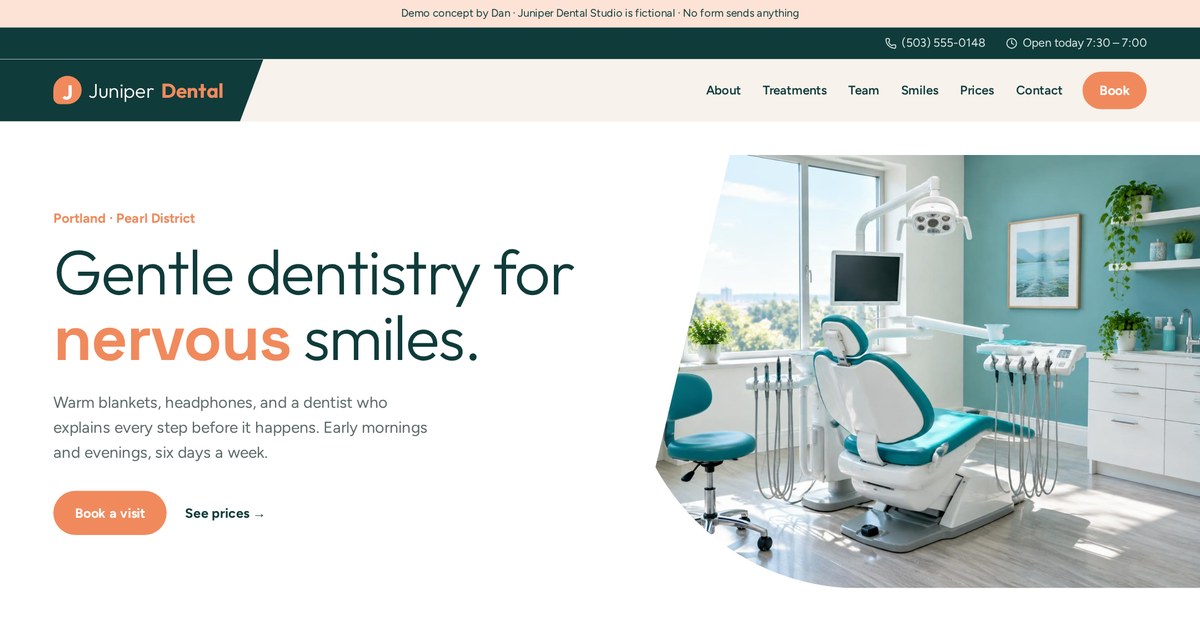
Booking built into the page: a good example of reducing steps between interest and appointment.
Open the live demoMistakes to avoid, and who to hire
To close, the mistakes I see most, and how to split the work between the people who run ads and the people who build what ads point to.
The common mistakes are sending ads to the homepage, having no tracking, a weak offer, slow follow-up and judging too early. For help, you typically need two skills: someone to run and optimize the ads, and someone to build the landing pages, funnels and tracking. Sometimes that's one person, often it's two.
Mistakes I see most
- Sending cold traffic to the homepage.
- Launching without conversion tracking or UTMs.
- 'Contact us' as the only offer.
- Same page for Google and Facebook visitors.
- Forms with ten fields on a phone.
- Replying to leads the next day.
- Turning ads off after three days.
- Fake reviews or AI 'customers' on the page.
Who does what
| Role | What they handle |
|---|---|
| Ad manager / media buyer | Campaign setup, targeting, budgets, creative testing, bids |
| Landing page & funnel builder (me) | Pages, quizzes, forms, booking, tracking events, follow-up automation |
| You | The offer, answering leads, closing sales, real proof |
To be clear about what I do: I don't manage ad accounts for clients. I build the pages and funnels your ads send people to, with the tracking and follow-up already wired up, so whoever runs your ads has something worth sending traffic to.
Have an ad manager or running ads yourself? I'll build the landing page or funnel behind them.
Email meMy ad-ready checklist
- Offer written in one specific sentence
- Customer value, close rate and target cost per lead known
- One platform chosen to start
- Dedicated landing page or funnel, no main menu
- Page headline matches the ad
- Form or button visible on a phone without scrolling
- Page loads fast on mobile
- Pixel, conversion events and GA4 tested
- UTMs on every ad and saved with each lead
- Automatic SMS/email reply within minutes
- Follow-up sequence that stops when they book
- Retargeting audience set up
- Test budget and review date set
- Only real reviews and proof on the page
Paid ads terms in plain English
- A/B test
- Showing two versions to similar visitors to see which performs better.
- Ad fatigue
- When an audience has seen an ad too often and results drop.
- Ad set
- A group of ads sharing a budget and audience (Meta).
- Audience
- The group of people an ad is shown to.
- Bid
- What you're willing to pay for a click or result.
- Break-even
- The point where ad spend equals the profit it brings in.
- CAC
- Customer acquisition cost: spend divided by new customers.
- Campaign
- The top level of an ad account with one objective.
- Click-to-call
- An ad or button that dials your phone directly.
- Conversion
- A valuable action: a lead, booking or purchase.
- Conversion rate
- The share of visitors who convert.
- Conversions API
- Server-side tracking that sends events to Meta directly.
- CPC
- Cost per click.
- CPL
- Cost per lead.
- CPM
- Cost per thousand impressions.
- Creative
- The image, video or text of an ad.
- CRM
- Software that stores leads and tracks them to a sale.
- CTR
- Click-through rate: clicks divided by impressions.
- Funnel
- A planned sequence of steps from ad to sale.
- GA4
- Google Analytics 4, Google's site analytics tool.
- Google Tag Manager
- A tool for managing tracking tags in one place.
- Hook
- The first line or second of an ad that stops the scroll.
- Impression
- One showing of an ad.
- Intent
- How ready someone is to act, often shown by what they search.
- Keyword
- A search term you bid on in search ads.
- Landing page
- A page built for one offer and one action.
- Lead
- A person who gave contact details or asked to be contacted.
- Lead magnet
- A free item offered in exchange for contact details.
- Lookalike audience
- People similar to your existing customers.
- Message match
- The page repeating the ad's promise, words and look.
- Negative keyword
- A search term you block your ads from showing on.
- Offer
- What someone gets and what they do to get it.
- Paid media
- Any advertising you pay to place.
- Pixel
- A tracking snippet that reports page actions to an ad platform.
- PPC
- Pay-per-click advertising.
- Quality Score
- Google's rating of how relevant your ad and page are.
- Retargeting
- Showing ads to people who already interacted with you.
- ROAS
- Return on ad spend: revenue divided by ad spend.
- Speed to lead
- How quickly you respond to a new lead.
- UGC
- User-generated-style content, often made by paid creators.
- UTM parameters
- Tags added to links to show where traffic came from.
Frequently asked questions
What is paid advertising?
Paying a platform like Google, Meta, TikTok, LinkedIn or YouTube to show your message to a chosen audience, usually charged per click, per thousand views or per result.
Are paid ads worth it for a small business?
They can be when you have a clear offer, know what a customer is worth, send traffic to a dedicated landing page and reply to leads quickly. Without those, most of the budget leaks.
Should I use Google Ads or Facebook Ads?
Google when people already search for your service; Meta when you need to create interest with a visual or easy-to-explain offer. Start with one.
How much should I spend on ads at first?
Enough to get a meaningful number of leads to judge your page and offer. Base it on your target cost per lead times the leads you need for the test.
Where should my ads send people?
To a landing page built for that offer, or a funnel if the sale needs qualifying or booking. Not to your homepage.
Why am I getting clicks but no leads?
Usually the page: mismatched message, slow loading, weak offer or a long form. Check tracking first, then the page.
What is a good conversion rate for a landing page?
It varies widely by industry, offer and traffic source. Compare against your own past results and improve from there rather than chasing a universal number.
What is retargeting?
Showing ads to people who visited your site or engaged with your content, to remind them and answer objections.
Do I need a pixel?
Yes. Without conversion tracking, platforms can't optimize and you can't see which ads produce leads.
What is message match?
Making the landing page repeat the ad's offer, words and visuals so visitors know they're in the right place.
Do you run ads for clients?
No. I build the landing pages, funnels, tracking and follow-up that ads send people to, and I work well alongside whoever runs your ads.
Can you build a landing page for my ads?
Yes. Email dan@admusketeers.com with your offer, where the ads run and the action you want people to take.
Running ads, or about to?
Let's build what they point to.
I design and build landing pages and funnels for ad traffic, with tracking and follow-up wired in from day one. Tell me about your offer and where your ads run.